 Project
Early access On the web, with an iPhone app in testing. Sign in


PROJECT
Accountability. Clarity. Results.
Plans built by the people who do the work.
Vector Project runs any project with handoffs between people, from the bottom up: a plant move, an IT rollout, a building fit-out. Every piece of work has one owner, who agreed to its date. The schedule is calculated from those promises. When something slips, everyone downstream sees why, and who owns the delay.
- Owners accept dates; nobody is handed one
- Phases to group the work, with no gates to wait on
- Sign-offs that lock exactly what was checked
- Hold a project and the clock stops for everyone
The problem
Most project plans are a manager's guess
with other people's names on it.
Dates handed down
The plan is drawn top-down, so the people doing the work never agreed to it. Everyone knows the dates are fiction; nobody says so.
Blame rolls downhill
The landlord signs late, so the build starts late, so the move-in is late. By the end, the last person in the chain looks like the problem.
"Done" on what?
The file changed after someone said it was fine. Which version did they actually look at? Nobody can say.
How it works
One handshake, for every piece of work
A drawing, a quote, a permit, a cutover, a training session: every piece of work goes through the same steps, and Vector keeps the record at each one.
- 1Request itWhat's needed, from whom, and by when
- 2Promise itThe owner accepts, or proposes a real date
- 3Work itChecklist, files and versions as it moves
- 4Sign itSigned complete by someone else
- 5Hand it onVerified, so the work waiting on it starts
Promise
Nobody gets handed a date
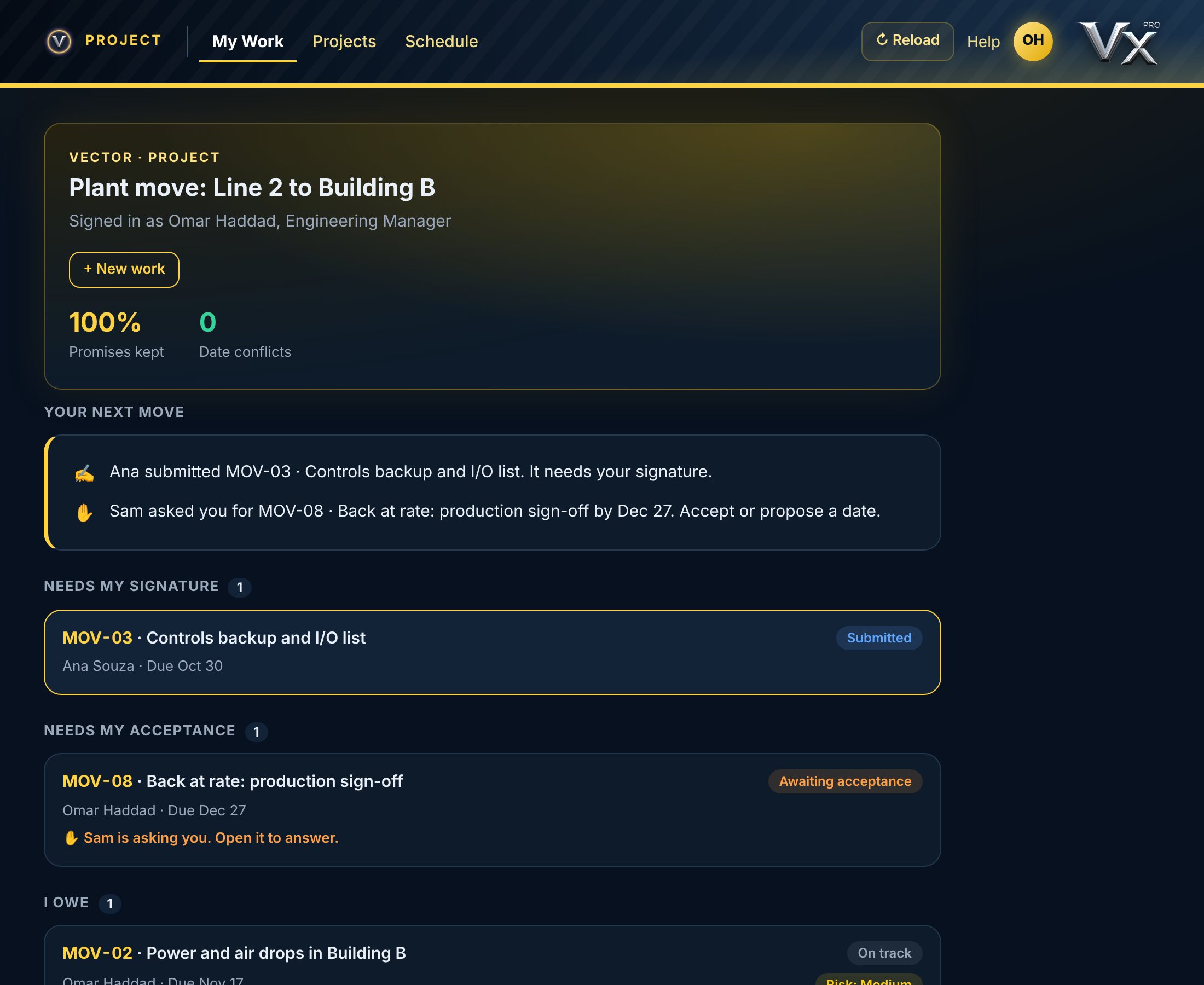
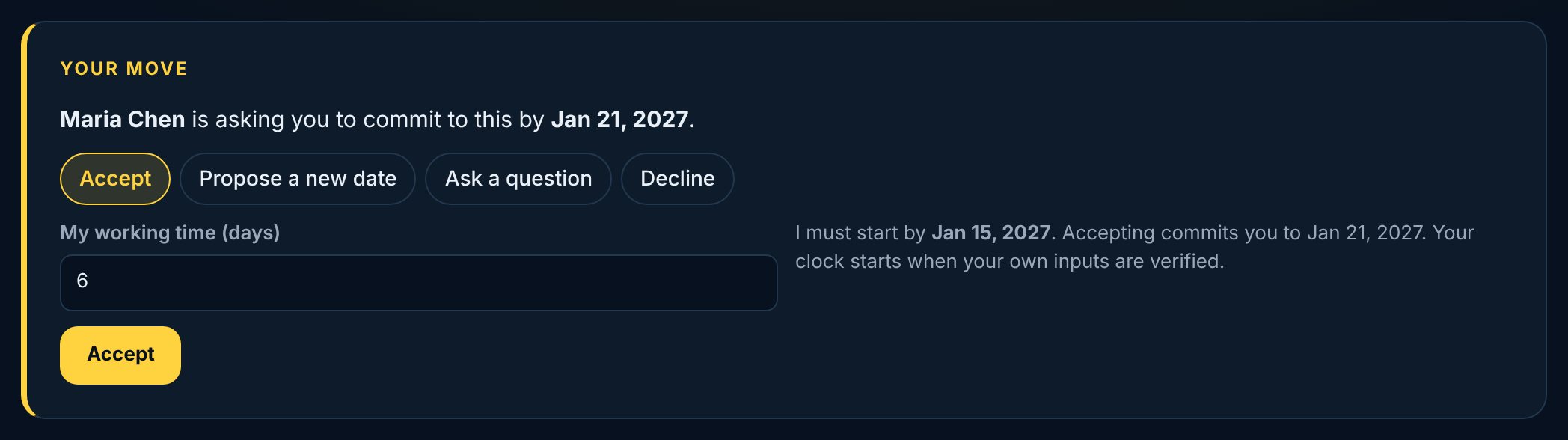
Work is requested, not assigned. The owner accepts the date, proposes one they can actually hit, asks a question first, or declines. The person who asked decides. Nothing is on anyone's plate until they say yes.
- "Your next move" tells each person what's waiting on them, most urgent first
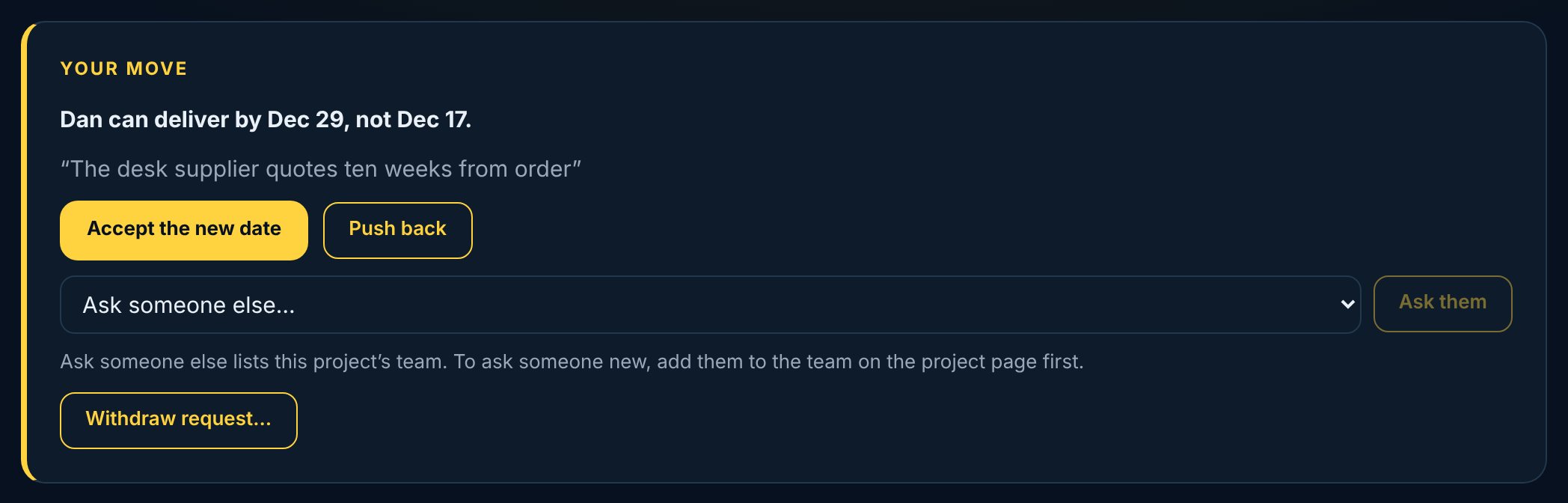
- Ask for what you need from someone else, with the date you need it by
- Promises kept, counted from what actually happened
Trace
Late isn't the same as your fault
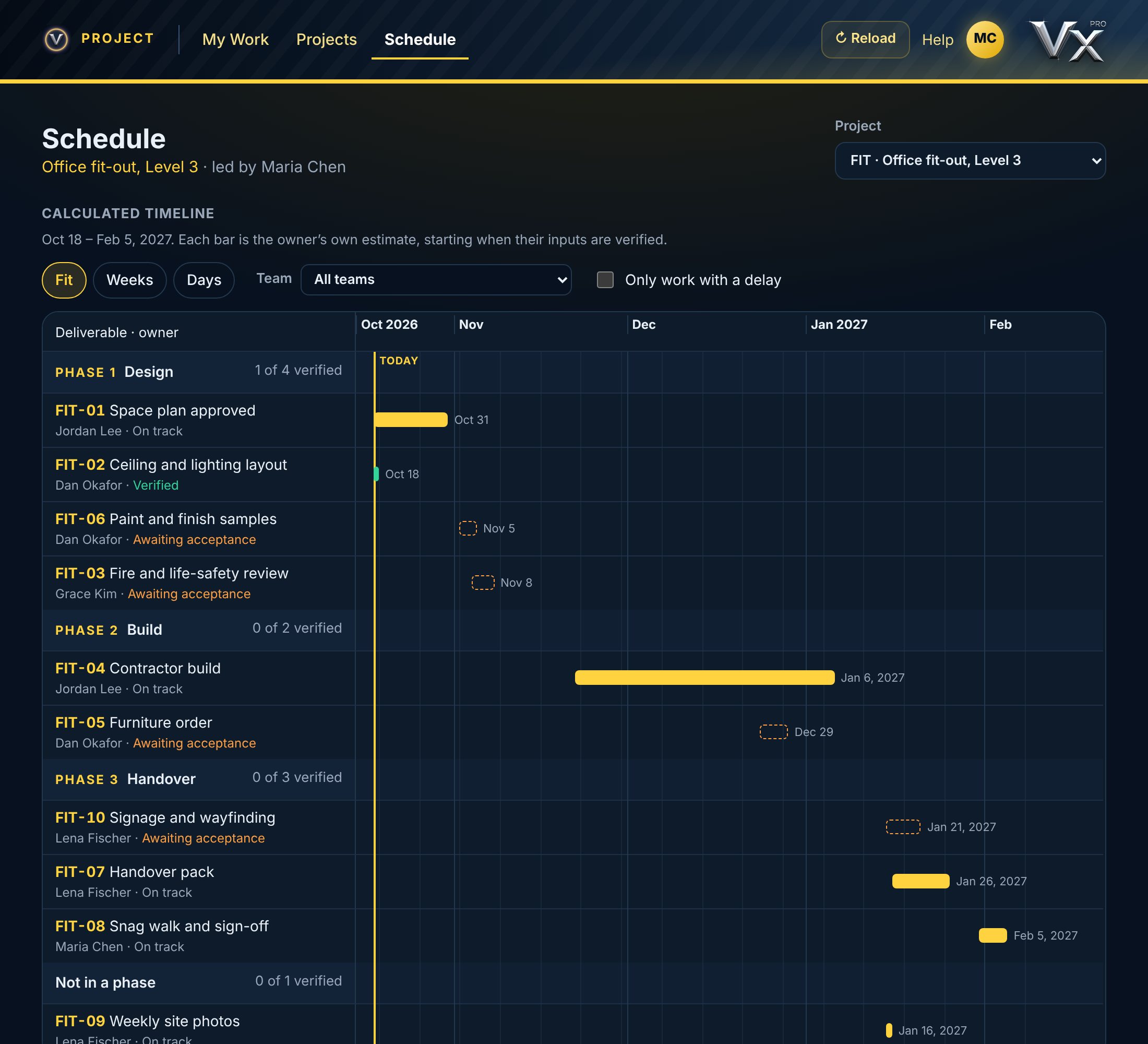
Each piece of work starts when its inputs are verified and takes its owner's working time. When an input arrives late, every date downstream moves by the same days, counted as inherited, not as the next person being slow. Days late on someone's own work are owned. The two are never mixed.
- Date conflicts show the moment a promise can't meet what depends on it
- Flag a slip early, with a reason, while it's still a warning
- Risk rated by the owner, with an early-warning card on every project
Prove
A signature covers one version. Exactly one.
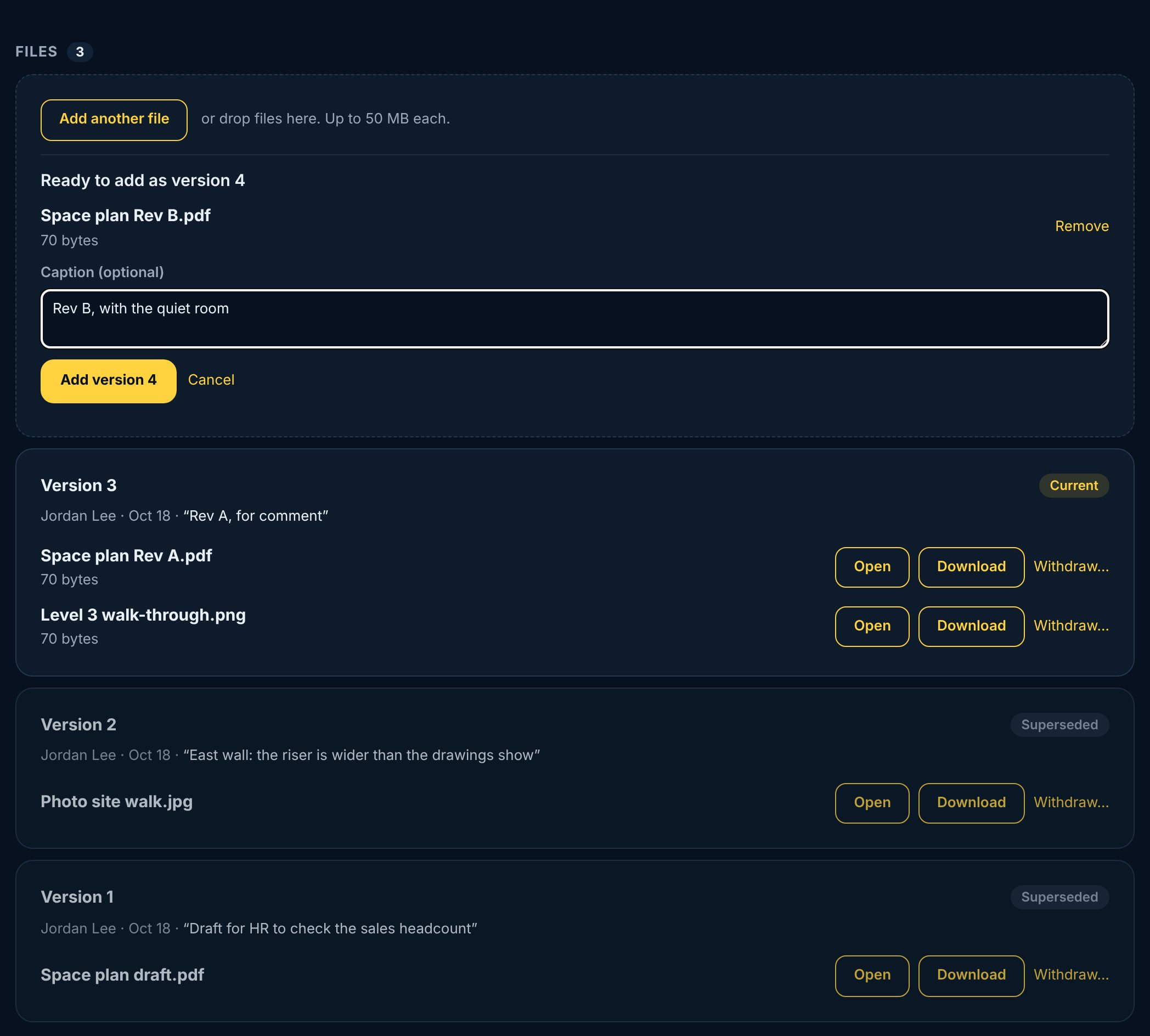
Files and photos attach as numbered versions. The validator signs the version they looked at, and it locks. Add a new version and it needs a new signature. Nobody signs off their own work, and work that isn't right is sent back with a note.
- A definition of done on every piece of work, ticked before it can be submitted
- Signed Complete by the owner's manager, or someone they hand it to; Reviewed too, when you name a reviewer
- Withdraw a wrong file and it stays on the record, with the reason

Decide
Phases without gates. Decisions on the record.
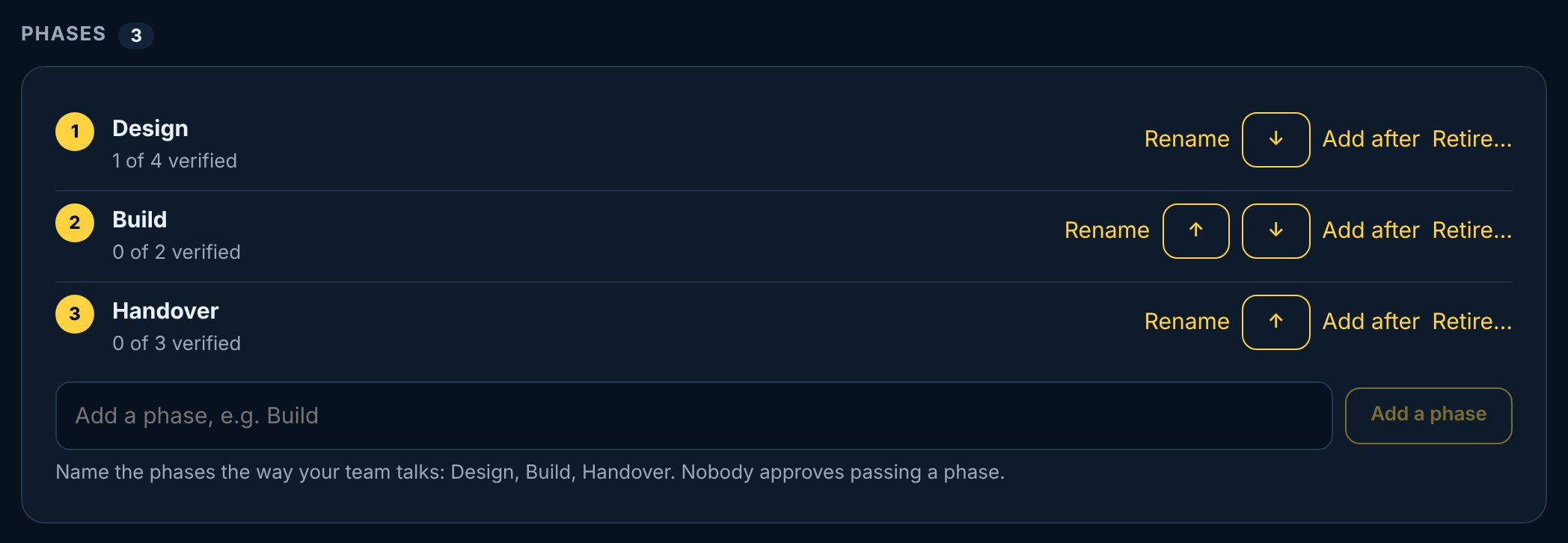
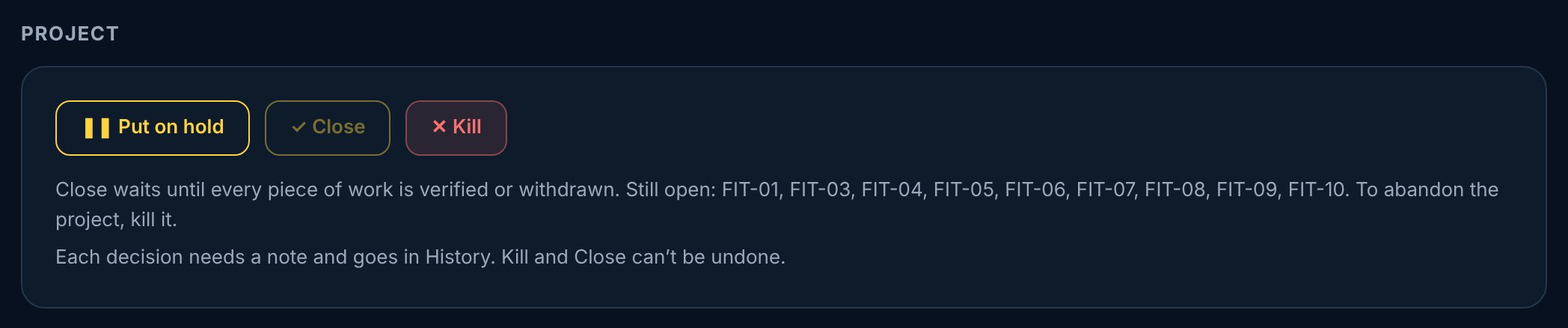
A project's phases, such as Design, Build and Handover, group its work. Nobody approves passing one: work starts whenever its inputs are ready. Your company's standard shapes of project are templates, set up once. The lead decides the rest at any time: hold, kill or close, each with a note in History.
- Hold stops the clock: on Resume every open date moves, and the days count against nobody
- Close waits until every piece of work is verified or withdrawn
- Kill is final, and the team can still see why
A slip, traced
Here's what one late sign-off looks like in Vector
An office fit-out, four handoffs downstream. Every person sees their own date move, and exactly where the days came from.
Space plan approved
HR hasn't settled the headcount. Jordan flags it early: five days, owned at the source.
Contractor build
The build moves five days. Vector shows it as inherited from the space plan, not the contractor's delay.
Furniture order
Dan sees the new date the day the slip is flagged, not the week the furniture arrives.
Snag walk and sign-off
Maria sees five days lost at one handoff, one cause, one owner. Decisions get made on facts.
Who it's for
For anyone who runs work across people
Project leads
A plan the team actually agreed to, a schedule that recalculates itself, and hold, kill and close on the record.
Everyone doing the work
Your next move, what's waiting on you, and credit for the delays that weren't yours.
Managers
Sign your people's work complete, or hand that down to someone on your team.
Leadership
Every project, its promises kept and its early warnings, without asking for a status deck.
Everything a project needs, nothing it doesn't
Many projects
Everyone sees the projects they're on; managers see their people's.
Phases and templates
Optional phases, and your company's standard shapes of project.
Dependencies
Link what each piece of work needs, with the date it's needed by.
Versions that lock
Signed versions can't change. New versions need new signatures.
Full history
Every request, promise, slip, signature and decision, with who and when.
Holds that stop the clock
Days on hold count against nobody, and every date moves with them.
Risk and early warning
Owners rate their own work; slips flagged early are counted as early.
One Vector account
The same sign-in as every Vector app.
At your desk and on the go
The full app on the web, with an iPhone app in testing.
Questions
How is this different from Vector Engineer?
Engineer is for stage-gate product development, with gate reviews, findings and a Gate 6 report. Vector Project is for every other project with handoffs: it has phases to group the work but no gates to pass, and the lead decides hold, kill and close at any time.
Is this a replacement for our Gantt chart?
It's what a Gantt chart should be built from. The schedule is calculated from each owner's promise and what their work depends on, so it stays true without anyone redrawing bars.
Do we have to use phases?
No. Phases are optional. Start from one of your company's templates, type your own, or run a project with none.
Who can see our projects?
People on a project see all of it, because handoffs cross teams. Managers see their people's projects, and leadership sees everything. See our privacy policy.
What does it cost?
From $349 a month for up to 10 seats, priced by how many people sign in, with 30 days free on a real project. See the pricing.
Is there a manual?
Yes. The Owner's Manual (PDF) walks through setting up a company and running a project, and the quick card is the one page to give everyone on the team.
How do I learn it?
The Help Center has every part of the app, step by step, with pictures. The same help is in the iPhone app.
Bring your messiest project
Thirty minutes with your own handoffs. We'll show you where the days are really going.
Book a demoSee the pricing · Read the Owner's Manual · See the other Vector apps