 Actions
Coming to the App Store $4.99 once. No account, no subscription.


ACTIONS
Accountability. Clarity. Results.
Say it now. Sort it later.
Driving to work, walking between meetings, lying awake at night: that's when you remember everything you have to do. Vector Actions is the place to dump it. Just talk to your phone. It doesn't have to make sense. You get back a clean list of actions, ready for when you have time to deal with them.
- One button, then just talk
- Runs on your iPhone, private to you
- No account, no sign-in
The problem
Your best reminders show up at the worst times
Hands on the wheel
The thought arrives at 7:40 on the highway. By the time you park, it's gone, and it comes back at 4:55 when it's too late.
To-do apps want forms
Title, date, list, priority, tags. Nobody fills in a form in the middle of a thought, so the thought never makes it in.
A head full of loose ends
Carrying twenty half-remembered things around is tiring. You don't need a system. You need somewhere to put it all down.
How it works
Dump it. Sort it. Get it done.
Capturing takes seconds. Organizing waits until you're ready.
- 1Tap and talkRamble. Jump around. Change your mind mid-sentence.
- 2It sortsOne action per thing you said, with the steps under it
- 3Dates land"Friday at 2" goes on your calendar, with a reminder
- 4Deal with it laterAt your desk, on the couch, whenever you have time
- 5Say what's done"Called the bank, dropped off the parcel." Checked off.
What it hears
You talk the way you think. It writes the list.
Real rambles, the kind you'd say in the car, and what Vector Actions makes of them.
Okay so, uh, I need to call the insurance guy about the truck, and... oh, the dentist wants to move Thursday, and I promised Mike I'd send him that quote. Friday. The quote's Friday.
3 actions: Call the insurance agent about the truck · Reschedule the dentist · Send Mike the quote, Friday
For the garage I need to get shelving, the anchors, and a stud finder, probably from Home Depot on Saturday morning.
1 action, 3 steps: Garage shelving (shelving · anchors · stud finder), Saturday morning
Every Monday I've got to do the timesheet, I always forget. And book the team lunch for the 15th at noon.
A repeat and a calendar event: Timesheet, every Monday · Book the team lunch, the 15th, 12:00, on your calendar
Capture
One button. Then just talk.
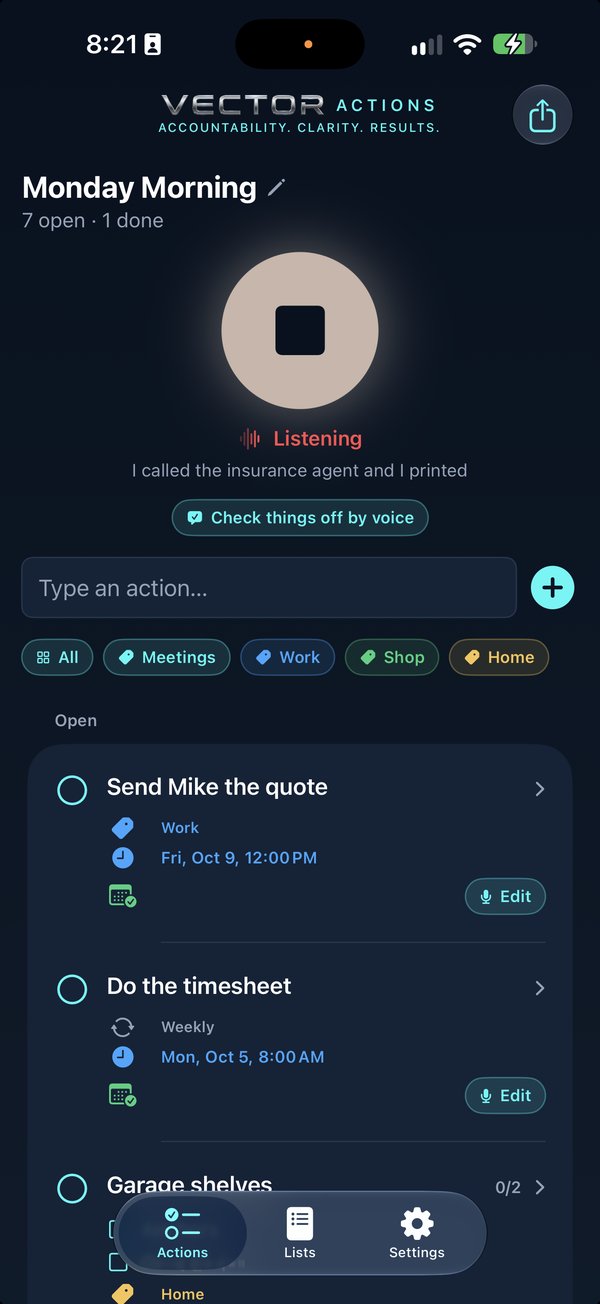
No title field, no due-date picker, no deciding which list it goes in. Tap the button and say whatever's on your mind, in whatever order it comes. Related things become steps under one action. Dates and times are picked up from how you said them.
- Speech and sorting happen on your iPhone, not on a server
- A day and a time goes straight onto your calendar (Apple, Google or Outlook), with a reminder, and Undo
- Rather type? There's a quick-add row too
Where it goes
Your calendar. Your notes. Your choice.
Apple, Google or Outlook
Pick your calendar when you set it up. Anything with a day and a time lands there, with an alert, using the accounts already on your iPhone. Nothing to sign in to.
A running record in Apple Notes
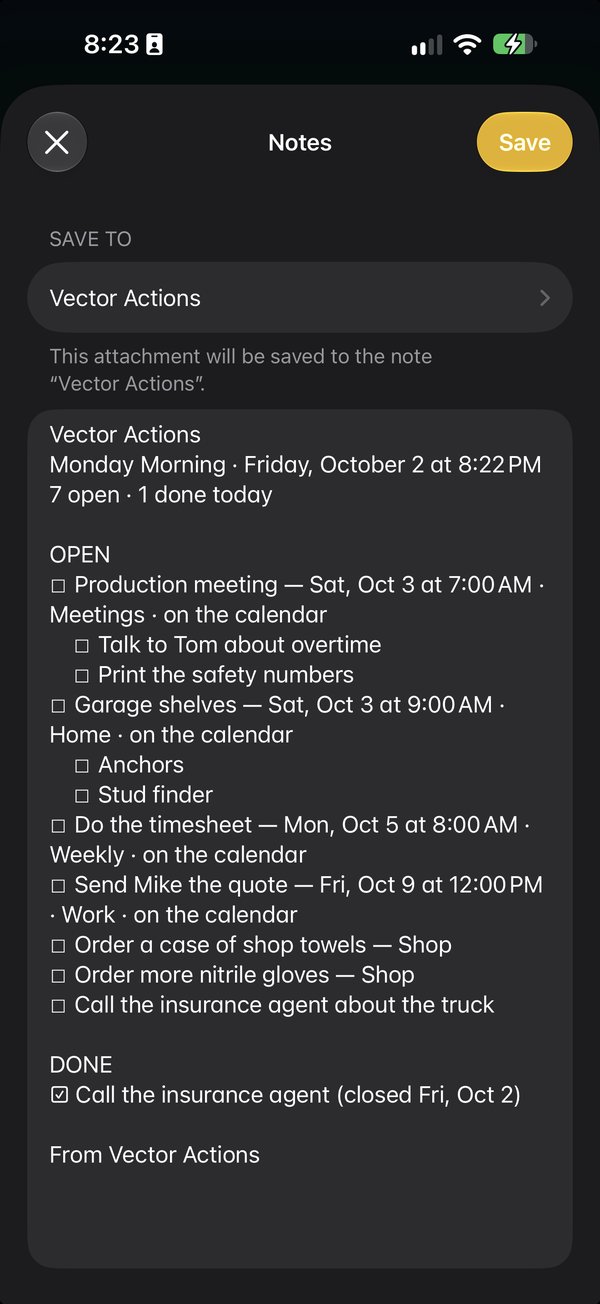
Send your list to Notes after you talk and keep adding to one note. Look back at what was open and what got done.
Shop it together
Share the note with your family and everyone sees the same list, live. One grocery run, the whole house ticking it off.
Change your mind any time
Settings has the calendar, the alert and the Notes offer. Switch off anything you don't want.
Sort, later
Deal with it when you have time
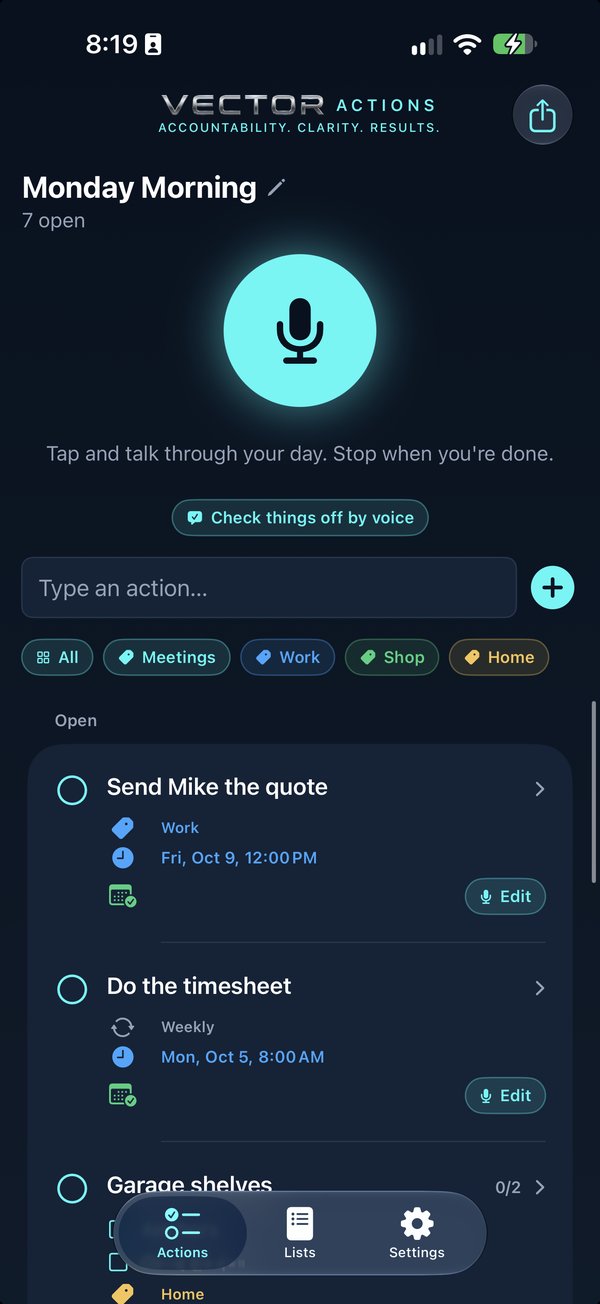
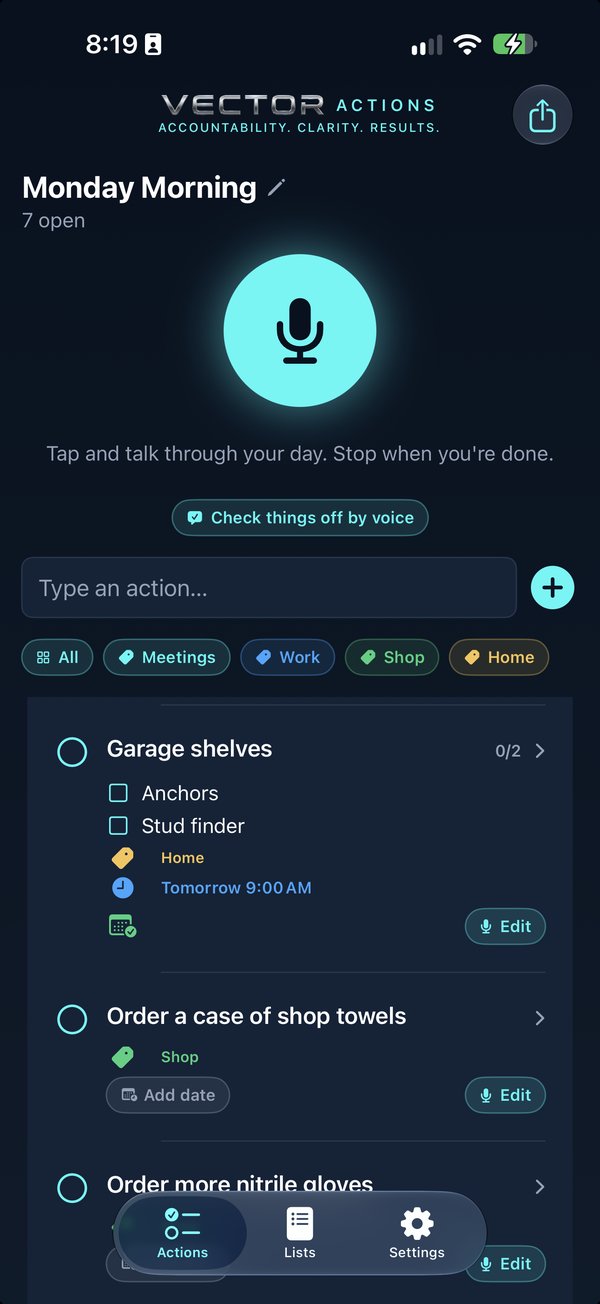
When you sit down, the list is waiting: clean, one line per thing, with the steps and the dates already there. Tidy it up by voice or by hand, give things a category, make something repeat, or split a step into its own action.
- Edit any action by voice: "move this to next Tuesday and add a step to call first"
- Categories in your own colours, and repeats: daily, weekdays, weekly, monthly and more
- Lists for separate brain dumps, named by voice or by hand
Done
Check things off the way you added them
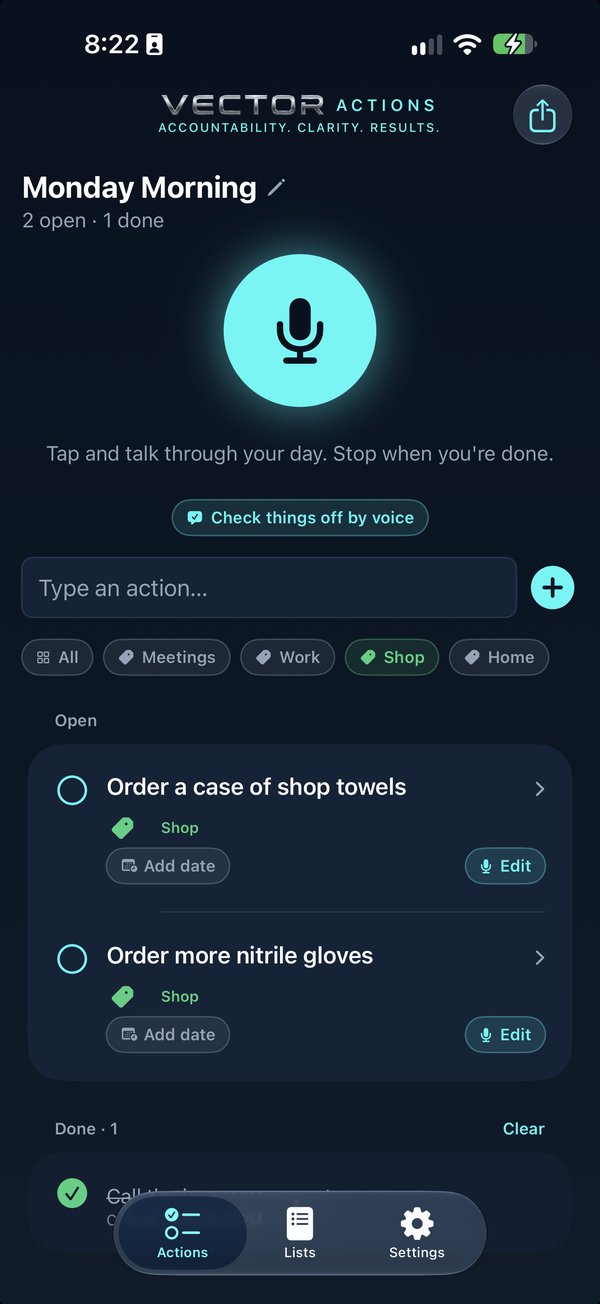
At the end of the day, just say what you finished. Vector Actions matches it to your list, shows you what it found, and you confirm. Nothing is ever deleted by accident: closed actions go to Done, and you can reopen them.
- Review what it matched before anything closes
- Closing a repeating action sets up the next one
- Clear is the only delete, and it asks first
It's not a project manager. It's a pocket you can empty your head into.
Part of the Vector family: every commitment gets an owner, a date, and proof. With Actions, the owner is you.
Small app. Big relief.
Private by design
Your voice and your list stay on your iPhone. No account, no server.
Your calendar
Apple, Google or Outlook. Timed actions go on it, and move when you change them.
Steps
Related bits become steps under one action. Swipe one out to make it its own.
Repeats
Daily, weekdays, weekly, fortnightly, monthly or yearly.
Categories
Say it or pick it, give it a colour, filter by it.
Undo everywhere
Closing, editing and calendar changes can all be undone.
Lists
Keep work, home and the weekend apart.
Help built in
Short, picture-by-picture help inside the app.
Questions
Which iPhones does it work on?
Vector Actions uses Apple's on-device intelligence, so it needs an iPhone that supports Apple Intelligence (iPhone 15 Pro or later) on iOS 26.
Does anyone hear what I say?
No. Speech is turned into text on your iPhone, and your list is sorted on your iPhone. There's no account and nothing is sent to us.
Do I have to talk in a special way?
No. Ramble, pause, go back, change your mind. That's the point. It picks out the actions and leaves the "ums" behind.
Is it safe to use while driving?
Only use it hands-free and when it's safe and legal where you are. Start a recording before you set off, or use it at a stop. Your list will be there when you arrive.
Does it work with Google Calendar and Outlook?
Yes. Choose Apple Calendar, Google Calendar or Outlook when you set it up, or later in Settings. It uses the calendar accounts already on your iPhone (Settings, Apps, Calendar, Calendar Accounts), so there's nothing extra to sign in to.
Can I keep a record in Apple Notes?
Yes. After you talk, tap Send to Notes and choose Notes. Add each send to one running note and you'll have a dated record of what was open and what got done.
Can my family use the same list?
Yes. Send the list to Apple Notes, then share that note with your family or crew from Notes. It stays live on everyone's iPhone, so the whole house can shop one grocery list together.
How much is it?
$4.99, once. No monthly fee, no yearly plan, no account, no ads, and nothing to buy inside the app. Most voice to-do apps charge every month; this one doesn't.
How do I get it?
Vector Actions is in App Review now and will be on the App Store soon, for $4.99 once. This page will have the App Store link the day it's out. Meanwhile, the Help Center shows how every part of it works.