
 Operations Pro
Now on the App Store Founding plants: 30% off for two years.


OPERATIONSPRO
Accountability. Clarity. Results.
Every problem on the floor gets an owner, a fix, and proof.
Walk an area on your iPhone, flag what you see, and give each problem to one person with a date. They show the fix with a photo, someone else checks it, and the whole story lands in a PDF you can hand an auditor. Nothing on the record can be quietly changed.
- Works with no signal on the floor
- 6S, safety and your own programs
- Record signed by an outside authority
- Audits that announce and run themselves
- Overdue work climbs the org chart on its own
- Sign in with Microsoft, Google or Okta
The problem
A spreadsheet can list corrective actions.
It can't prove they were done.
Findings die in a file
The walk happens, the list gets typed up, and three weeks later nobody can say which items were fixed.
"Someone" owns it
An item with no single owner and no date is an item nobody is working on.
Auditors want proof
"Done" in a cell isn't evidence. A before photo, an after photo and a name is.
How it works
One loop, for every problem
Whether it came from an audit walk or straight from a manager, every item goes round the same five steps, and Vector keeps the record at each one.
- 1Raise itWhat needs attention, and where
- 2Own itOne person, one due date
- 3Work itNotes and photos as it moves
- 4Prove itA photo of the fixed condition
- 5Verify itSomeone else checks, and closes it
Walk
Flag it where you find it
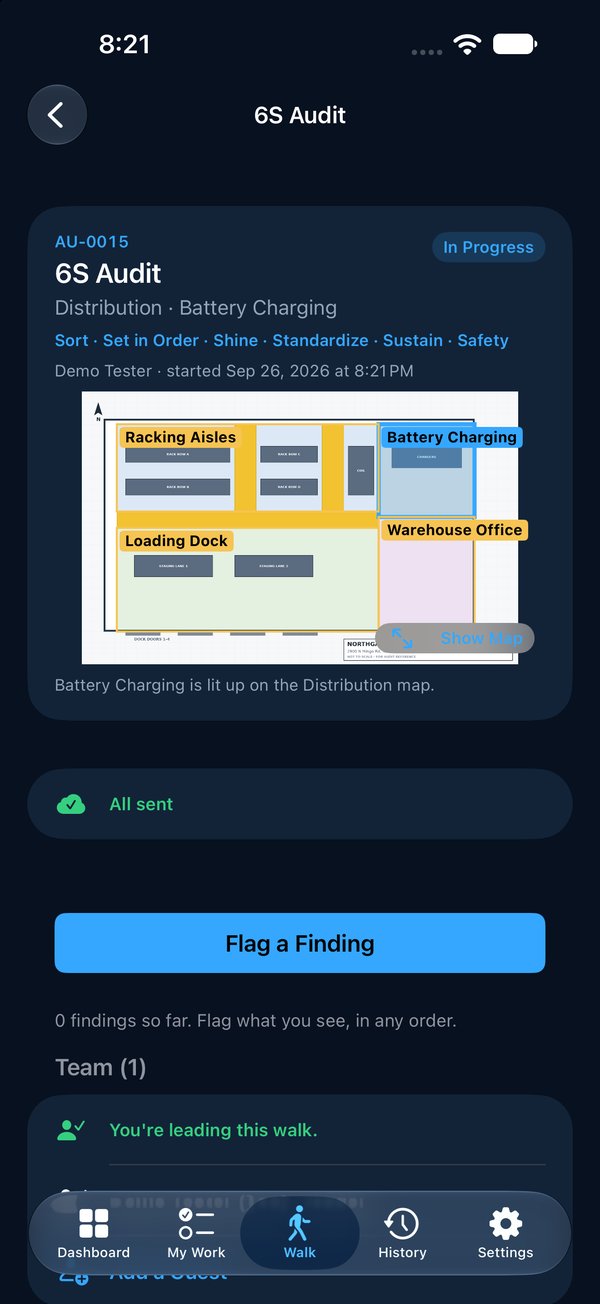
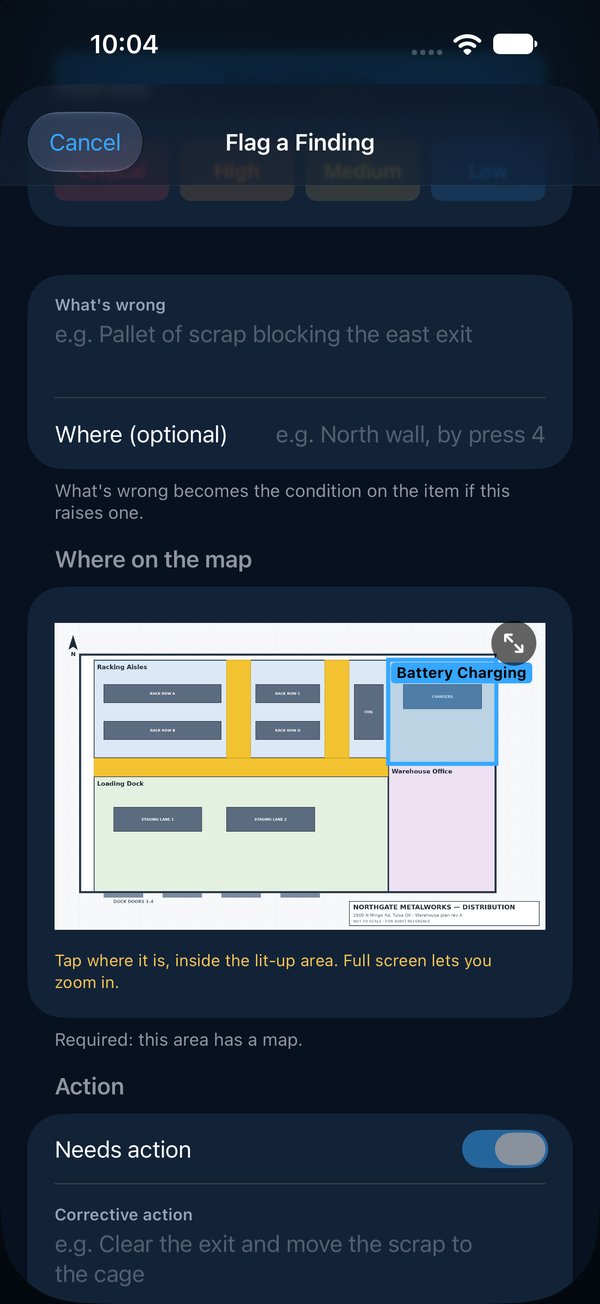
Pick the area and the program, and walk. Each finding takes a photo, the standard it falls short of, how bad it is, and a pin on the area's map, so the next person can find it without asking.
- Ready-made 6S, safety, chemical and machine-guarding programs, or your own
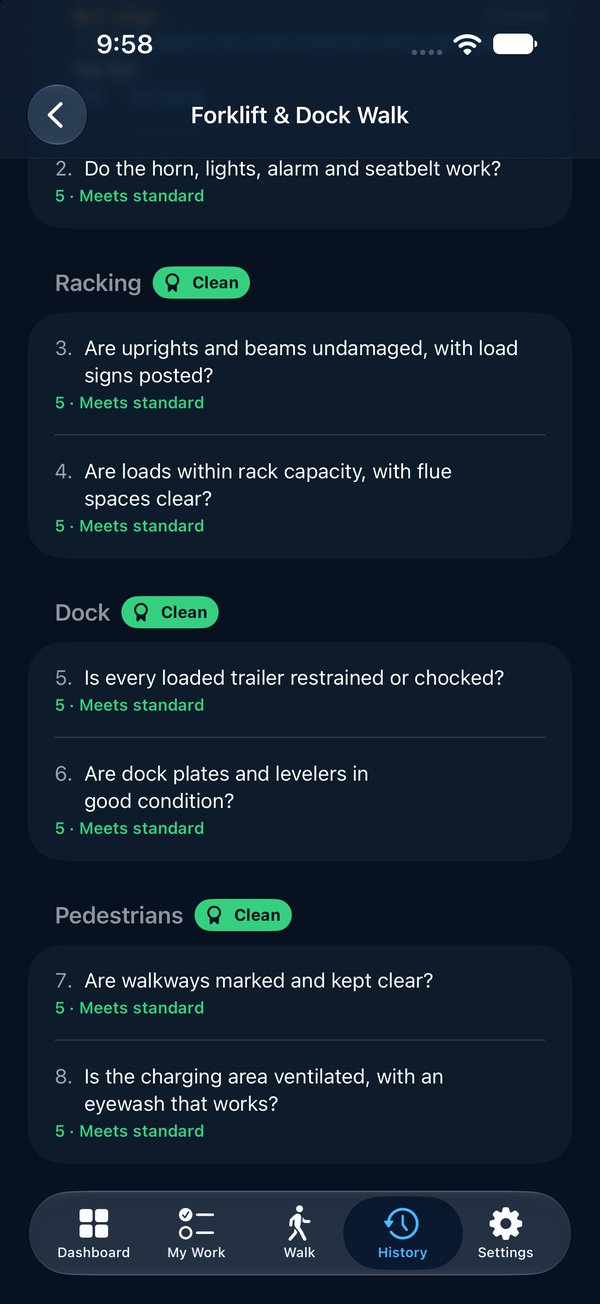
- Every criterion scored 1 to 5; a section with nothing wrong earns a Clean badge
- Walk as a team, each person on their own phone
- No signal? Keep walking. Everything sends when you're back in range
Own
One owner. One date. No excuses.
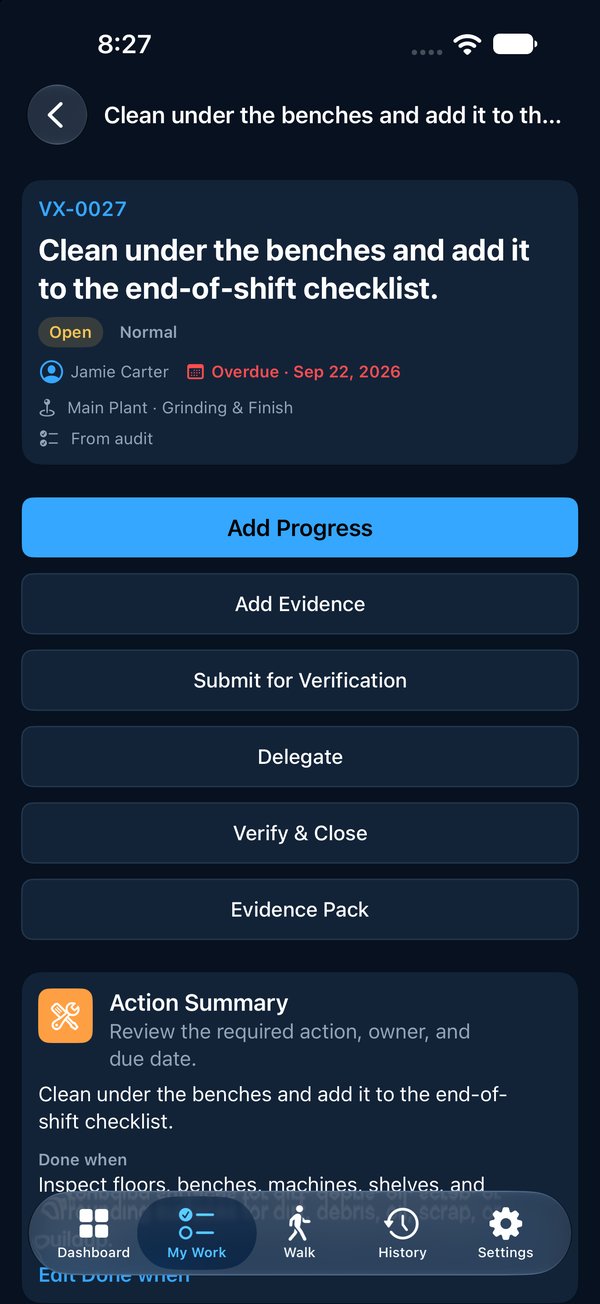
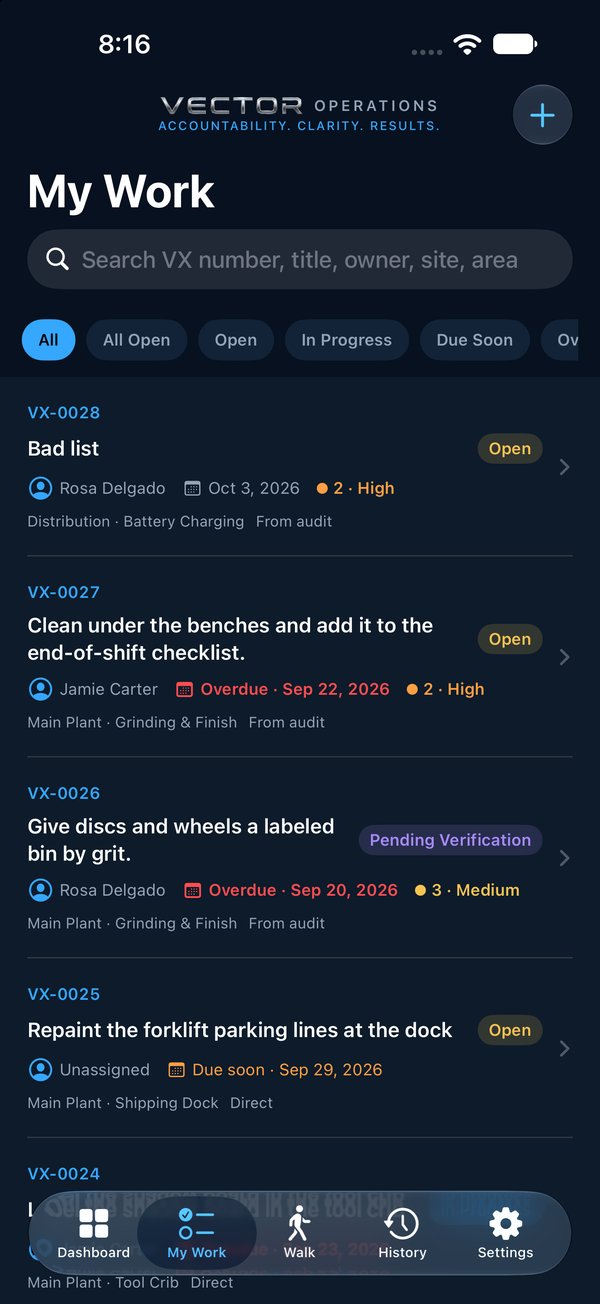
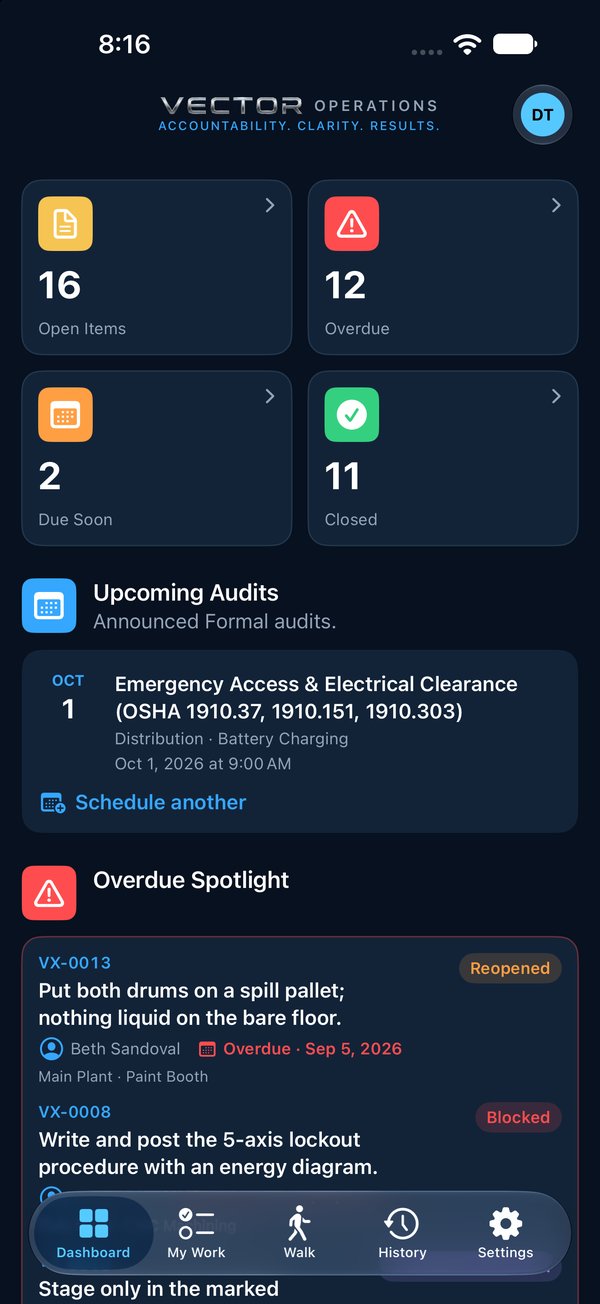
Every finding that needs action becomes a numbered item with one owner, inside your team or at a contractor. They get an email the moment it's theirs, and it sits in their My Work until it's done.
- Overdue work is the first thing on everyone's Dashboard
- Contractors and vendors can own items too
- Quote VX-0024 and anyone can find it
Fix and verify
Show the fix. Then someone else checks it.
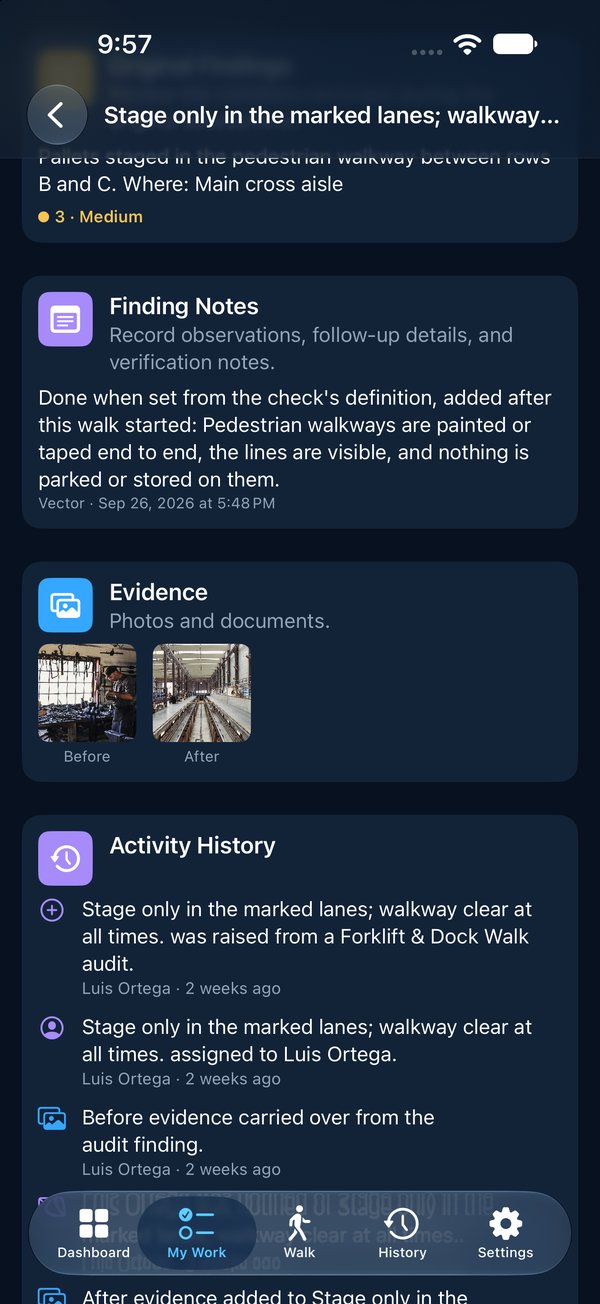
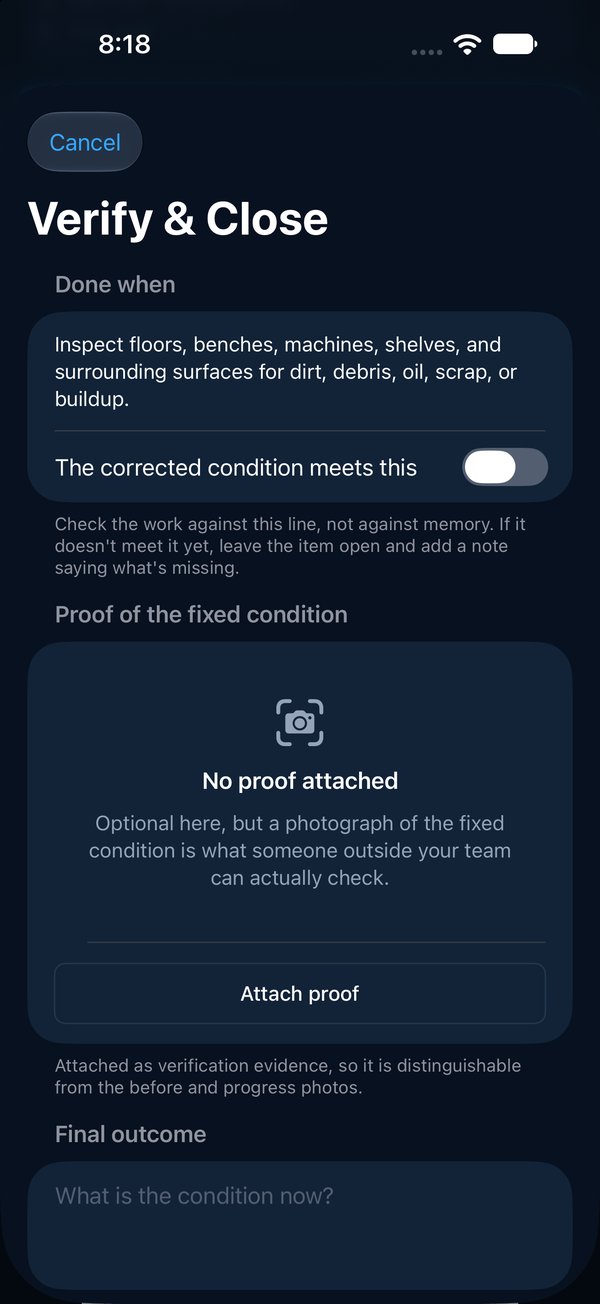
The owner adds notes and photos as the work moves, then sends it for verification. A different person confirms the condition and closes it. If the owner closes their own work, the record says so, everywhere it appears.
- Before, progress and after photos, each stamped with who and when
- Programs can require a photo of the fix before anything closes
- Reopen an item and the earlier closure stays on the record
Define
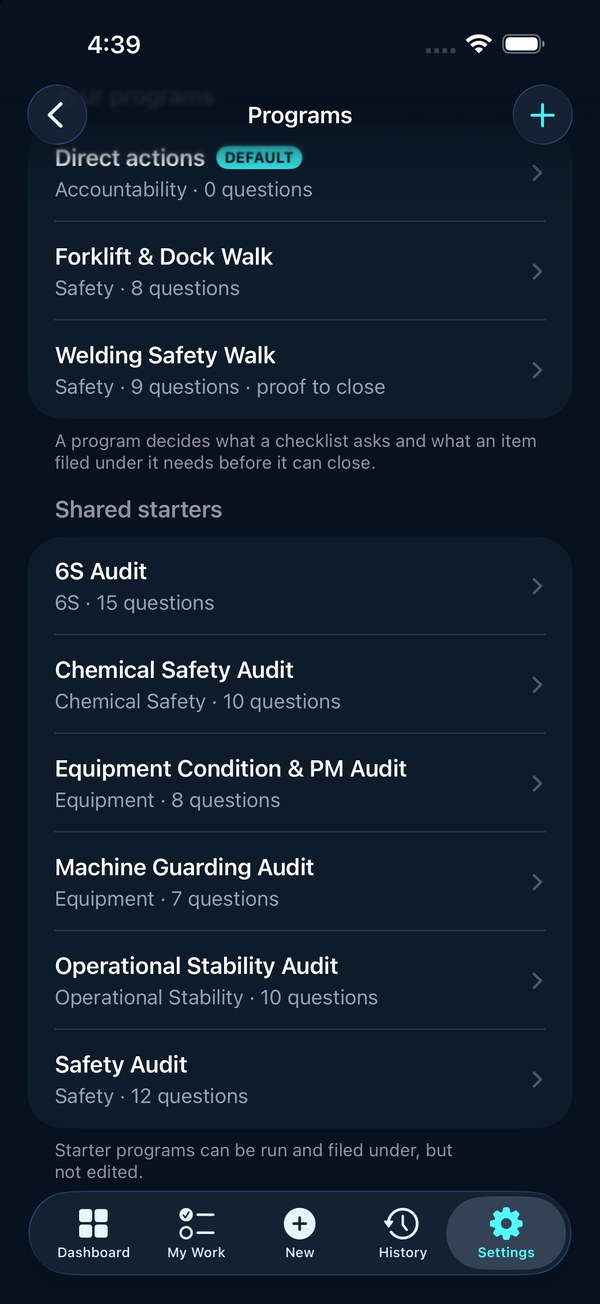
Everyone audits to the same standard
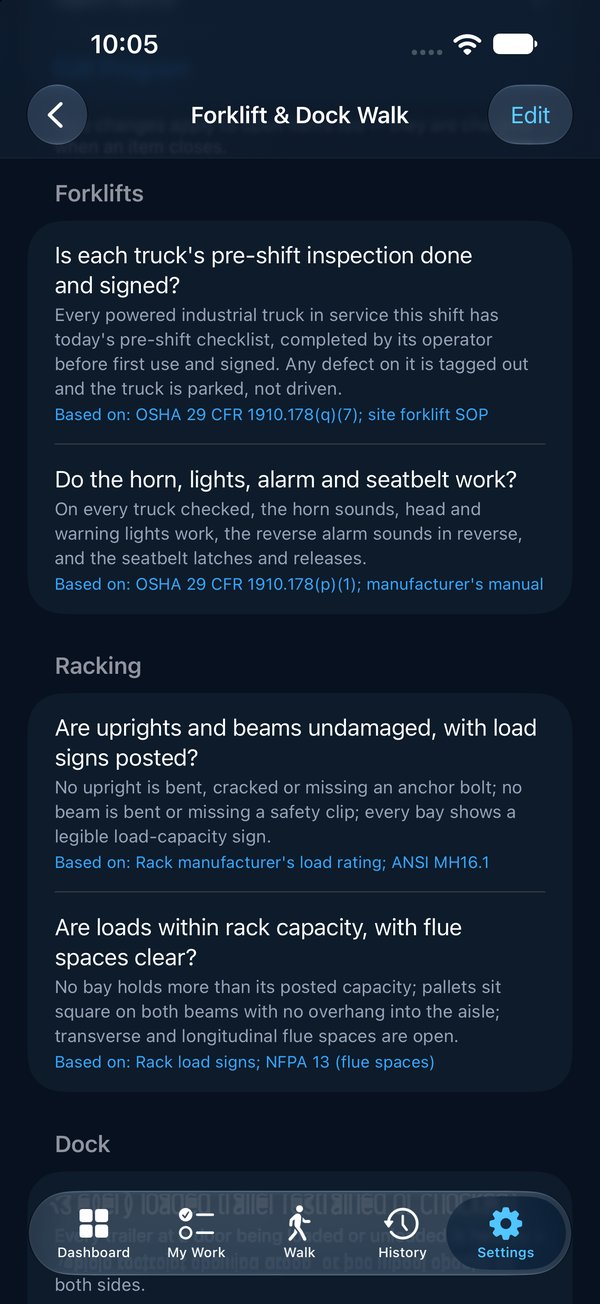
"Clean" means something different to every auditor. In Vector every check says, in one plain line, what good looks like, with how to check it, the rule it's based on and the evidence expected folded away underneath. Two people walking the same area score it the same way.
- Starter programs for 6S and safety, plus a Formal set built on OSHA, ISO and fire-code requirements
- Undefined checks are flagged; a Formal audit won't even start until every check is defined
- The definitions are locked in when a walk starts and printed in the pack: "What was audited"
- Every item carries Done when: the owner can't lower the bar, and the verifier checks against it
Formal audits
Announced audits that run themselves
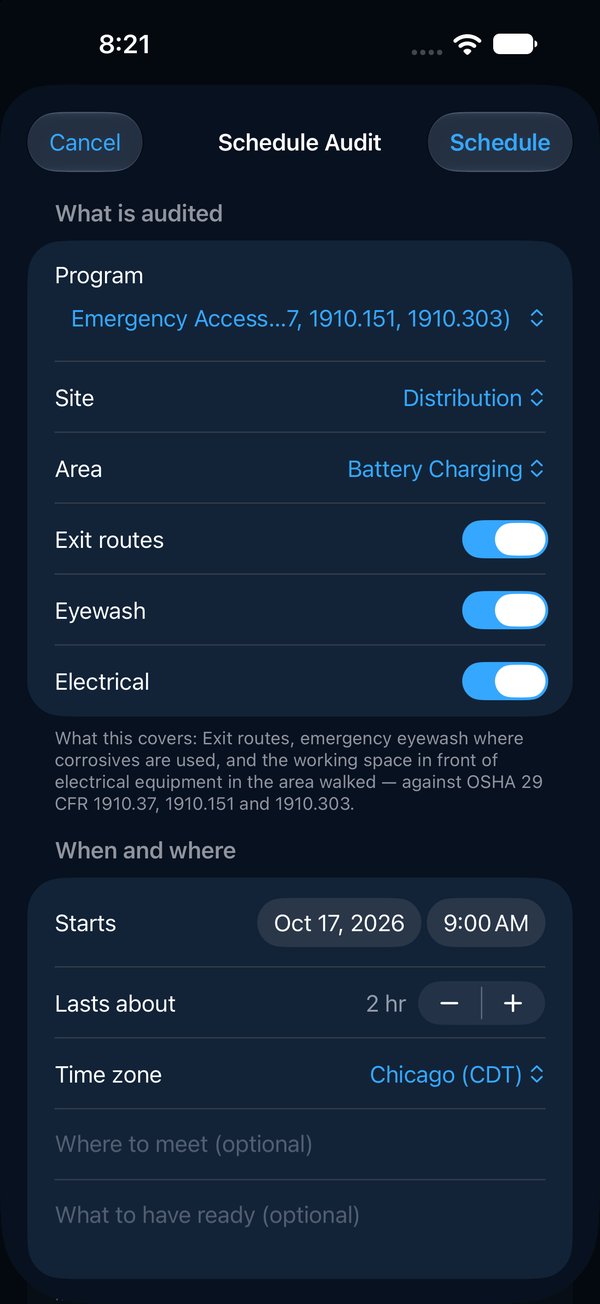
Regulators judge the result. You have to prove how you got there. Schedule a Formal audit weeks ahead and Vector does the paperwork: the notice with a calendar invite and every check that will be looked at, the reminder the day before, any change or cancellation, and the result the moment it's submitted. Every email and who it went to stays on the record.
- Pick the program, the place, the sections, the lead and the team; two weeks' notice by default
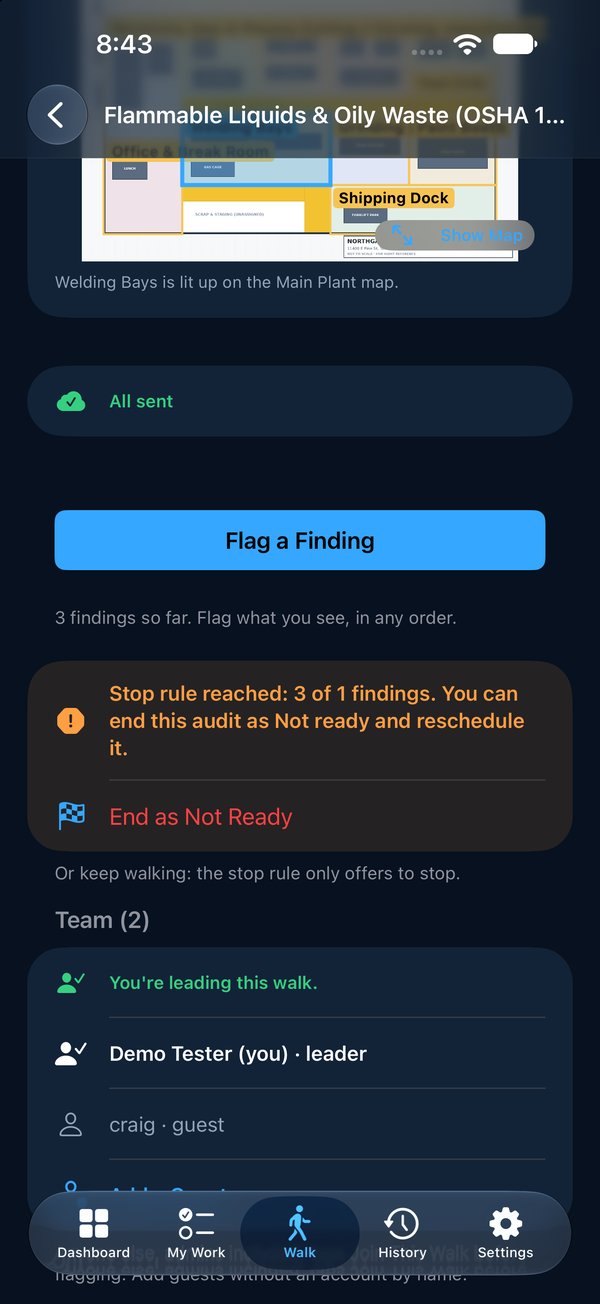
- On the day the team is already on the walk, each on their own phone
- Stop rule: too many failures and the auditor ends it as Not ready; items are raised, unreached checks are recorded as Not assessed, and a re-audit is one tap
- Schedule from the iPhone or the website
Escalate
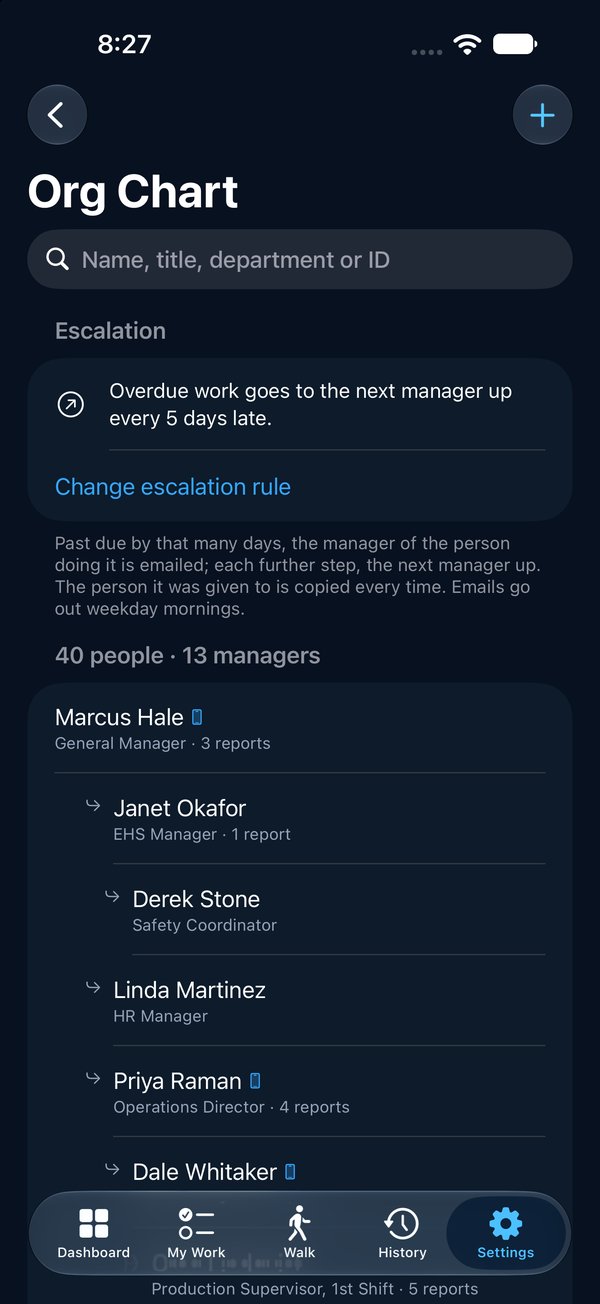
Overdue work climbs the org chart. You don't have to chase it.
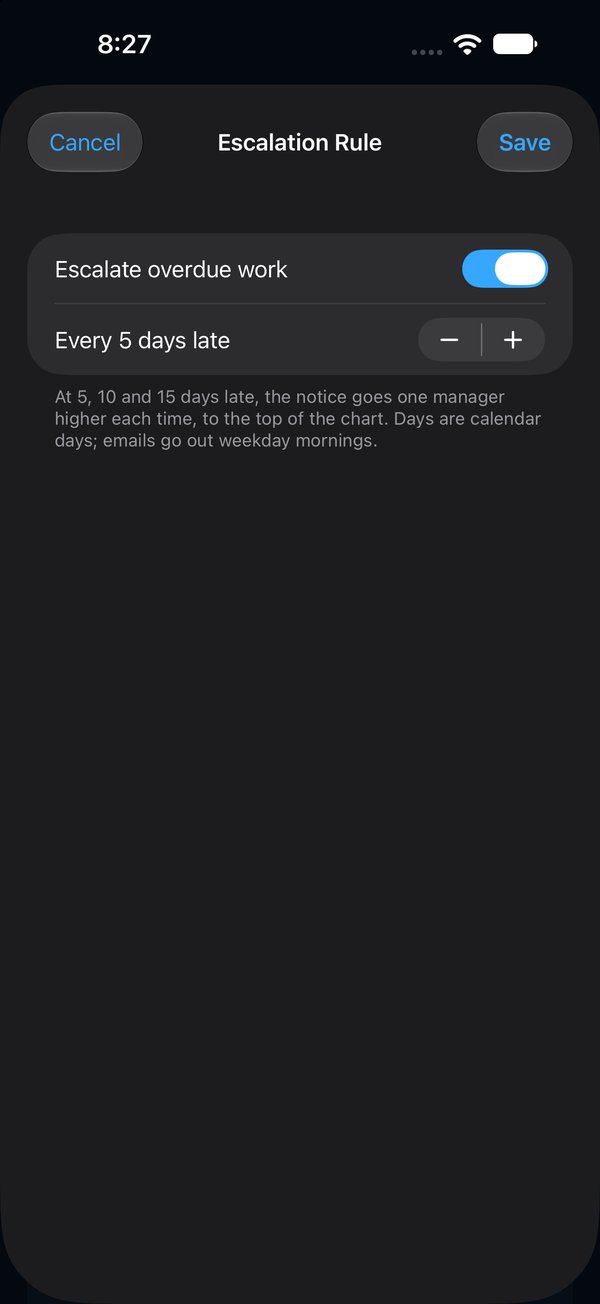
Load your org chart from the HR spreadsheet you already have. When an item runs past its date, Vector tells the owner's manager, then the next level up, at 5, 10 and 15 days, and copies the person who stays accountable. Nobody has to be the bad guy, and every notice is on the record.
- Import from Excel or CSV with a preview; re-import finds the leavers
- Delegate an item and the person who handed it on stays accountable, by name, in the pack
- A manager closing work they handed on is marked self-verified, everywhere
- People who only get emails are free; they don't need the app
Prove
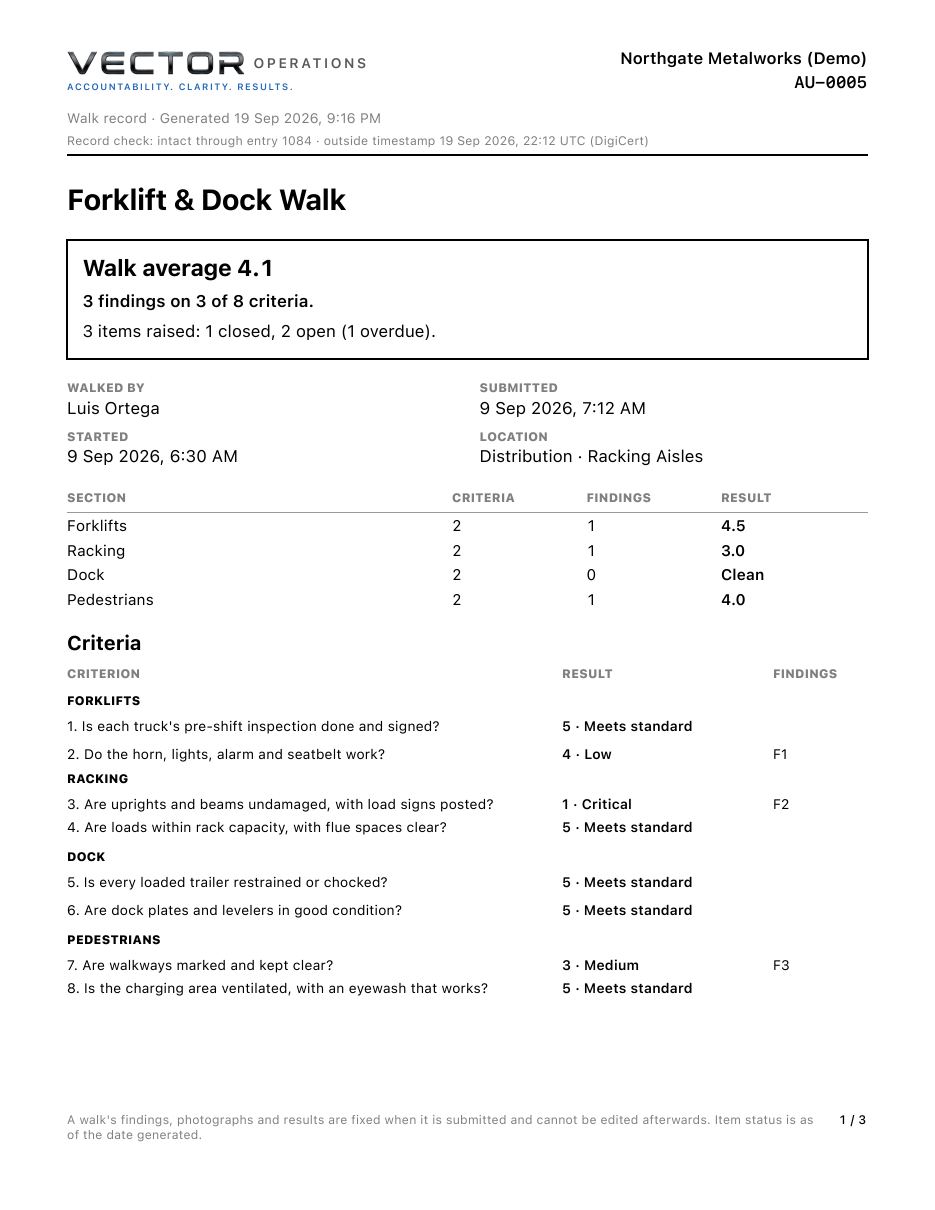
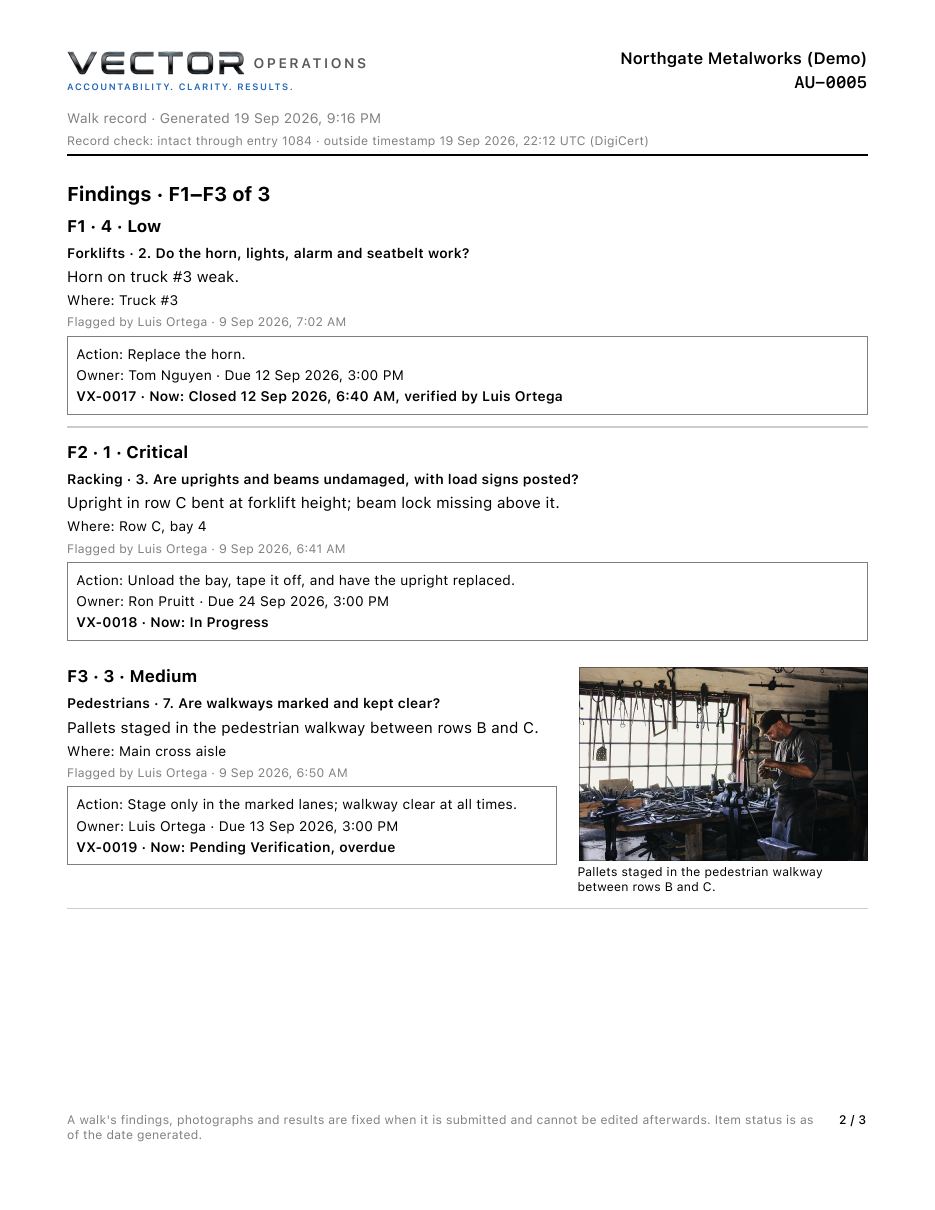
The walk pack: the whole story, one tap
This is a real pack from our demo plant, exactly as Vector made it. The scorecard, every finding with its owner and where it stands today, the photographs, and the map with each finding pinned.
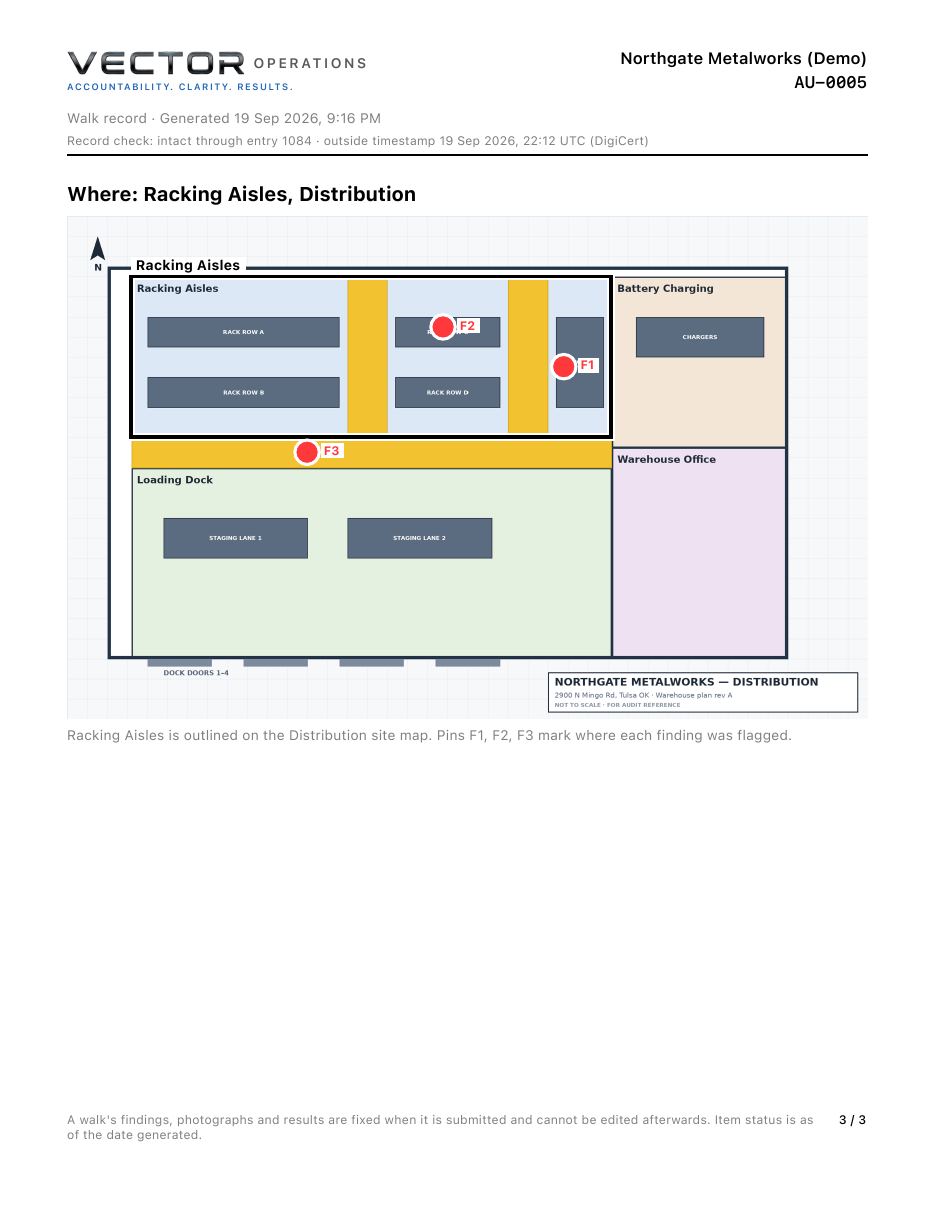
Download the sample pack (PDF)
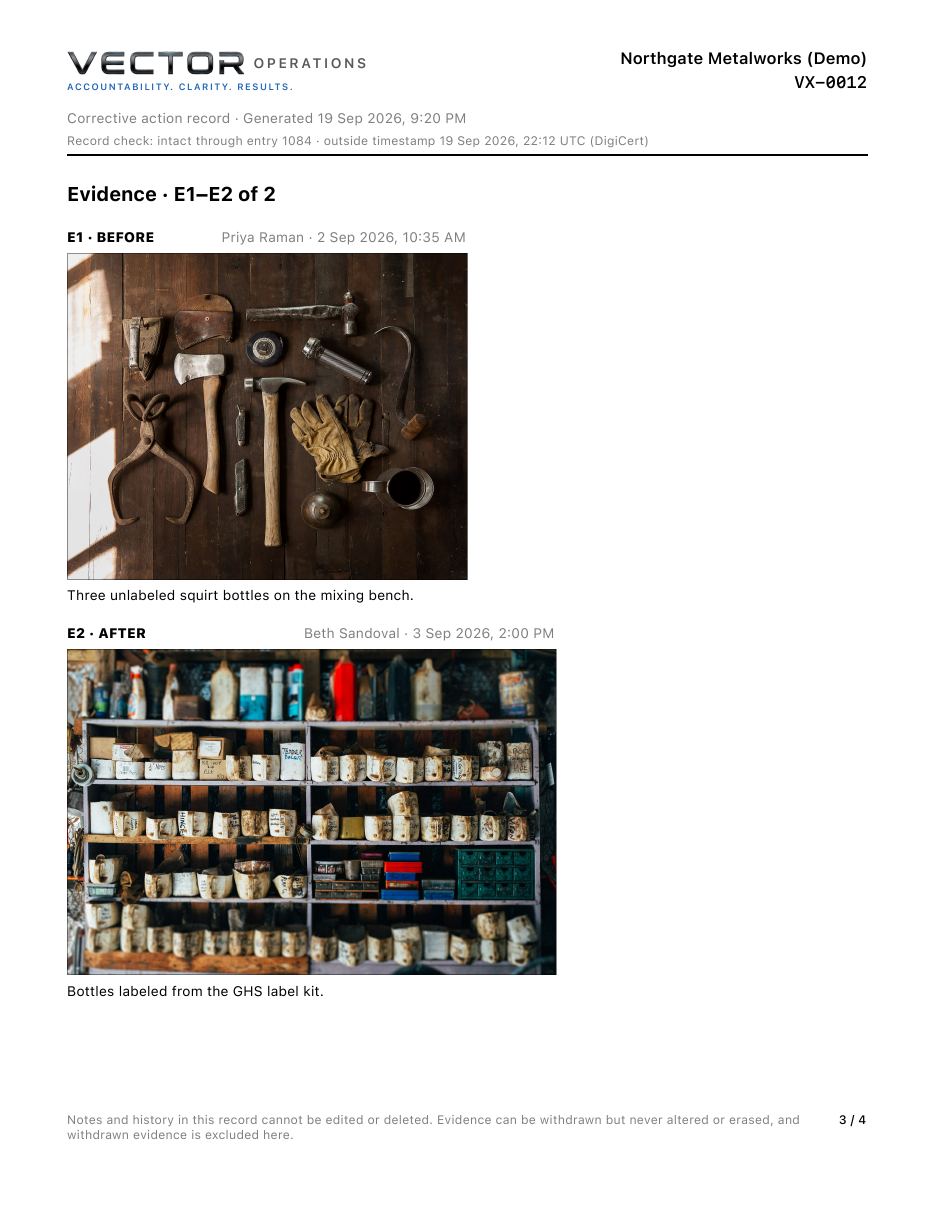
And for one item
Before. After. Who, and when.
Every item has its own pack too: the condition found, the owner, the action, the photographs before and after, who verified it and whether they were the owner, and the score change. Here's VX-0012, three unlabeled bottles on a mixing bench, fixed with GHS labels.
Northgate Metalworks is our demo company. The people are made up; the photographs are public domain.
A record that holds up
No one can quietly rewrite it. Not even us.
Every item, note, photo, walk and finding adds an entry to your organization's record, and each entry carries a fingerprint of the one before it. Change anything afterwards and every fingerprint after it stops matching.
- An independent timestamp authority (DigiCert) signs the newest fingerprint every day, and whenever a walk is submitted or an item closed
- Photos are fingerprinted on the phone before they're sent
- Notes can't be edited or deleted; withdrawn photos stay on the record as withdrawn
- Admins can run a Record Check any time, and every pack says whether the record checked out
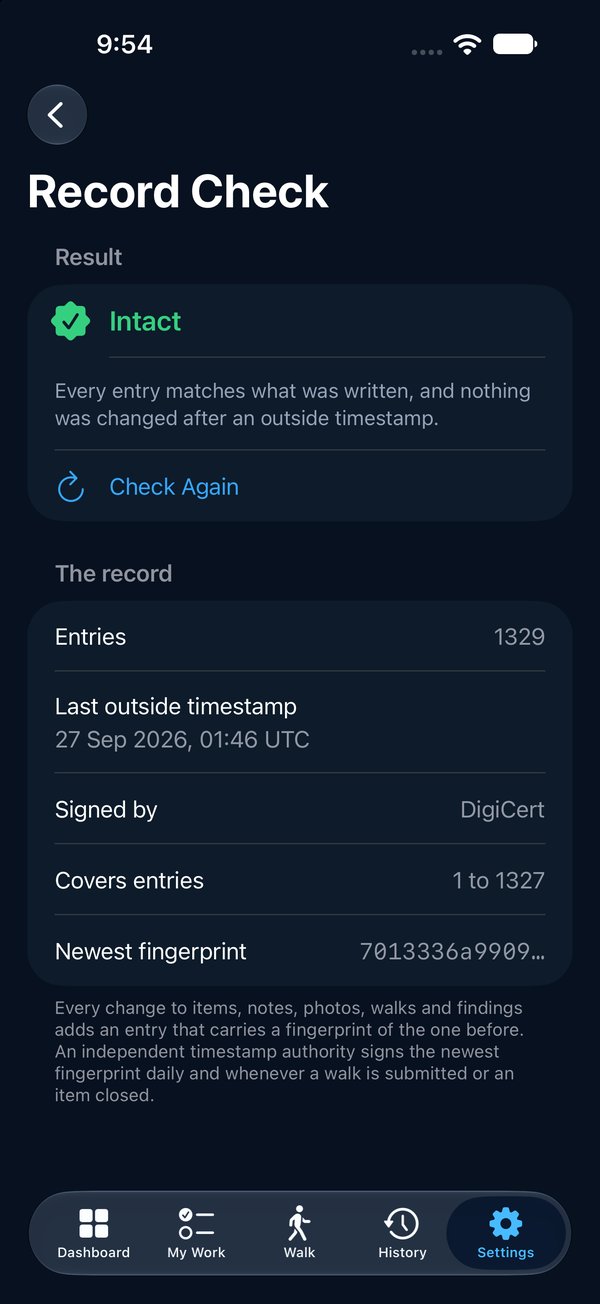
Ready for your IT department
The security review is already answered
The questions a manufacturer's IT team asks before anything new goes on the network, answered on one page: vectorxpro.com/security.
Company sign-in
Your people sign in with Microsoft Entra, Okta or Google. Remove someone there and they can't sign in to Vector again.
Two-step verification
Required for admins and site managers; your admin can require it for everyone.
Watched every night
An automatic security check runs nightly; a breach that affects you is reported within 72 hours.
Your data, walled off
Every company's records are separated in the database itself, not just hidden in the app.
Never locked out
If you ever stop paying, every record and pack stays readable and printable. Your proof is never held hostage.
No card data
Billing is by Stripe. We never see or store a card number.
A real company
VectorXPro LLC, registered in Kansas, with an EIN and a D-U-N-S number.
Up in an hour
A setup checklist on the Dashboard: first site, its areas, the program, the team, the first walk.
Who it's for
Built for the people who walk the floor
6S & lean
Score every area against the standard, see which sections slip, and earn a Clean badge when a walk finds nothing wrong.
EHS & safety
Safety rounds, forklift and dock walks, chemical storage, machine guarding. Critical findings can't hide.
Maintenance & contractors
Give work to an outside vendor by email, and get the proof back on the same record.
Plant & multi-site managers
Sites, areas and floor plans, with roles for admins, site managers, auditors and owners. See what's overdue everywhere.
Everything a walk needs, nothing it doesn't
Site maps & pins
Photograph the evacuation plan, box each area, and pin every finding where it is.
Works offline
Findings and photos save on the phone and send when a signal returns.
Team walks
Several people flag on one walk; the pack shows who flagged what.
Your programs
Start from ours or write your own, and change them without changing past walks.
Email that lands
Owners are told when work is theirs, once per assignment, not spammed.
Invite-only
Your admin invites each person with a role and the sites they can see.
Evidence packs
One item or a whole walk, as a PDF to share or print.
Help built in
A picture-by-picture Help Center, in the app and on this site.
Questions
What do we need to run it?
An iPhone for each person who walks or owns work. Admins also get the website for the org chart, scheduled audits and reports. Evidence packs are PDFs anyone can open, and people who only receive emails need nothing at all.
How do we get started?
To look around first, download the app and tap Try the Demo: your own sample plant for 24 hours. When you're ready, start a trial or book a demo. We set up your organization and send your admin an invitation; from there they add your sites and areas and invite the team from the app. The Help Center walks through every step.
Does it work where there's no signal?
Yes. Once a walk has started, every finding and photo is saved on the phone the moment you tap Save and sent when a signal returns. Starting and submitting a walk need a connection for a moment.
Can we use our own programs?
Yes. Start from the ready-made programs or write your own: questions, sections and walking order. Editing a program never changes a walk that has already started.
Can people outside our company own an item?
Yes. Add contractors and vendors as contacts and give them items like anyone else. They're emailed when it's theirs.
Who can see our data?
Only the people your admin invites, and only the sites they're given. See our privacy policy for the details.
What does it cost?
From $199 a month for a site with up to 15 people signing in, with everyone who only gets emails free. Founding plants get 30% off for two years. See pricing.
Our IT department will ask questions. Where are the answers?
On our security page: company sign-in, two-step verification, where the data lives, who processes it, and what happens if something goes wrong.
See it on your floor
Thirty minutes, on a phone, with your own areas. Bring your toughest walk.

The app is free on the App Store for iPhone and iPad; your company's subscription is set up with us. Or read how it works, screen by screen.