 Engineer

PDR, CDR & DFM Free design review checklist below
Design reviews where every finding actually gets fixed.
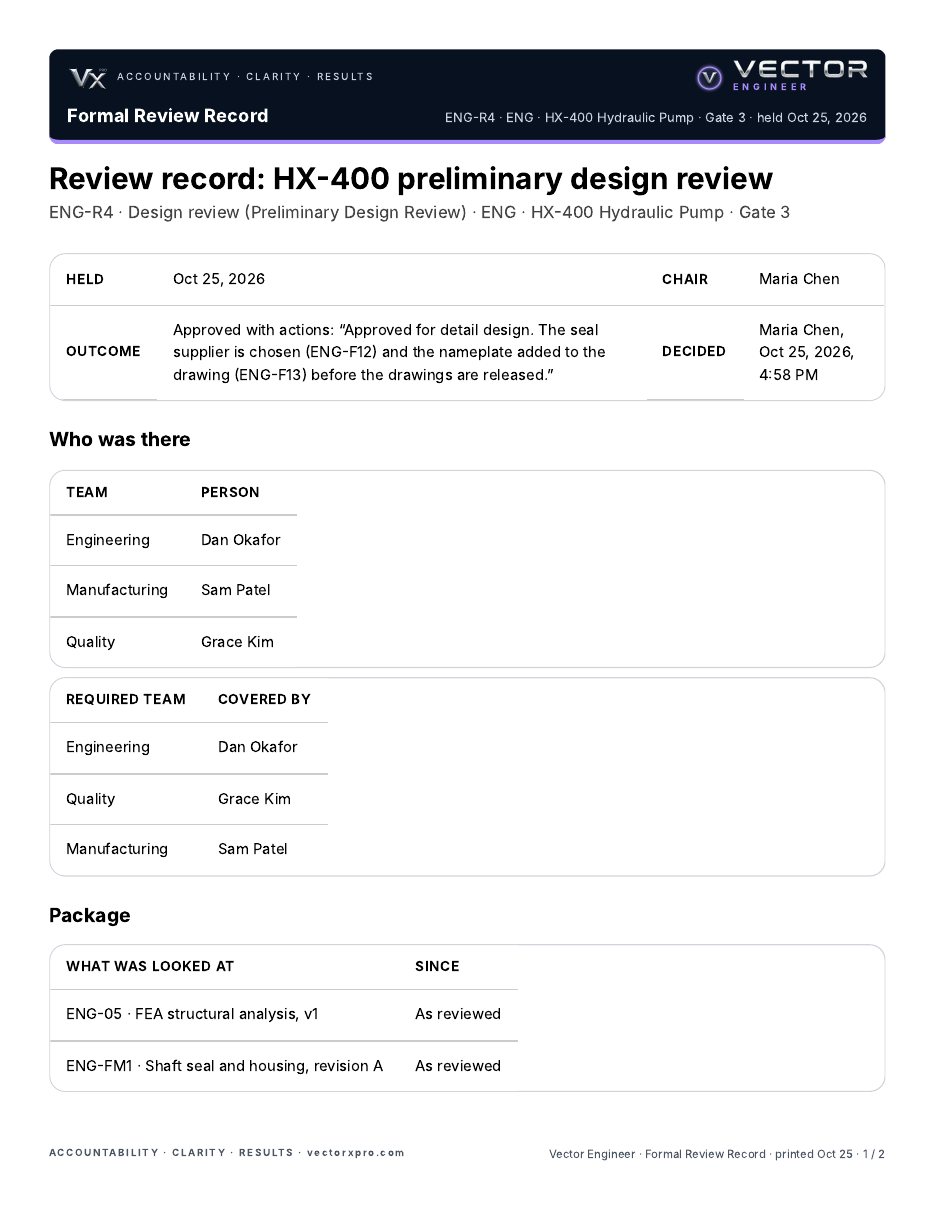
Run each review from your own template: the checklist asked in the room, who was there for each team, the exact versions looked at, and a decision on the record. Every finding becomes work with one owner and a date, and a Major or Critical one holds its gate until the person who raised it signs the fix.


On the web, and on your phone (iPhone or Android).
Why design reviews don’t stick
The meeting goes fine.
The action list is where it fails.
Minutes nobody reads
Findings go into meeting minutes. Nobody agreed to fix them, and nobody checks they were.
Which version did we review?
The drawing moved on to rev C, and nobody can say whether the review saw rev A or rev B.
“Quality wasn’t there”
A required team missed the review, and it only comes out when the customer asks who approved it.
How it works
A review that runs the fixes, not just the meeting
Your own templates
Start from PDR, CDR, DFM or drawing release, or write your own: the questions, and the teams that must be there.
The checklist
Answer each question Yes, No or N/A in the room. A No raises a Major finding by itself.
Who was there
Each required team is covered by someone on the list, or recorded as missing with a note. Suppliers can join as guests.
The package
Lock what was looked at: a piece of work at its version, or an FMEA revision. If it moves on, the review says so.
Findings become work
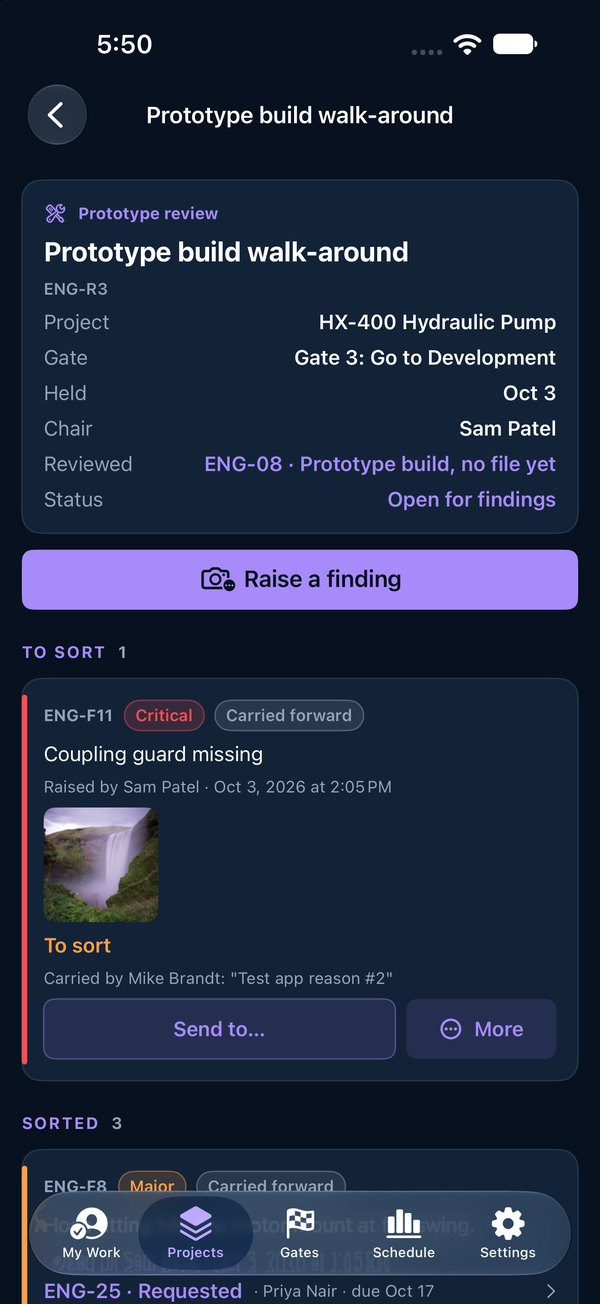
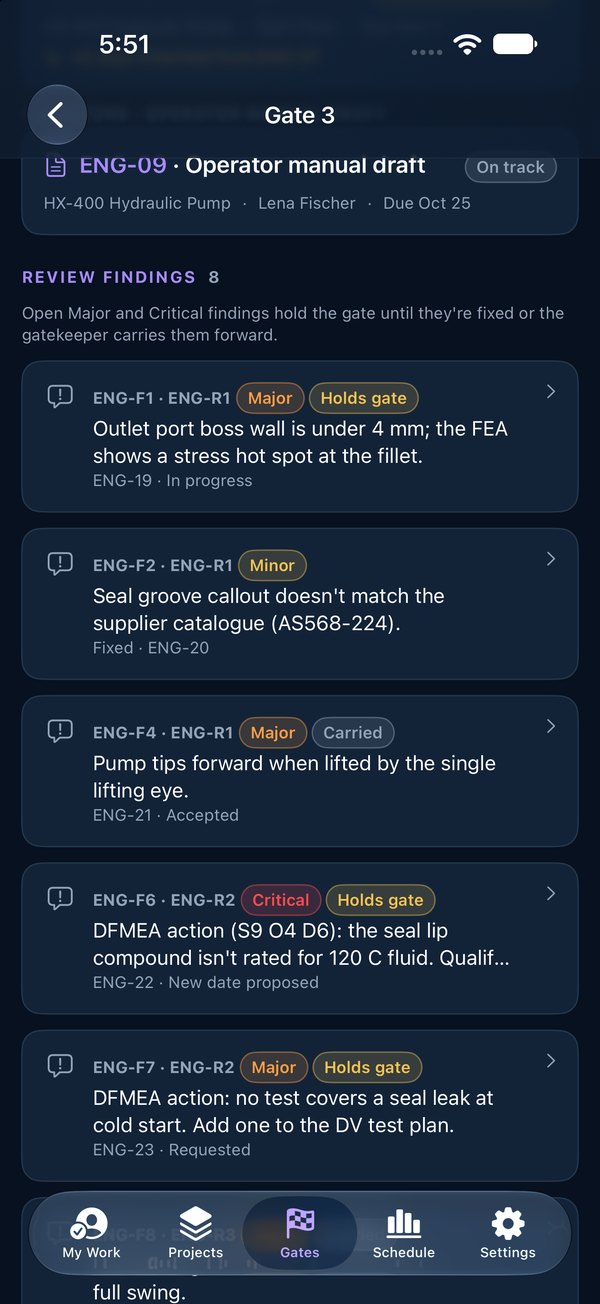
Minor, Major or Critical, with photos. The chair sends each one to an owner with a date, dismisses it with a reason, or merges a duplicate.
Findings hold the gate
A Major or Critical finding holds its gate until it’s fixed, unless the gatekeeper carries it forward with a note.
The one who saw it signs
The person who raised a finding signs its fix complete, so the problem is confirmed gone.
The decision
Approved, Approved with actions, or Not approved, re-review, with a note, printed as one review record.
In the room
Raise it, rate it, photograph it
Anyone at the review raises findings from their phone (iPhone or Android) or the web: one problem per finding, Minor, Major or Critical, with photos of the part or the drawing. The chair sorts them, and each one sent becomes a request to its owner, who accepts, proposes a date or asks.
- Design, DFMEA, PFMEA, prototype and drawing reviews, in every subscription
- Nothing is deleted: a dismissed or merged finding stays on the record
- On the web, send a finding to a supplier by email, with no account needed
On the record
What the review found, and what it caught
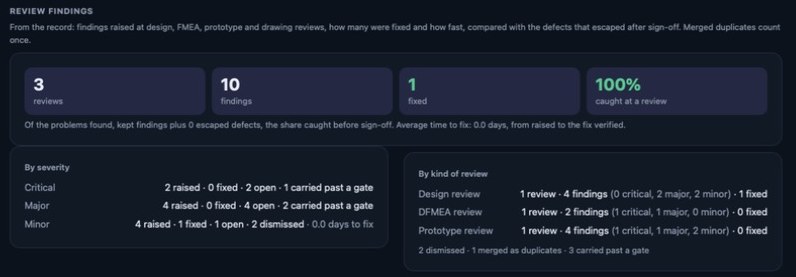
The review record prints with the outcome, the checklist, who was there, the package and every decision. The Gate 6 report and the company report count what reviews found: by kind of review and severity, how many were fixed and how long a fix took, and how much was caught at a review compared with what escaped after sign-off.
- Reopen a review and decide again; every decision stays on the record
- A template change never changes a review already under way
- Same add-on as the FMEA: bring its High rows into the CDR
Free download
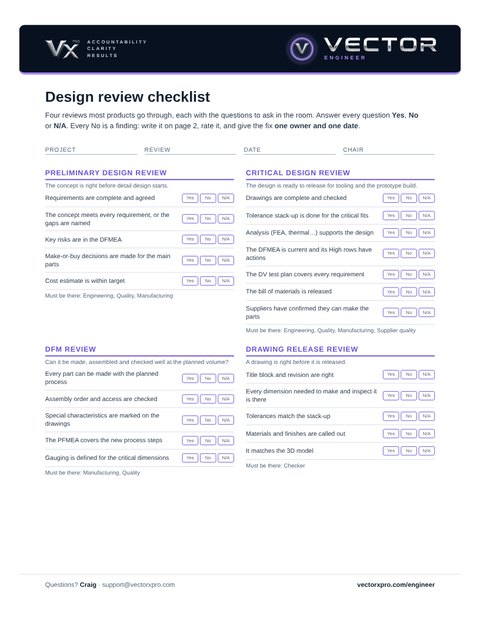
The design review checklist, ready to print
Two pages. Page 1 has the questions for four reviews: preliminary design, critical design, DFM and drawing release, each with the teams that must be there. Page 2 is for the meeting: who was there, every finding with its severity, owner and due date, and the decision. No sign-up, no email needed.
TheyThey’re the same four starter templates Vector Engineer comes with.rsquo;re the same four starters Vector Engineer offers when you set up your review templates.
Minutes and a spreadsheet, or Vector?
| Minutes and a spreadsheet | Vector Engineer | |
|---|---|---|
| Questions | Whatever the chair remembers | Your template’s checklist; a No raises a finding |
| Attendance | A list of names, if anyone kept one | Each required team covered, or missing with a note |
| Versions | “The latest drawing” | Locked in the package at the version reviewed |
| Findings | Action items in the minutes | Work with one owner and a date; Major and Critical hold the gate |
| Closing | “Done” in a cell | Signed off by the person who raised it |
Questions
What is a formal design review?
A planned check of a design at a set point in a project, such as a preliminary design review (PDR) before detail design or a critical design review (CDR) before tooling. It asks set questions, needs the right teams in the room, looks at specific versions of the work, and ends in a recorded decision.
What is the difference between a PDR and a CDR?
A preliminary design review checks the concept before detail design starts: requirements agreed, the concept meets them, key risks in the DFMEA. A critical design review checks the finished design before it’s released for tooling and the prototype build: drawings checked, tolerance stack-up done, analysis and test plan in place, suppliers able to make the parts.
Who signs off a design review finding?
In Vector Engineer the person who raised a finding signs its fix complete, so the one who saw the problem confirms it’s gone. If they’re not on the team, or they own the fix, the review’s chair signs.
Can people outside the company take part?
Yes. A supplier or customer who isn’t in Vector goes on the review as a guest, on the record. Anyone in Vector Engineer added to a review sees that review and nothing else of the project. On the web a finding can also be sent as work to someone outside the company by email.
Where are formal reviews started?
On the web, where your company’s templates are. On iPhone and Android you run them: answer the checklist, fill in who was there, raise findings and record the decision.
Do design reviews cost extra?
Reviews and findings are in every Vector Engineer subscription. Formal design reviews from your own templates, with the checklist, who was there, the package and the recorded decision, are part of the FMEA and design review add-on: 25% on top of the band, $89 a month on the Team band. Founding customers get 30% off both for two years. See pricing.
Bring a review that never got closed
Thirty minutes with one of your own reviews. We’ll show you every finding with an owner, a date and who signs it.
Book a Demo