 Engineer

DFMEA & PFMEA Free FMEA worksheet below
FMEA software where every action actually gets done.
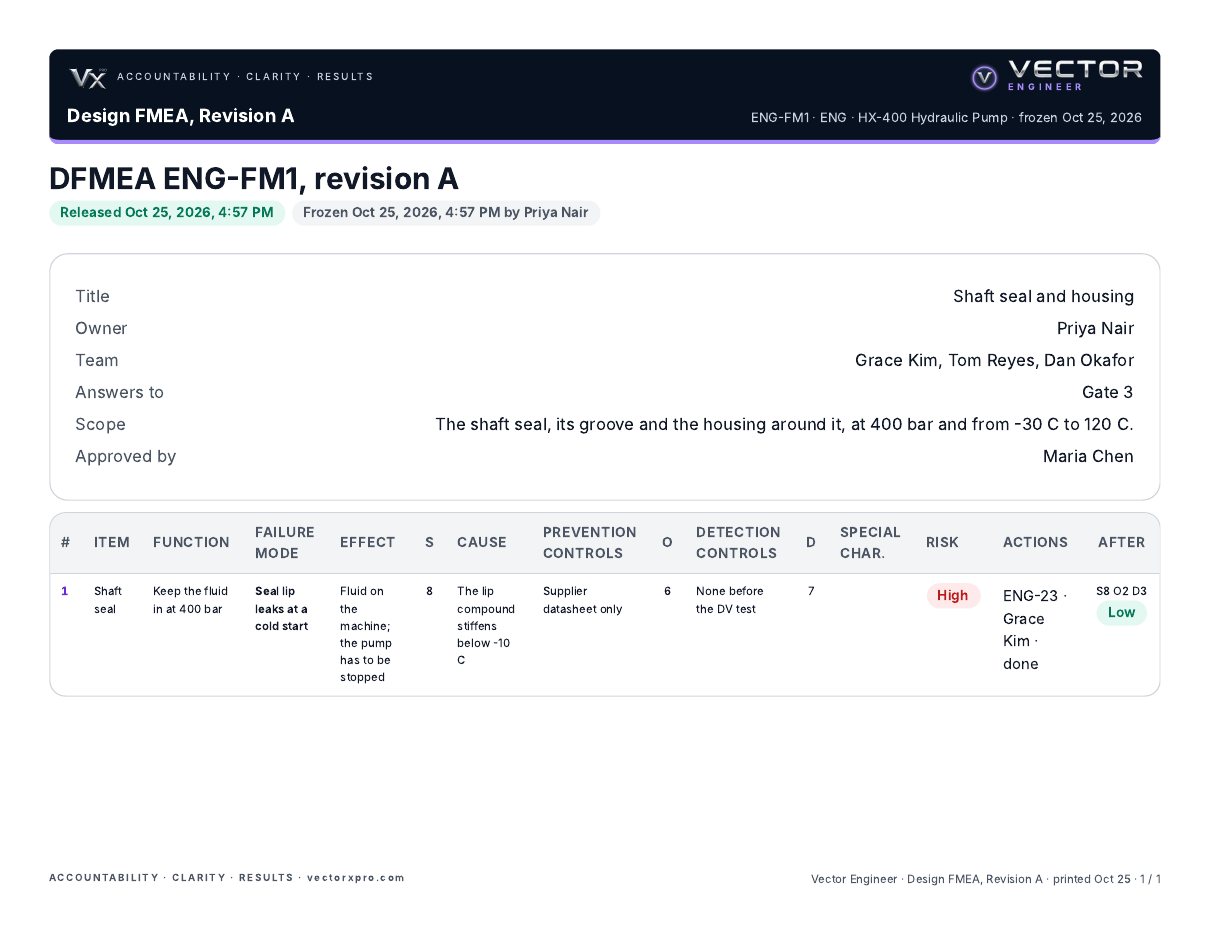
Most FMEAs are filled in for the review and never opened again. In Vector Engineer the FMEA lives in the project: every recommended action is real work with one owner and a date, a high-risk row holds its gate until the action is done and re-rated, and each released revision is frozen with who released it.


On the web, and on your phone (iPhone or Android).
Why FMEAs go stale
The spreadsheet isn’t the problem.
The action column is.
Actions nobody owns
“Add a leak test” sits in a cell. Nobody agreed to do it, and nobody checks whether it happened.
Risk that never comes down
The row is never re-rated, so the FMEA can’t show the risk was actually reduced.
Which version is real?
Five copies on a shared drive, and the one the customer saw isn’t the one on your screen.
How it works
An FMEA that runs the work, not just records it
In the project
Design and process FMEAs live in the project they belong to, next to the gates, deliverables and reviews.
RPN or Action Priority
Your company picks the method once, with its own threshold. Every FMEA uses the same rules.
Actions are real work
Each recommended action goes to one owner with a due date, and shows up in their work.
High risk holds the gate
A High row holds its gate until its action is done and the row is re-rated.
Re-rated on the record
Severity, occurrence and detection before and after, so the FMEA shows the risk came down.
Frozen revisions
Release a revision and it’s locked, with who released it. The next change is a new revision.
From your spreadsheet
Bring existing FMEAs in from Excel. Print any revision as a PDF or export it to Excel.
Formal design reviews
Same add-on: findings raised in the review become owned, dated work, and the decision is signed on the record. Design reviews
Free download
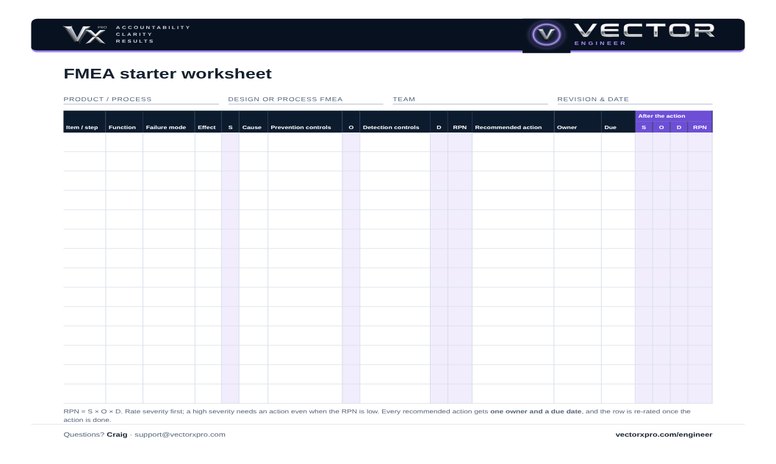
The FMEA starter worksheet
Every column from item and function to the re-rated RPN, with an owner and a due date on every action. The Excel version works out the RPN for you and only takes ratings from 1 to 10. A second page explains each step and gives a plain-words rating guide. No sign-up, no email needed.
Download (Excel)Download (PDF)
When the spreadsheet stops keeping up, bring your FMEAs into Vector Engineer.
Questions
Does Vector Engineer do both DFMEA and PFMEA?
Yes. Design and process FMEAs both live in the project they belong to, with the FMEA and formal design review add-on.
RPN or Action Priority?
Either. Your company picks the method once in setup, with its own threshold, and every FMEA in the company uses it.
Can we bring our existing FMEAs in?
Yes, from a spreadsheet.
Can we print or export the FMEA?
Yes. Every revision prints as a PDF and exports to Excel, with each row’s ratings, the action taken, the re-rating and who released it. See a sample (PDF) or the Excel.
We already have FMEA software. Why switch?
You don’t have to. Without the add-on, keep the FMEA where it is, attach it to the work it belongs to, and bring its recommended actions into Vector as review findings, so each one still gets an owner, a date and a sign-off.
What does it cost?
Vector Engineer starts at $349 a month for up to 10 seats. The FMEA and formal design review add-on is 25% on top of the band: $89 a month on the Team band. Founding customers get 30% off both for two years. See pricing.
Bring an FMEA that never got finished
Thirty minutes with one of your own FMEAs. We’ll show you every open action with an owner and a date.
Book a DemoEverything Vector Engineer does · Design reviews · Pricing · 5S audits on the plant floor