 Operations Pro

5S & 6S audits Free printable checklist below
The 5S audit app that gets every finding fixed.
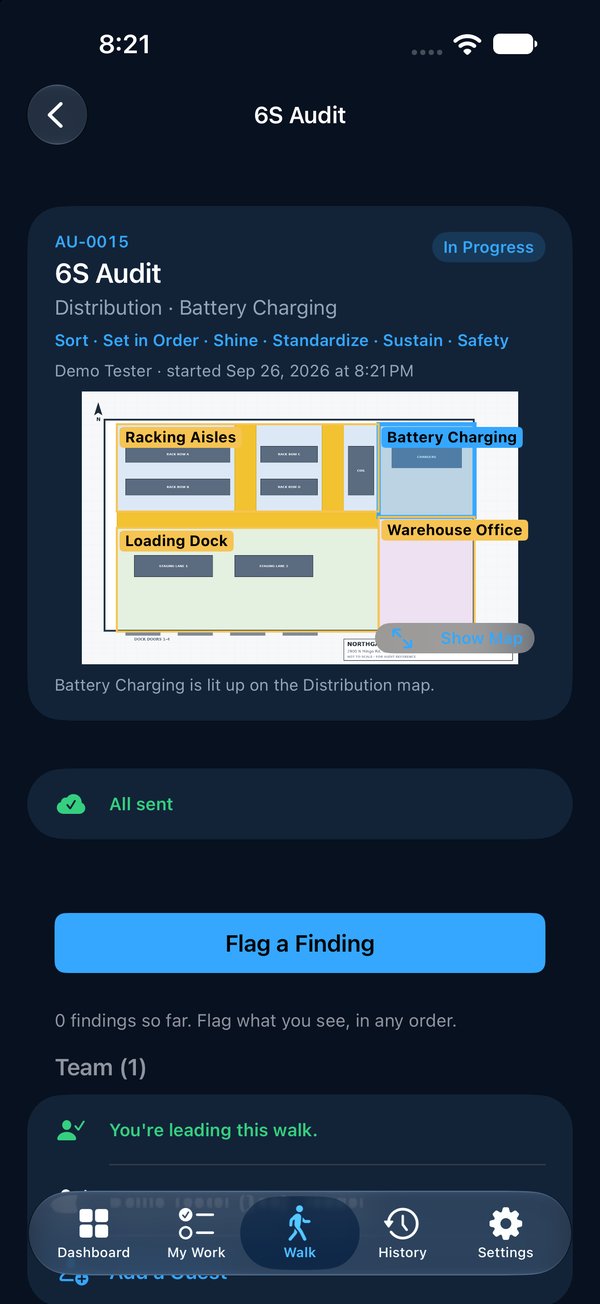
Walk the area with your phone (iPhone or Android), score each check against what good looks like, and photograph what’s wrong. Every finding gets one owner and a date, the fix comes back with an after photo, and someone else checks it before it closes.


Why 5S slides back
The audit isn’t the hard part.
Getting the findings fixed is.
The score goes in a binder
The walk gets done and scored, and the sheet goes in a binder. Next month the same red tags are still there.
“The area” owns it
A finding with no single owner and no date is a finding nobody is working on.
Two auditors, two scores
“Clean” means something different to everyone, so the score moves with whoever walked.
What gets checked
Fifteen checks, six S’s, one standard
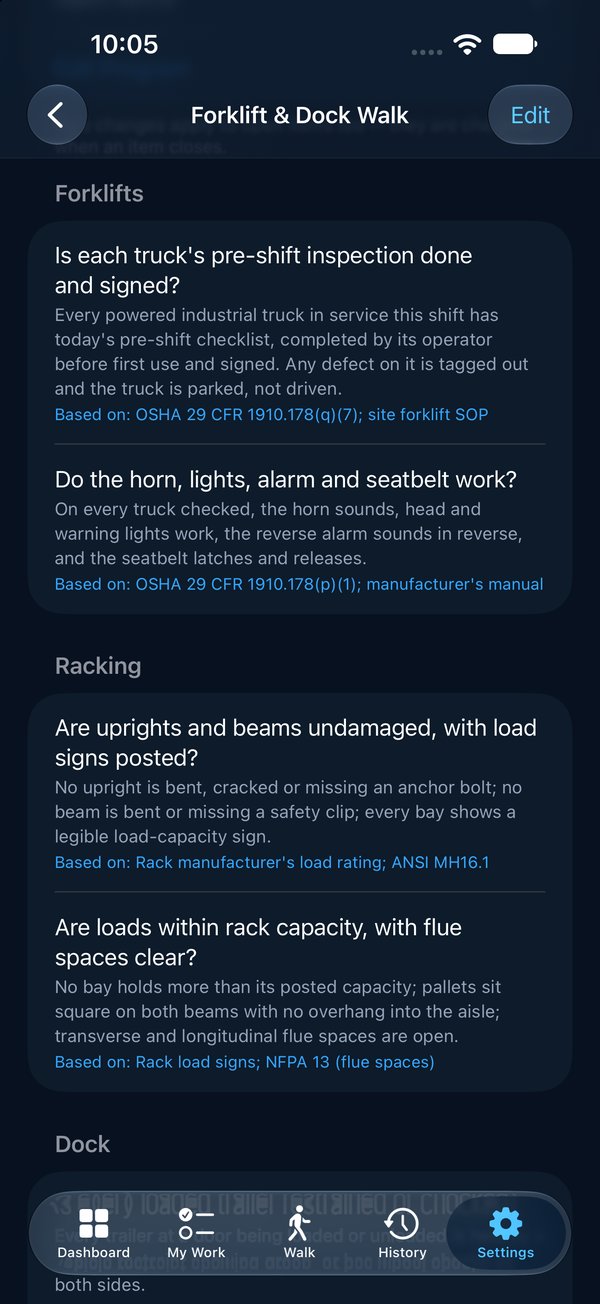
This is Vector’s 6S starter program, the same checks as the free printable. Each says, in one line, what good looks like, so two people walking the same area score it the same way. Keep it, change it, or write your own.
Sort
Only what current work needs is in the area. Excess stock, scrap and idle equipment are red-tagged or gone.
Set in Order
Needed items within reach of where they’re used. Every tool has a labeled home and is in it. Floor markings visible and respected.
Shine
The area is clean. Machines are cleaned on schedule, and problems found while cleaning are reported.
Standardize
The area matches its posted standard. Visual controls are current. A 6S schedule is posted, with owners, and signed off.
Sustain
Earlier improvements are still in place. The area has a named owner. Earlier findings are closed or being worked.
Safety
No uncontrolled hazard. Aisles, exits and emergency equipment clear and reachable.
Walk and score
Score it, photograph it, pin it
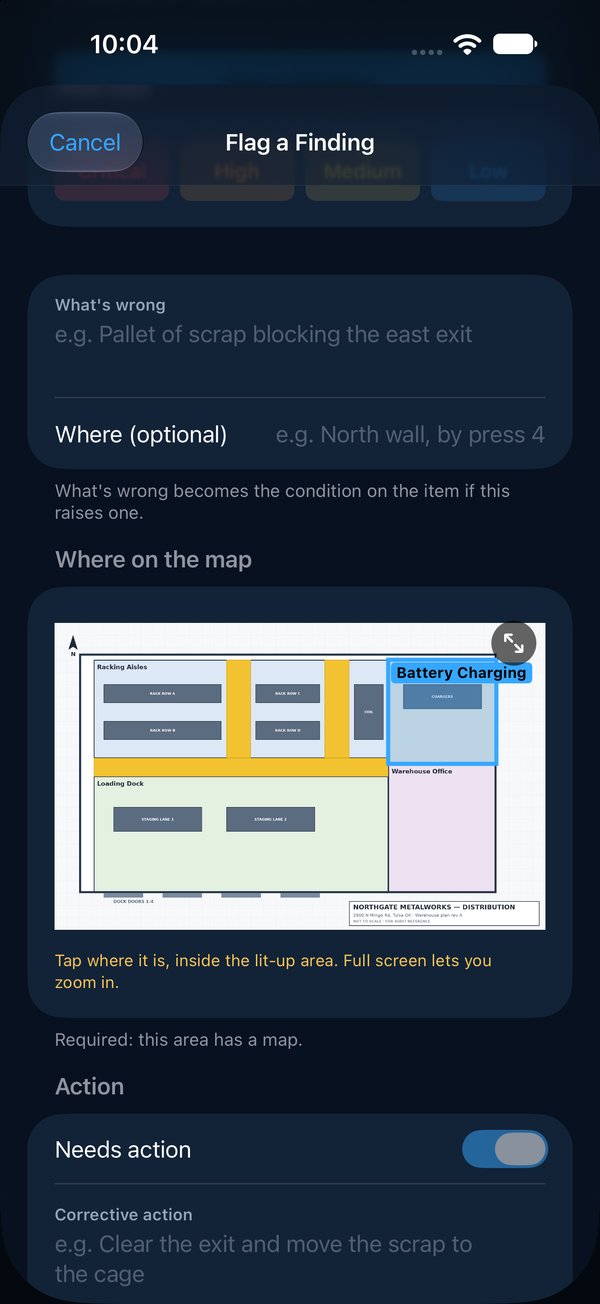
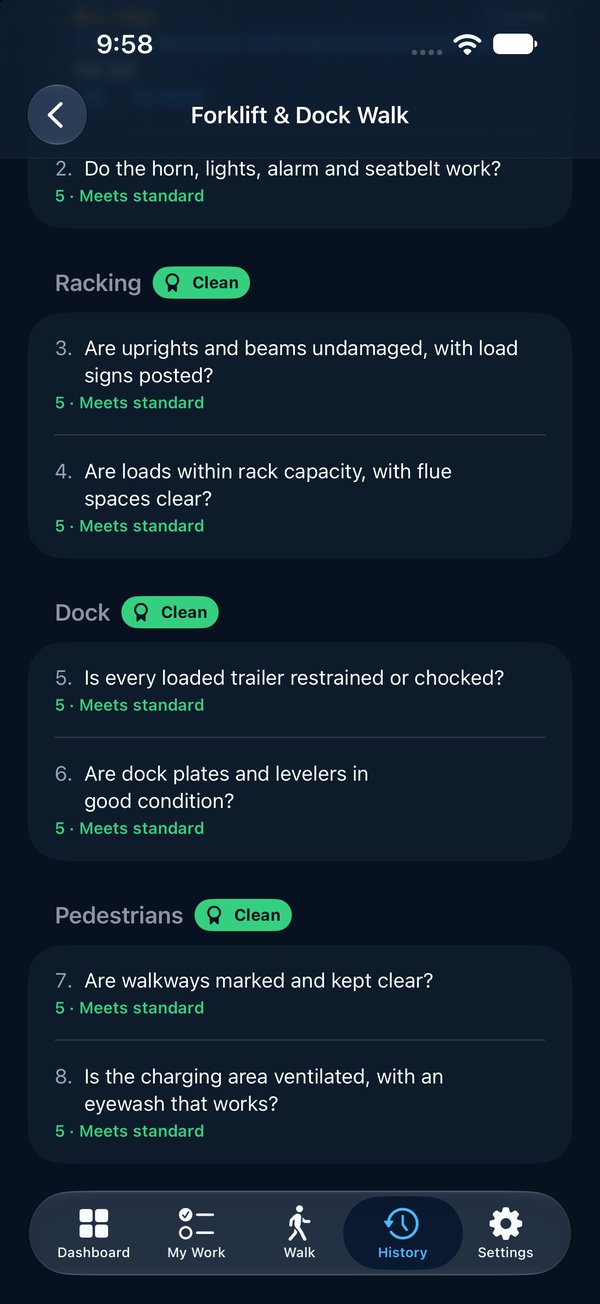
Pick the area and the program and walk. Each check is scored 1 to 5. Anything wrong becomes a finding with a photo, how bad it is, and a pin on the area’s map, so the next person can find it without asking.
- Section scores and a walk average, worked out as you go
- A section with nothing wrong earns a Clean badge
- Walk as a team, each person on their own phone
- No signal? Keep walking. Everything sends when you’re back in range
Own, fix, verify
Every finding gets an owner, a date, and proof
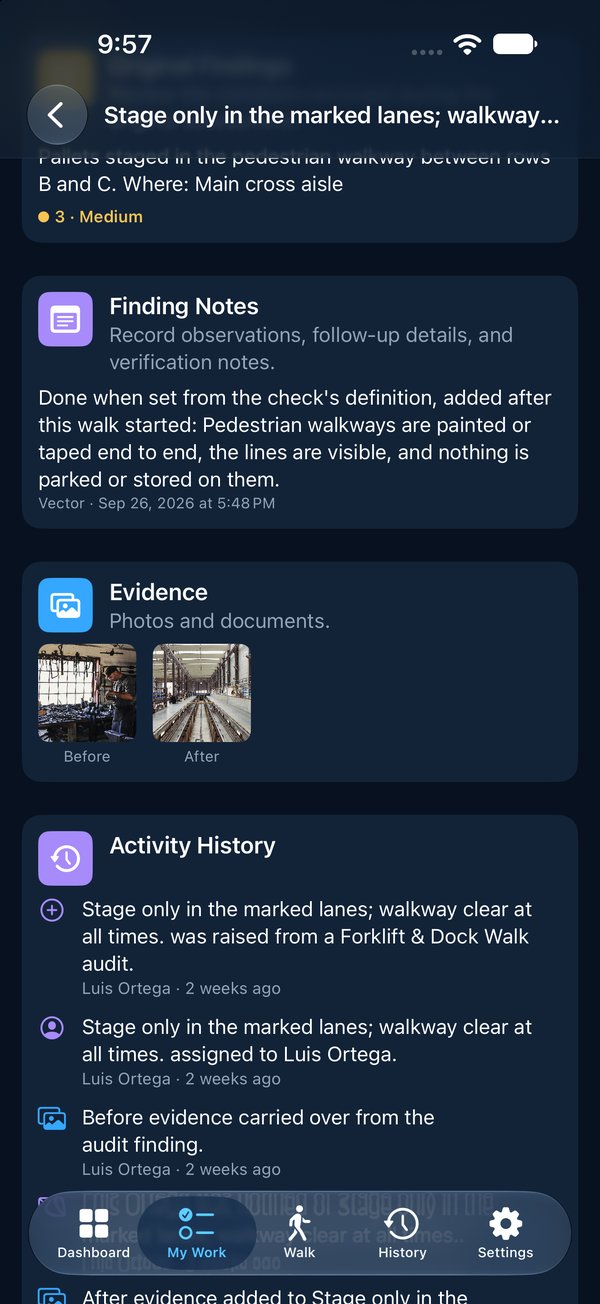
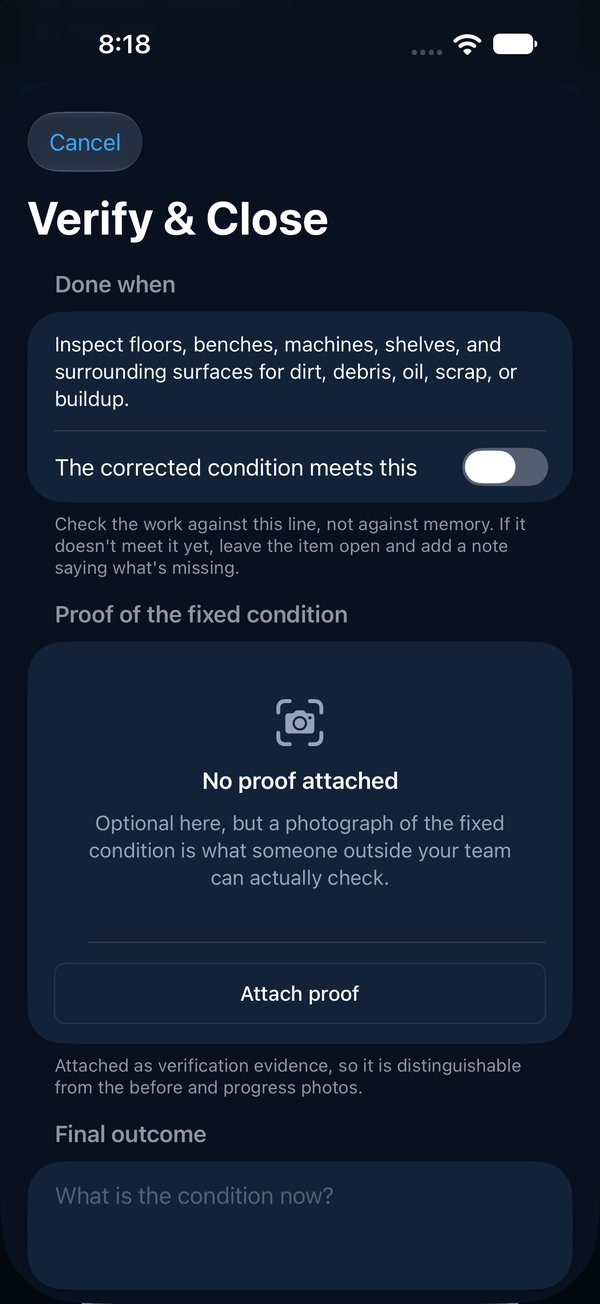
Findings that need action become numbered items with one owner, inside your team or at a contractor. They get an email the moment it’s theirs. The fix comes back with an after photo, and a different person checks it and closes it.
- Overdue work climbs the org chart on its own, at 5, 10 and 15 days
- Before and after photos, each stamped with who and when
- The whole walk in one PDF: scorecard, findings, owners, photos and the map
Free download
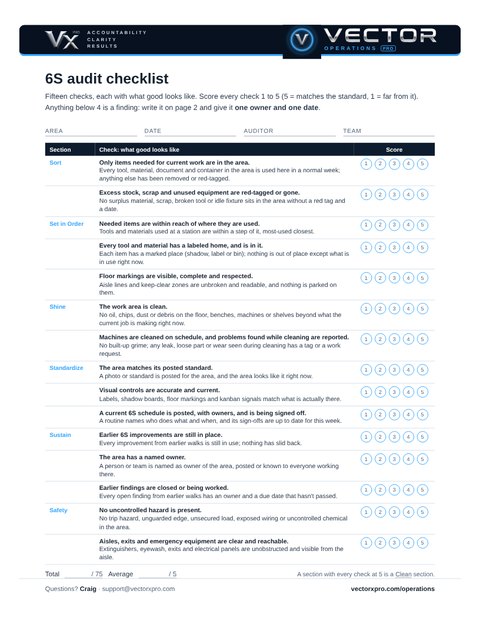
The 6S audit checklist, ready to print
Two pages. Page 1 is the fifteen checks with what good looks like and a 1 to 5 score. Page 2 is the findings log: what’s wrong, one owner, a due date, and who verified the fix. No sign-up, no email needed.
When the paper starts piling up, the same checks run in the app.
Paper checklist or app?
| Paper or spreadsheet | Vector Operations Pro | |
|---|---|---|
| Scoring | Added up by hand | Section scores and walk average as you go |
| Findings | A line of text | A photo, how bad it is, and a pin on the map |
| Ownership | Whoever was in the room | One owner, one date, an email when it’s theirs |
| Overdue work | Someone has to chase it | Climbs the org chart on its own |
| Proof | “Done” in a cell | After photo, checked by someone else, in a PDF |
Questions
What is the difference between 5S and 6S?
5S is Sort, Set in Order, Shine, Standardize and Sustain. 6S adds Safety as a sixth S, so the same walk also looks for hazards, blocked exits and emergency equipment. Vector’s starter program is 6S; drop the Safety section and it’s a 5S audit.
How is a 5S audit scored?
Each check is scored 1 to 5 against a one-line description of what good looks like. Vector averages the checks into a score for each section and for the walk, and a section with nothing wrong earns a Clean badge.
How often should we run a 5S audit?
Most plants walk each area weekly or every two weeks, and run a deeper audit monthly. What matters more than the schedule is that every finding gets an owner and a date, and that someone checks it was fixed.
Does it work without a signal on the floor?
Yes. Once a walk has started, every finding and photo is saved on the phone and sent when a signal returns. Starting and submitting a walk need a connection for a moment.
Can we use our own 5S checklist?
Yes. Start from the 6S starter program or write your own checks, sections and walking order. Changing a program never changes a walk that has already started.
Can we try it first?
Yes. Ask for a demo and we send you your own copy of our sample plant, with walks, items and photos already in it, ready to sign in on your phone (iPhone or Android) or on the web.
What does it cost?
From $349 a month for a site with up to 15 people signing in; people who only get emails are free. Founding plants get 30% off for two years. See pricing.
See it on your floor
Thirty minutes, on a phone, with your own areas. Bring your toughest walk.
Everything Vector Operations Pro does · How it works, screen by screen · Layered process audits · Gemba walks · FMEA software for engineering teams