 Operations Pro

Layered process audits Free printable LPA checklist below
Layered process audits that get every miss fixed.
Team leaders, supervisors and managers each check the same process against its standard work, on their own phone (iPhone or Android). Anything that doesn’t match becomes a finding with a photo, one owner and a date, and the next layer up can see it was fixed.


Why layered audits fade
Asking the questions is easy.
Closing what they find is not.
A clipboard of ticks
The boxes get ticked every shift, and the crosses go nowhere. Nobody above the team leader sees them.
The same miss, every week
A miss with no owner and no date comes back on the next audit, and the one after.
Each layer, its own form
Supervisors and managers ask different questions on different sheets, so nobody can compare the layers.
What gets checked
Ten checks on how the process is really running
This is Vector’s Operational Stability starter program, the same checks as the free printable. Each says, in one line, what good looks like, so a team leader and a plant manager hold the process to the same standard. Keep it, change it, or write your own.
Standard work
Current standard work is at the process, and it’s the current revision.
Process controls
The checks and limits the control plan requires are done, on time, and recorded.
Material flow
No starved or blocked stations, overproduction, or WIP beyond the marked limits.
Roles
Every required position is staffed, and the people in it can say what they’re responsible for.
Quality checks
Every required in-process check for the shift is recorded, in limits or acted on.
Downtime
Every stoppage this shift is logged with a cause.
Metrics and handoffs
Today’s numbers are on the board and the team can explain them; the shift handoff is written down.
Problems and improvements
Repeat problems have an owner and a date; last quarter’s improvements are still in use.
Every layer, the same walk
Each layer walks it on their own phone
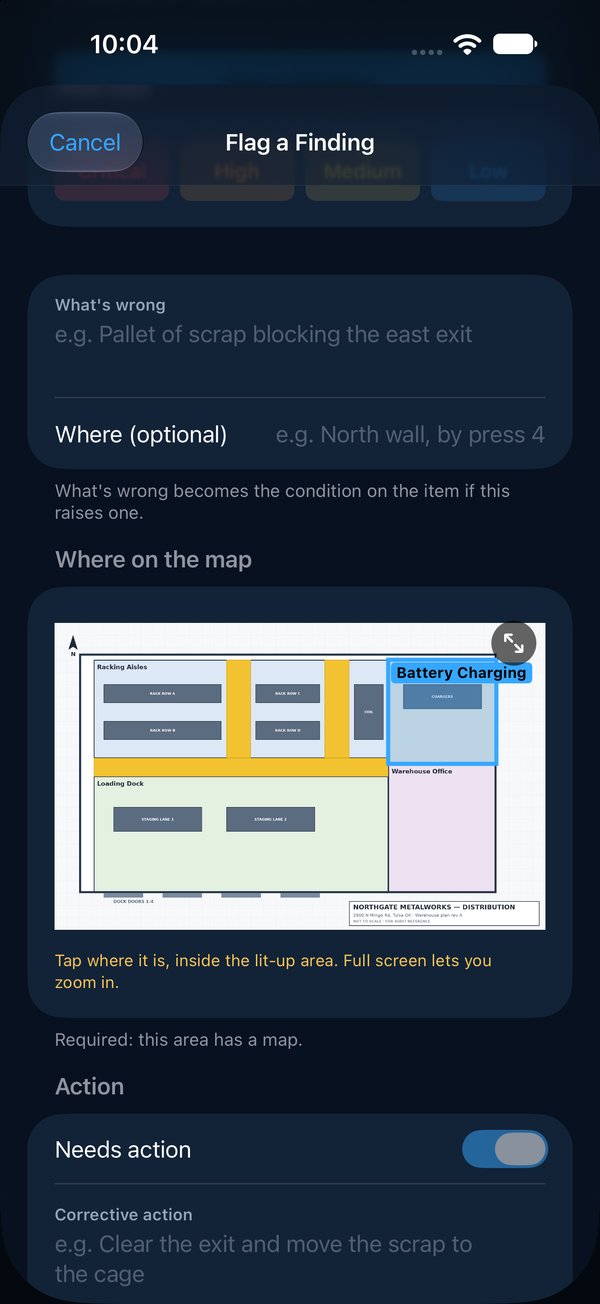
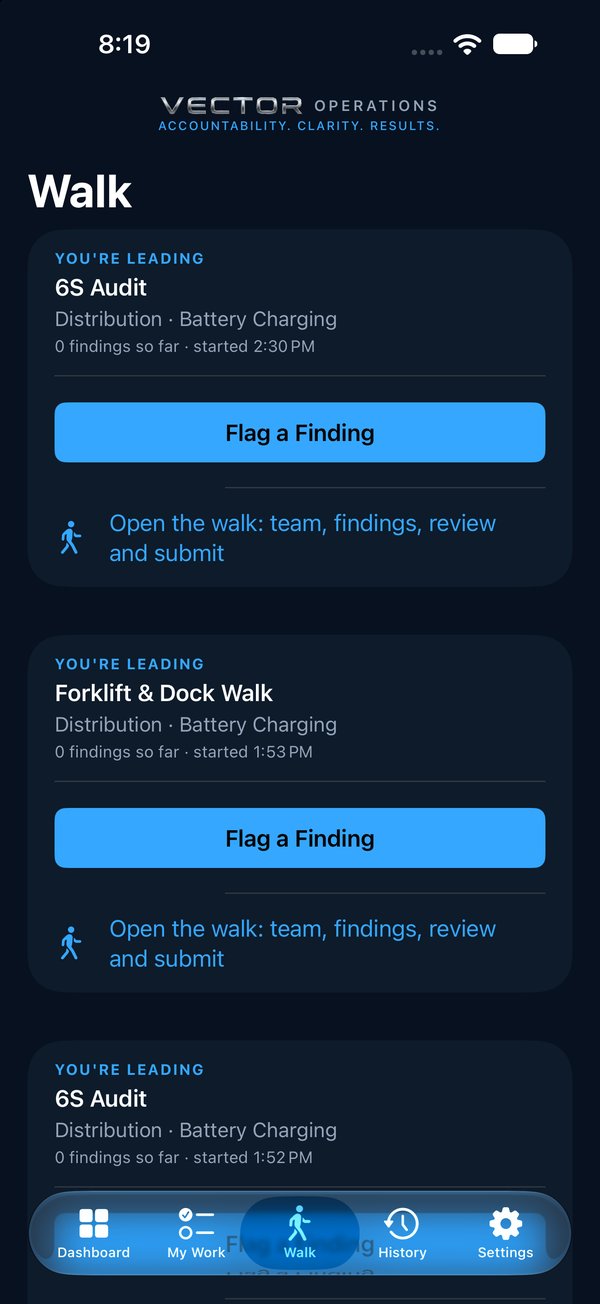
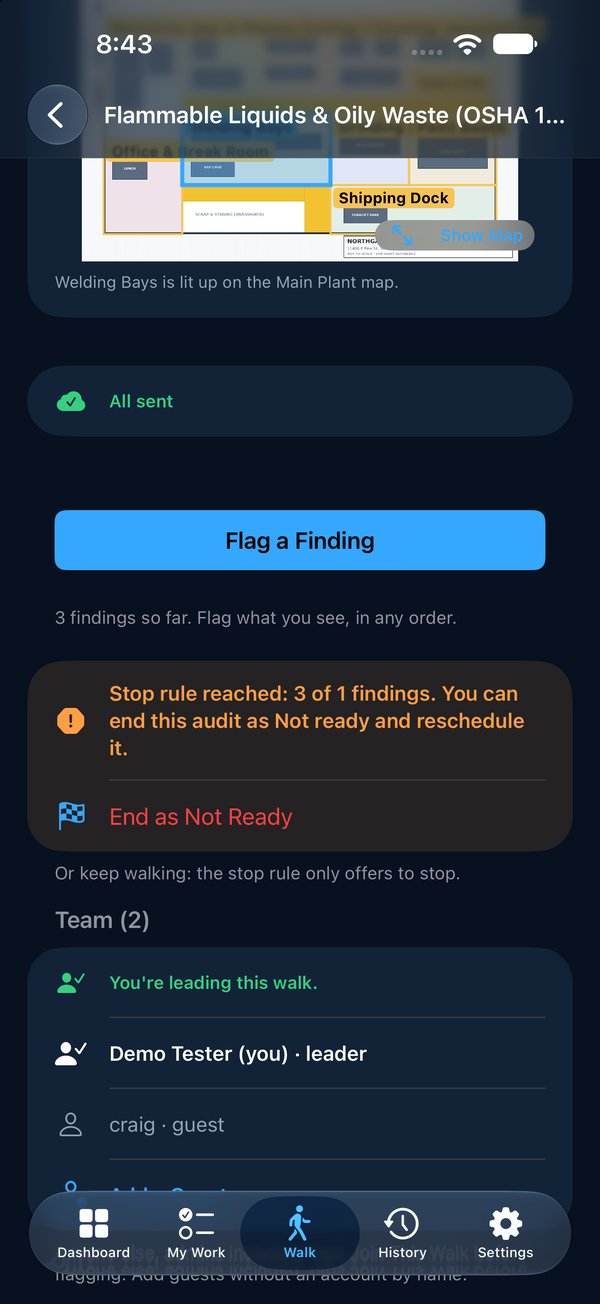
The team leader, the supervisor and the manager each start the same program from the Walk tab, on their own rhythm. They flag only what doesn’t match, with a photo and a pin on the area’s map; every other check is recorded as meeting the standard.
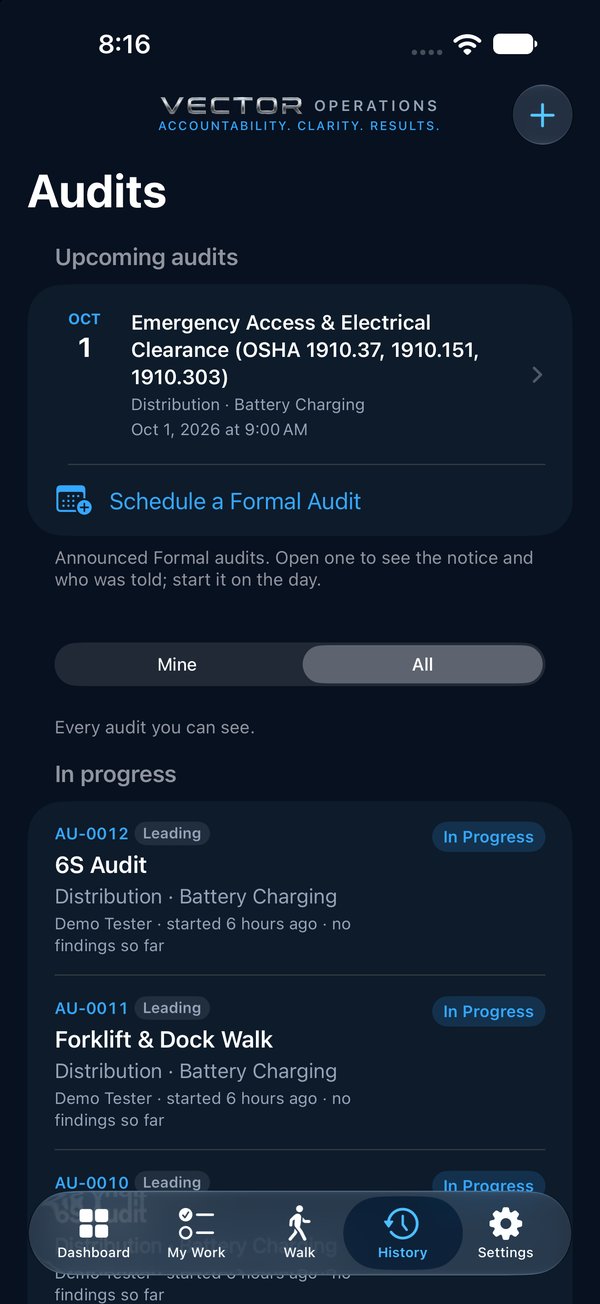
- Every walk numbered, with the area, who led it and when, in History
- Walk as a team when two layers go together, each on their own phone
- No signal? Keep walking. Everything sends when you’re back in range
- On a laptop, Reports lists every walk across your sites
Own, fix, verify
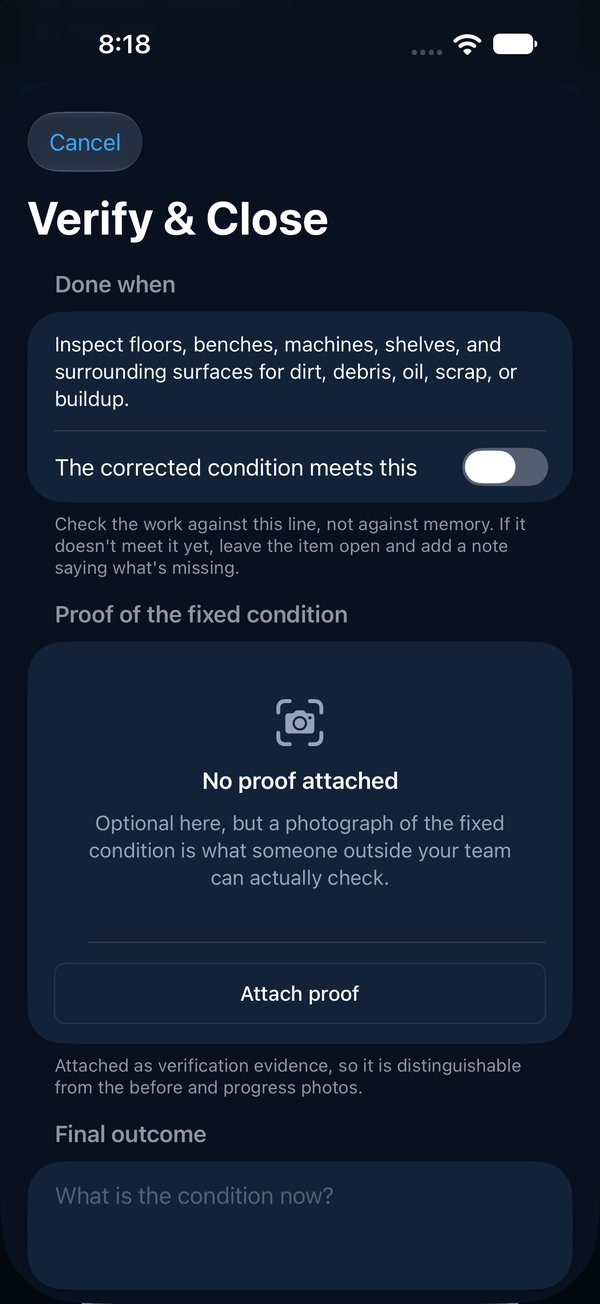
Every miss gets an owner, a date, and proof
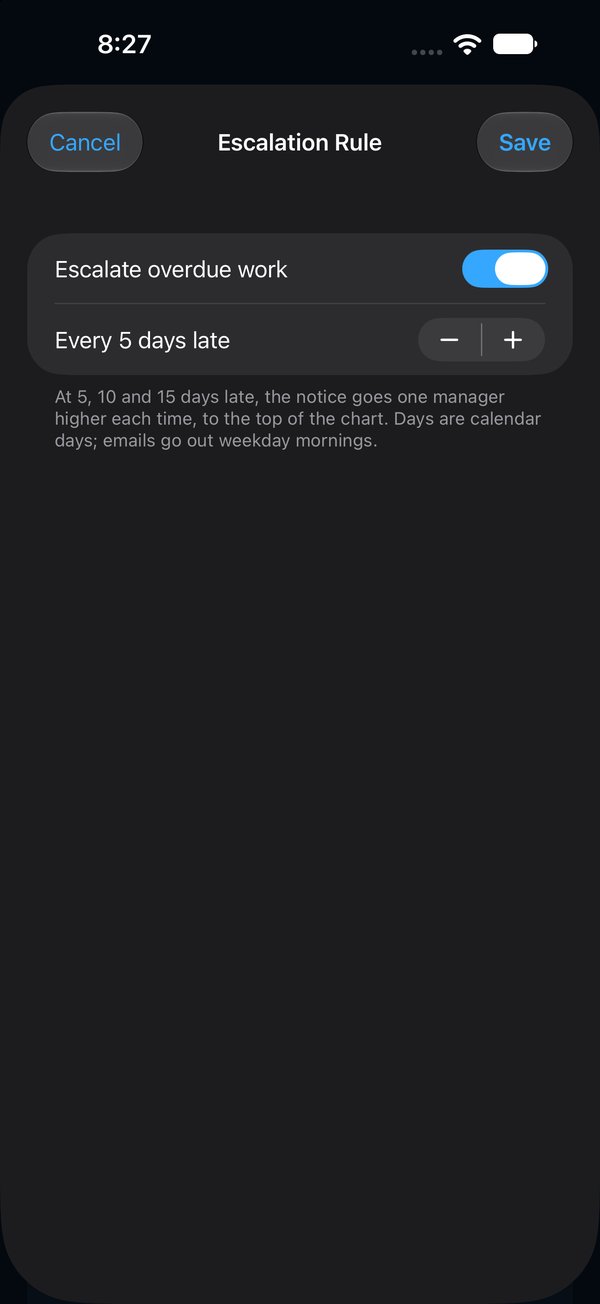
Findings that need action become numbered items with one owner, who gets an email the moment it’s theirs. The fix comes back with an after photo, and a different person checks it and closes it. Work that runs late climbs the org chart on its own, so the next layer up hears about it without asking.
- Overdue work goes one manager higher at 5, 10 and 15 days late
- Before and after photos, each stamped with who and when
- The whole walk in one PDF: scorecard, findings, owners and photos
Formal audits add-on
When the customer audit is coming, announce it
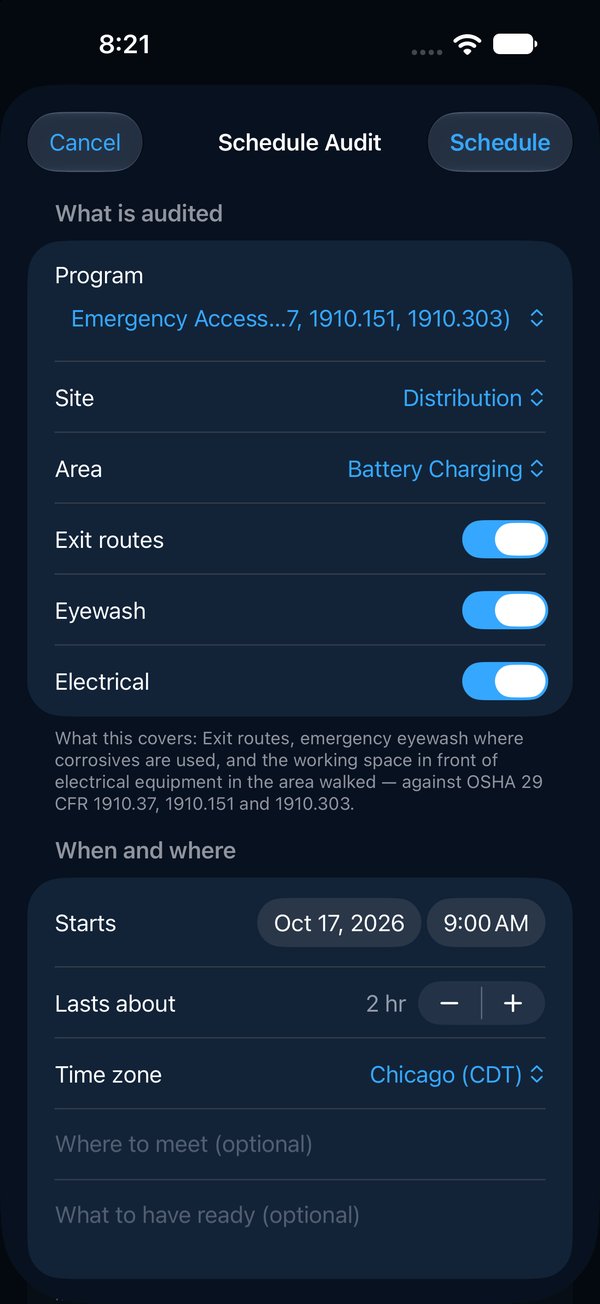
Some audits need notice: a customer, a registrar or your own quarterly process audit against a written standard. With the Formal audits add-on, schedule it weeks ahead. Everyone on it gets the notice with a calendar invite and every check it will cover, a reminder the day before, and the result when it’s submitted.
- A stop rule: if too much is wrong, end it as Not ready and reschedule
- Every check says what it’s based on, such as a control plan or a clause
- Quick walks, like the layers’ daily checks, are always included
Free download
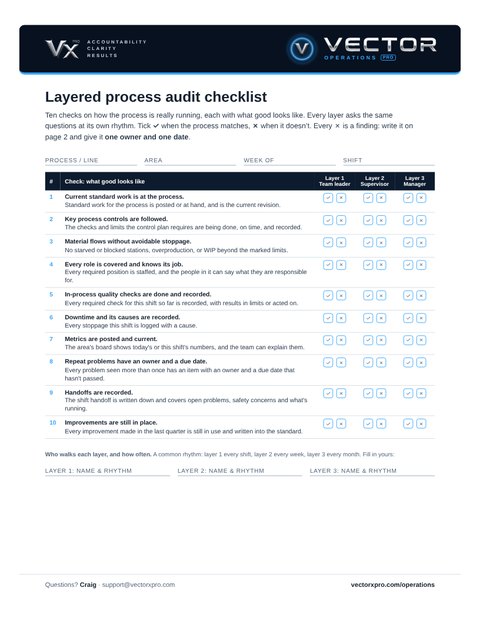
The layered process audit checklist, ready to print
Two pages. Page 1 is the ten checks with what good looks like, and a tick or cross for each of three layers: team leader, supervisor and manager. Page 2 is the findings log: which layer found it, what’s wrong, one owner, a due date, and who verified the fix. No sign-up, no email needed.
When the clipboards start piling up, the same checks run in the app.
Paper LPA cards or app?
| Paper cards or spreadsheet | Vector Operations Pro | |
|---|---|---|
| The questions | A different sheet for each layer | One program, with what good looks like on every check |
| A miss | A cross in a box | A photo, how bad it is, and a pin on the map |
| Ownership | “The line” | One owner, one date, an email when it’s theirs |
| Overdue work | Waits for the next audit | Climbs the org chart on its own |
| Proof | A tick the next time round | After photo, checked by someone else, in a PDF |
Questions
What is a layered process audit?
A short check of how a process is really running, asked by several layers of the organization: team leaders often, supervisors less often, managers least often. Every layer asks the same questions, so problems are seen early and leaders see the floor for themselves.
What questions does a layered process audit ask?
Questions about whether the process matches its standard: standard work at the process, key controls followed, material flowing, roles covered, quality checks recorded, downtime logged, metrics current, repeat problems owned, handoffs written down and improvements still in place. Vector’s Operational Stability starter program asks these ten, each with what good looks like.
How often should each layer audit?
A common rhythm is team leaders every shift, supervisors every week and managers every month. More important than the rhythm is that every miss gets an owner and a date, and that the next layer up can see it was fixed.
Does Vector schedule each layer’s audits for us?
Not yet. Each person starts their walk from the Walk tab on their own rhythm, and History shows every walk: its number, the area, who led it and when. Formal audits that need notice weeks ahead, such as a customer or certification audit, can be scheduled and announced with the Formal audits add-on.
Can we use our own LPA questions?
Yes. Start from the Operational Stability starter program or write your own checks, sections and walking order, each with what good looks like. Changing a program never changes a walk that has already started.
Can we try it first?
Yes. Ask for a demo and we send you your own copy of our sample plant, with walks, items and photos already in it, ready to sign in on your phone (iPhone or Android) or on the web.
What does it cost?
From $349 a month for a site with up to 15 people signing in; people who only get emails are free. The Formal audits add-on is 25% on top. Founding plants get 30% off for two years. See pricing.
See it on your floor
Thirty minutes, on a phone, with one of your own processes. Bring the LPA card you use today.
Everything Vector Operations Pro does · Gemba walks · 5S audits · How it works, screen by screen