 Operations Pro

Gemba walks Free printable gemba walk sheet below
Gemba walks where every action gets done.
Go to the floor with your phone (iPhone or Android). Flag what you see with a photo and a pin on the area’s map, and give anything that needs fixing to one person with a date. The fix comes back with an after photo, and someone else checks it before it closes.


Why gemba walks stall
Leaders see the problems.
Then the walk ends.
Notes in a pocket
What the walk turned up lives in one notebook. Nobody else can see it, and nobody is working on it.
“We’ll look into it”
An action with no single owner and no date is an action nobody takes. The team stops raising things.
No way to show it’s fixed
Next walk, nobody can say whether last week’s problems were fixed, or just moved.
How a walk goes
Go and see, ask, and close the loop
A gemba walk doesn’t need a long checklist. It needs somewhere to put what you see, and a way to make sure it gets fixed.
Go and see
Stand at the process and watch a full cycle before saying anything.
Ask how, not who
Ask the people doing the work what gets in their way. Look at the process, not at them.
Write down facts
What you saw, where, and what you were told. A photo beats a paragraph.
One owner, one date
Anything that needs fixing leaves the walk with one person and one due date.
Check it was fixed
Someone other than the fixer checks the fix, with proof.
Start with last time
Every walk begins with the last walk’s actions: done, late, or stuck.
On the floor
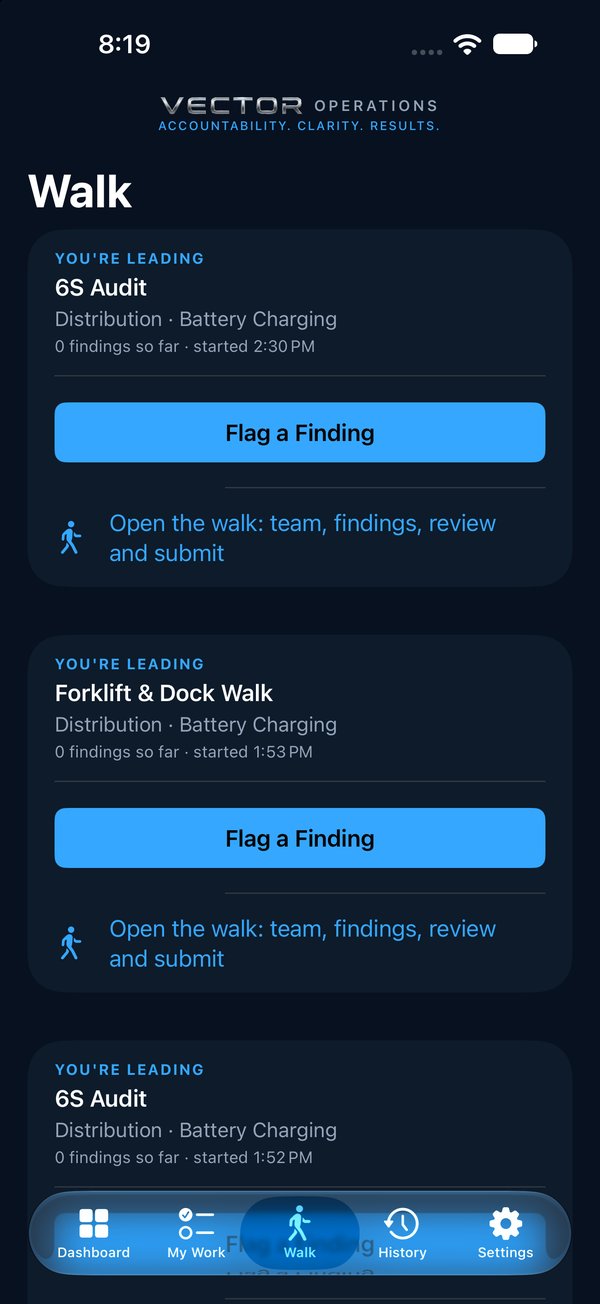
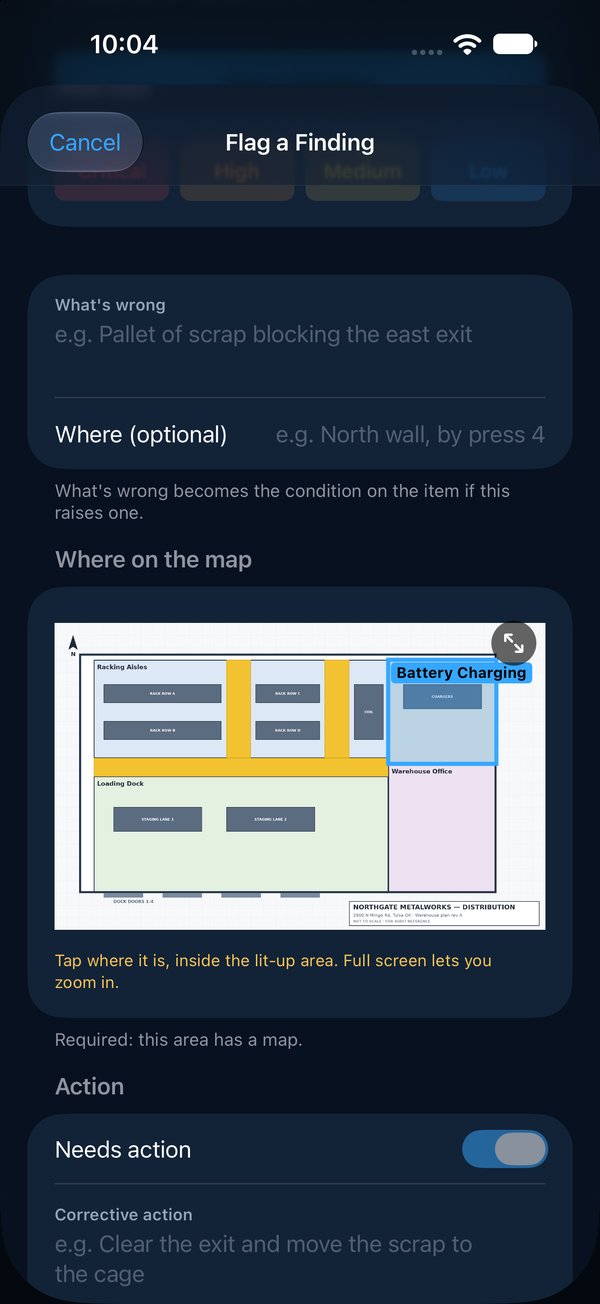
Flag what you see, where you see it
Start a walk of the area, or for a single thing, tap Raise One Item Without a Walk on the Walk tab. Each finding gets a photo, how bad it is, and a pin on the area’s map, so the person fixing it can find it without asking.
- Walk with a checklist, such as the Operational Stability starter, or without one
- Walk as a team, each person on their own phone
- On a walk with no signal, keep going: everything sends when you’re back in range
- Give work to a contractor by email, and get the proof back on the same record
Own, fix, verify
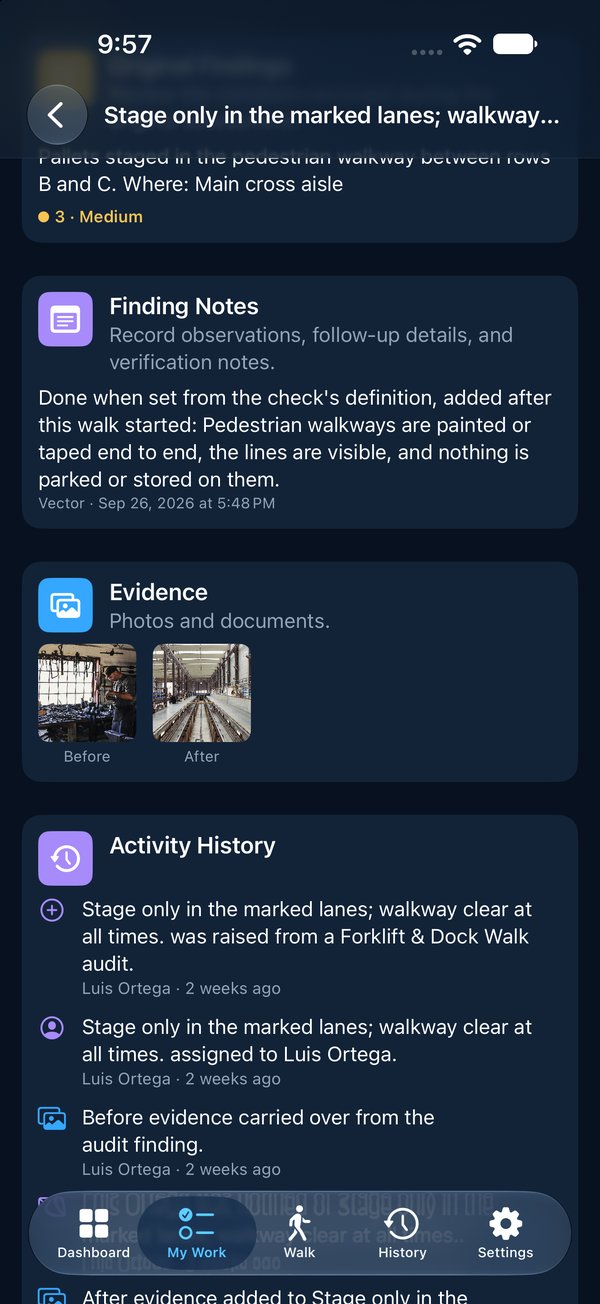
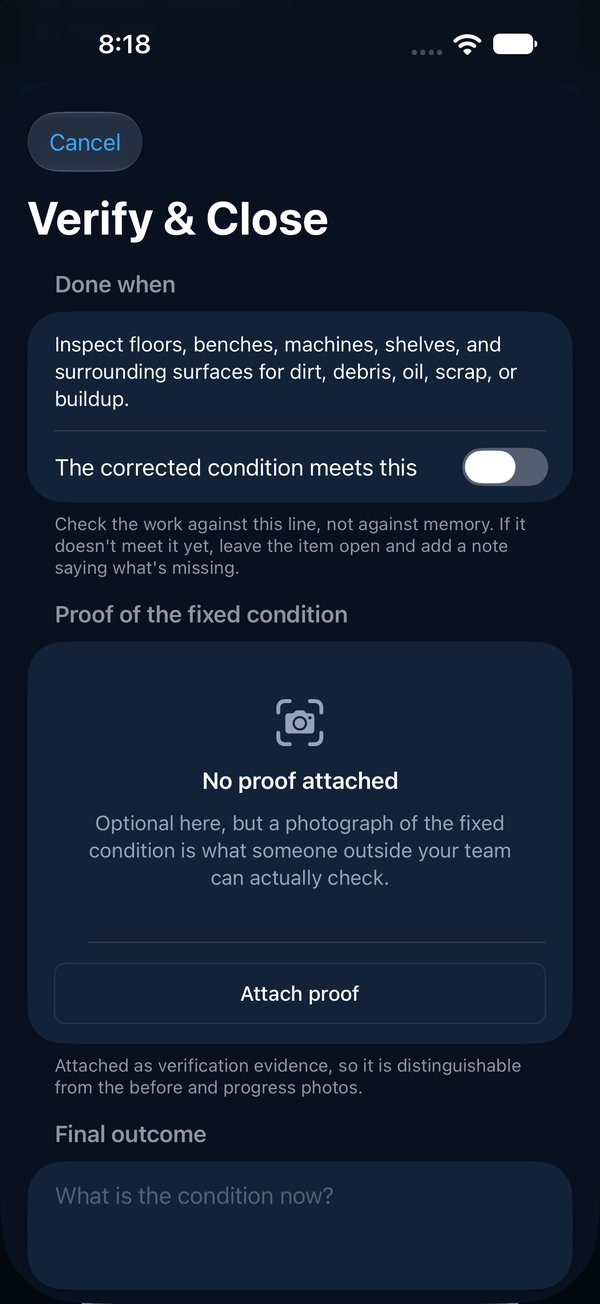
Every action gets an owner, a date, and proof
The owner gets an email the moment it’s theirs and sees it in My Work. The fix comes back with an after photo, and a different person checks it and closes it. Work that runs late goes one manager higher at 5, 10 and 15 days, so the walk’s actions don’t wait for the next walk.
- Before and after photos, each stamped with who and when
- Every change on one record nobody can quietly rewrite
- A walk in one PDF: findings, owners, photos and where each fix stands
Free download
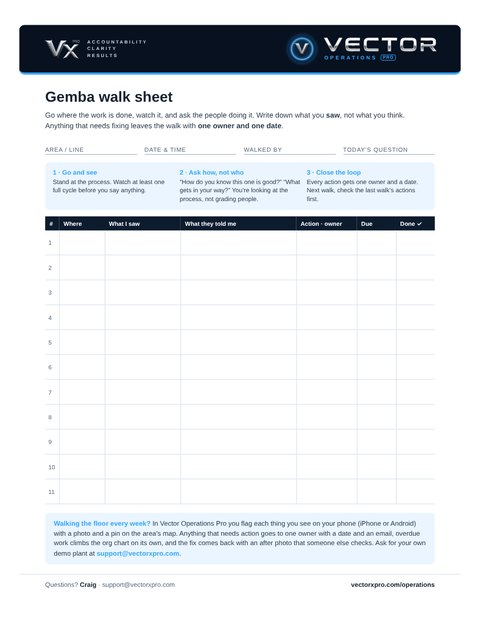
The gemba walk sheet, ready to print
One page for one walk. Three reminders at the top, then a log: where you were, what you saw, what the people doing the work told you, the action and its one owner, the due date, and a box to tick when it’s done. No sign-up, no email needed.
When the sheets start piling up, do the same walk in the app.
Notebook or app?
| Notebook or whiteboard | Vector Operations Pro | |
|---|---|---|
| What you saw | A line of handwriting | A photo, how bad it is, and a pin on the map |
| Ownership | “We’ll look into it” | One owner, one date, an email when it’s theirs |
| Late actions | Wait for the next walk | Climb the org chart on their own |
| Proof | Someone says it’s done | After photo, checked by someone else |
| Who can see it | Whoever has the notebook | Everyone with access to the site, on one record |
Questions
What is a gemba walk?
Gemba means the place where the work is done. On a gemba walk a leader goes to the floor, watches the process and asks the people doing the work how it really runs, to see problems first-hand and remove what gets in their way.
How is a gemba walk different from an audit?
An audit checks an area against a list. A gemba walk is open: you go with one question in mind, watch, and ask. In Vector you can do either: walk a program’s checks, or flag single things you see without a checklist. For a structured check of the same process by several layers, see layered process audits.
What should I write down on a gemba walk?
Where you were, what you saw (facts, not opinions), what the people doing the work told you, and for anything that needs fixing, one action with one owner and a due date. On the next walk, check the last walk’s actions first.
Do we need a checklist for a gemba walk?
No. In Vector you can raise a single item from the Walk tab without starting a walk, or walk a short program of your own, such as the Operational Stability starter. Either way every action gets an owner and a date.
Does it work without a signal on the floor?
Yes, on a walk. Once a walk has started, every finding and photo is saved on the phone and sent when a signal returns. Raising a single item outside a walk needs a signal for a moment.
Can we try it first?
Yes. Ask for a demo and we send you your own copy of our sample plant, with walks, items and photos already in it, ready to sign in on your phone (iPhone or Android) or on the web.
What does it cost?
From $349 a month for a site with up to 15 people signing in; people who only get emails are free. Founding plants get 30% off for two years. See pricing.
See it on your floor
Thirty minutes, on a phone, with your own areas. Bring the problem that keeps coming back.
Everything Vector Operations Pro does · Layered process audits · 5S audits · How it works, screen by screen