
Help Center / Reports

Reports

The Gate 6 report, the company report, and what they count.

The Gate 6 report

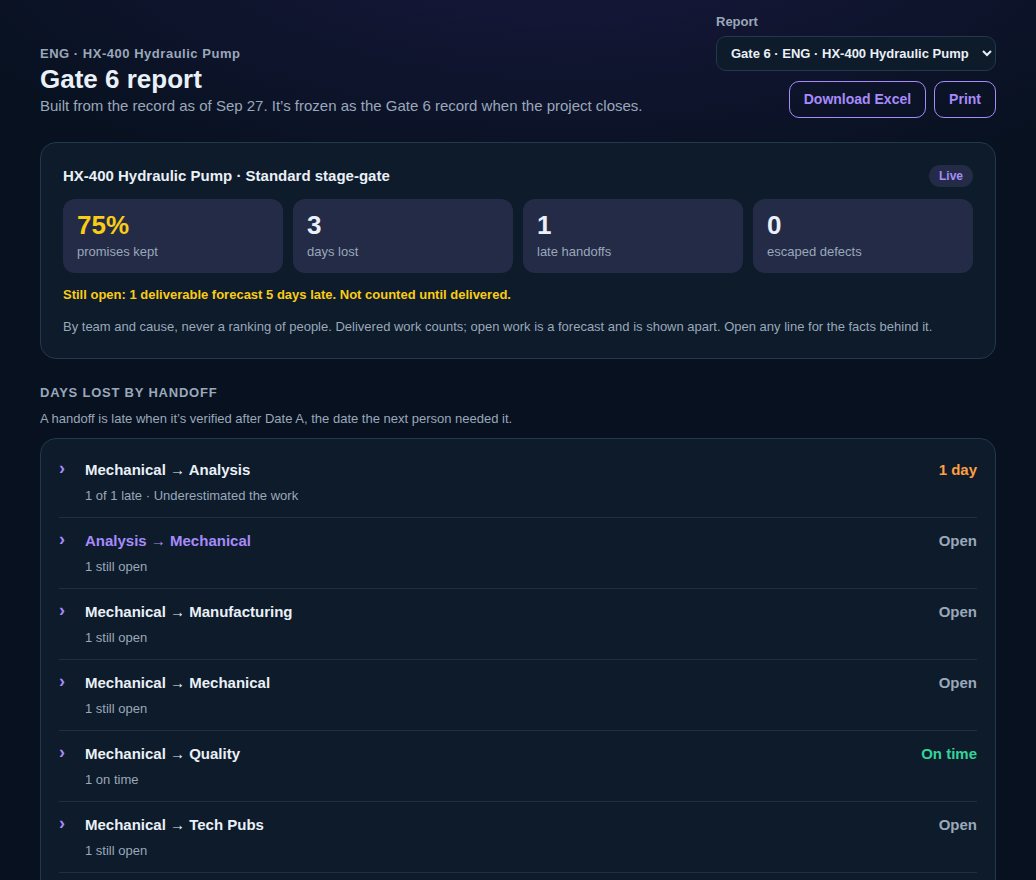
Every project has a Gate 6 report, built from the record: days lost by handoff and by cause, estimated against actual working time by team, promise reliability by team and gate, gate decisions, what the reviews found, and defects that escaped by origin. It's live while the project runs, and frozen as the Gate 6 record once the project closes or is killed. Everyone who can see the project can open it: on the web from Reports, on iPhone from the project page.
vectorxpro.com/engineer/app
The Gate 6 report for HX-400: promises kept, days lost, late handoffs and escaped defects, and days lost by handoff

The company report

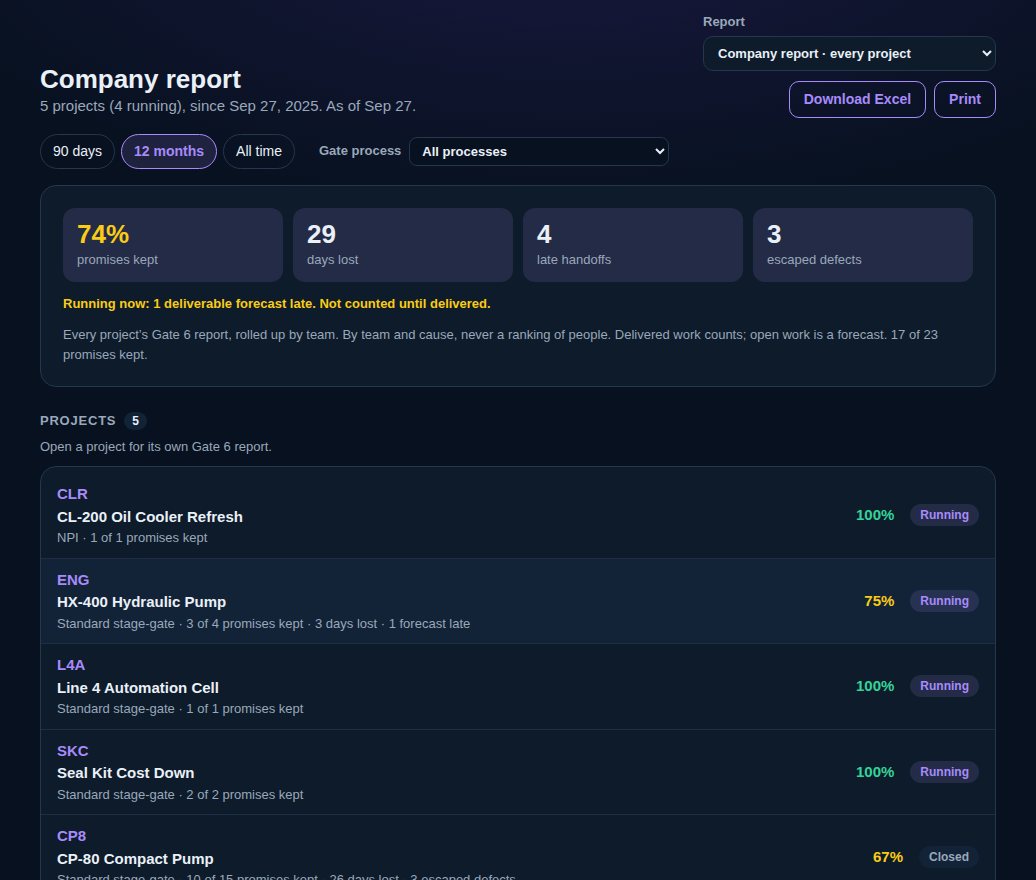
Leadership sees every project rolled up by team, filtered by period (90 days, 12 months or all time) and by gate process. The numbers add up to each project's own report. On the web, open Reports and choose “Company report · every project”. On iPhone it's the card at the top of Projects.

vectorxpro.com/engineer/app
The company report: every project rolled up, with period and gate-process filters, Download Excel and Print

Every number opens

Click or tap any line to see the deliverables behind it. Open work is shown apart as a forecast, never added into the totals.

Reports count by handoff and by cause, never as a ranking of people.

Excel and print

On the web, “Download Excel” saves the report as a workbook with a summary and one sheet per section, Review findings included, and “Print or save PDF” opens your browser's print window with a clean layout. To keep a PDF, choose PDF there: on a Mac, the PDF menu at the bottom left has Save as PDF and Open in Preview.