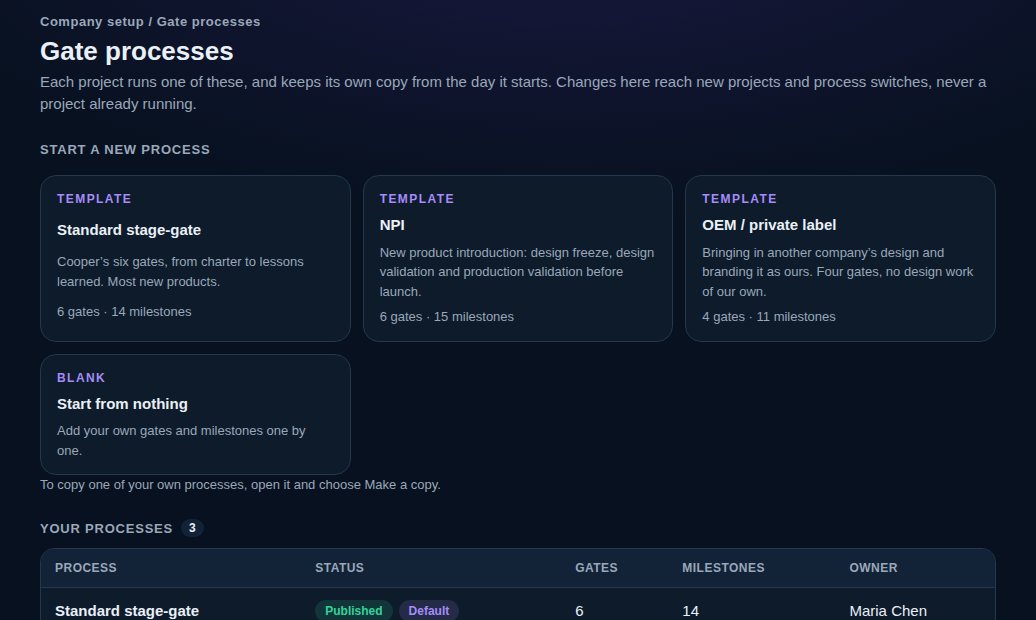
On the web, Company setup → Gate processes. Start from a template (Standard stage-gate, NPI or OEM / private label), start from nothing, or open one of yours and choose “Make a copy”. Add gates and, under each, the milestones expected there: what it is, its kind, a starting definition of done, a link to your own standard, and whether it needs a technical review.
A process is a draft until you publish it, so a half-built one never reaches a project. Nothing is deleted: a gate or milestone you remove is retired.
vectorxpro.com/engineer/app
Publish, default and retire
Publish a process to offer it for new projects, and choose “Make it the default” on the one most projects use. Retire one you no longer use; the default can't be retired, so make another the default first. A process you bring back returns as a draft, so publish it again. A project keeps its own frozen copy, so changes only reach new projects and process switches.
People and seats
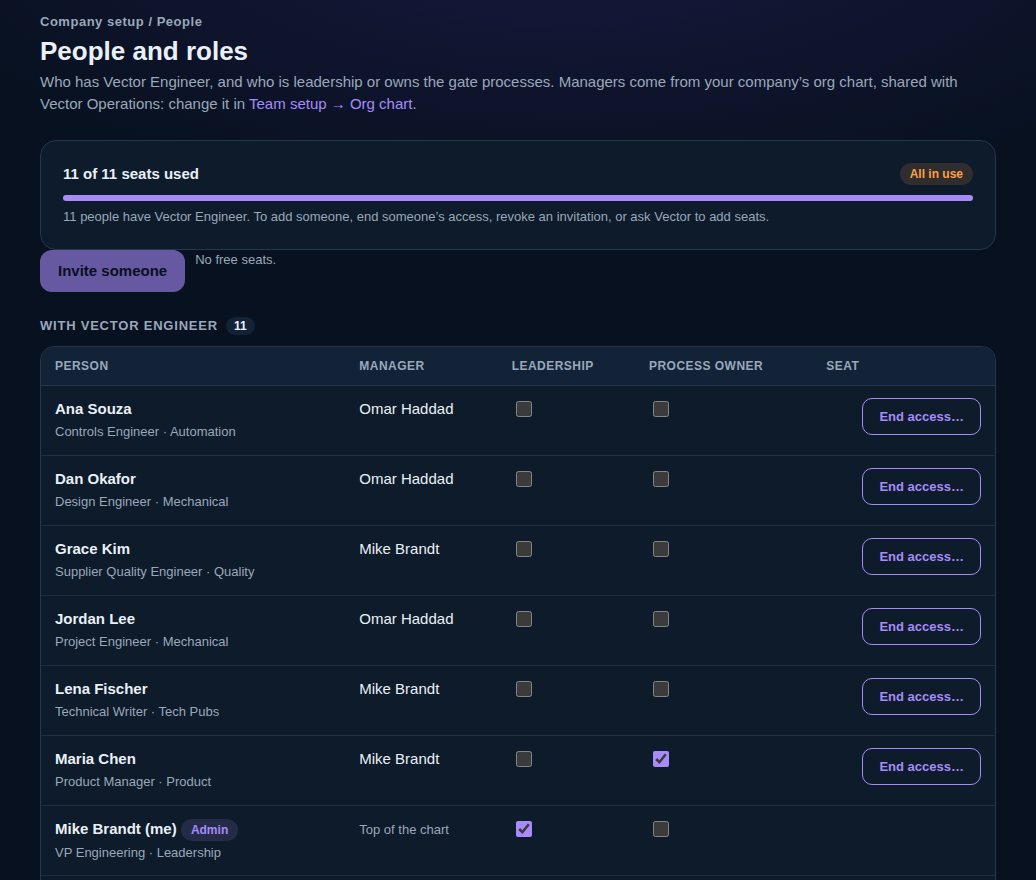
Company setup → People lists everyone with their seat and roles, and how many seats are used and free. Everyone who signs in to Vector Engineer uses a seat, and so does each invitation still waiting. Admins invite people by email (with their roles and project teams), send an invitation again or revoke it, give or end a seat, and name leadership and the gate-process owner.
Managers come from your company's org chart, which you change in Vector Operations under Team setup → Org chart.
vectorxpro.com/engineer/app
Who does what
Company admins set up people and seats. Admins and the gate-process owner build and change the processes. Leadership sees every project and the company report, can start projects, and can look at People without changing it.
On iPhone, Projects → Company shows the gate processes read-only, and admins name leadership and the gate-process owner under Company roles.

 Engineer