Asking for work, promising a date, and deciding on an answer.
Ask someone for work
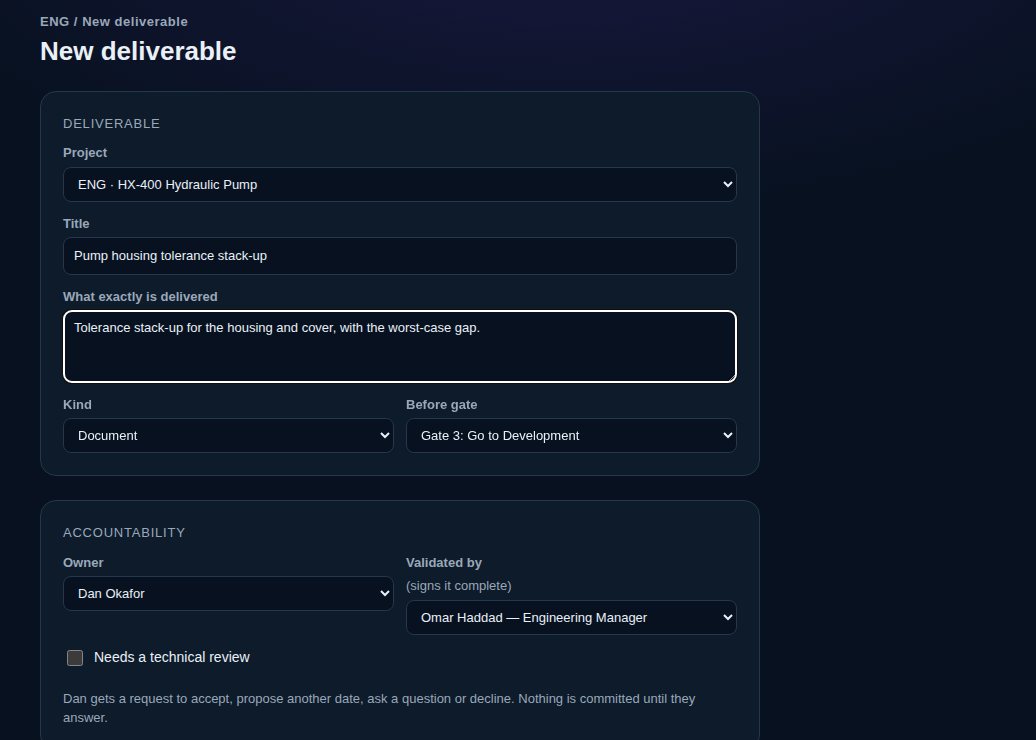
1Choose “+ New deliverable”, or on one of your deliverables choose “Request what I need”.
2Give it a title and say exactly what is delivered.
3Pick the owner and, on a new deliverable, who validates it (signs it complete). Say whether it needs a technical review.
4Set the date: Due (Date B) for new work, or Needed by (Date A) for something your work needs.
5Write the definition of done, one item per line.
6Choose “Send request” (or “Commit” if it's your own work).
Nobody is handed a date. Nothing is committed until the owner answers.
vectorxpro.com/engineer/app
Answer a request
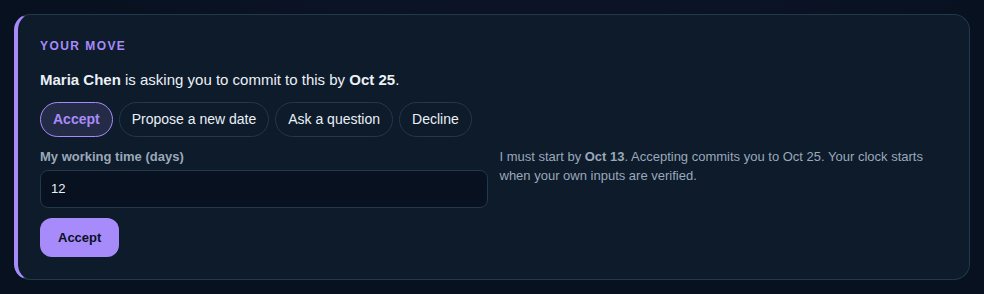
When you're asked for work, you have four answers: on the web in the Your move card on the deliverable, on iPhone under “Respond”.
1Accept: set your working time (Duration X). You're committed to the date.
2Propose a new date: the date you can deliver by, your working time, and why.
3Ask a question, if you need to know more first.
4Decline, with a reason.
vectorxpro.com/engineer/app
Decide on an answer
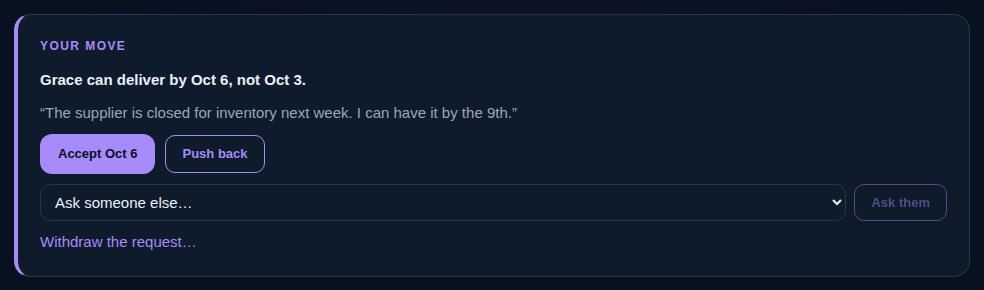
If you asked and the owner proposed a date or asked a question, it's your move. Accept the new date, push back or answer (and change the date if you like), ask someone else, or withdraw the request. If they declined, ask someone else or withdraw. Withdrawn work stays on the record, marked cancelled.
While a date is on offer, the schedule already forecasts with it, so everyone downstream sees the effect.
vectorxpro.com/engineer/app
Link work that already exists
On your deliverable, choose “Link existing work” (“Link existing” on iPhone) and the date you need it by. If you own that work, or its owner already committed to that date or earlier, the link is live at once. If not, they're asked to deliver earlier and choose “Agree to” the date (their date moves) or “Keep my date” (the link stays and the conflict shows).

 Engineer