
VectorXPro

Help Center / Getting Started

Getting Started

What Vector Project does, and the few words it uses.

The idea

Vector Project runs any project with handoffs between people, from the bottom up: a plant move, an IT rollout, a building fit-out. Every piece of work has one owner, who agreed to its date. The schedule is calculated from those promises, not drawn by a planner. When something slips, everyone downstream sees why, and who owns the delay. Every request, promise and change stays on the record.
Nobody commits someone else

Work you create for yourself is committed at once. Work you ask of someone else is a request: they accept it, propose a date they can make, ask a question, or decline. Nothing is on their plate until they say yes.

Getting around

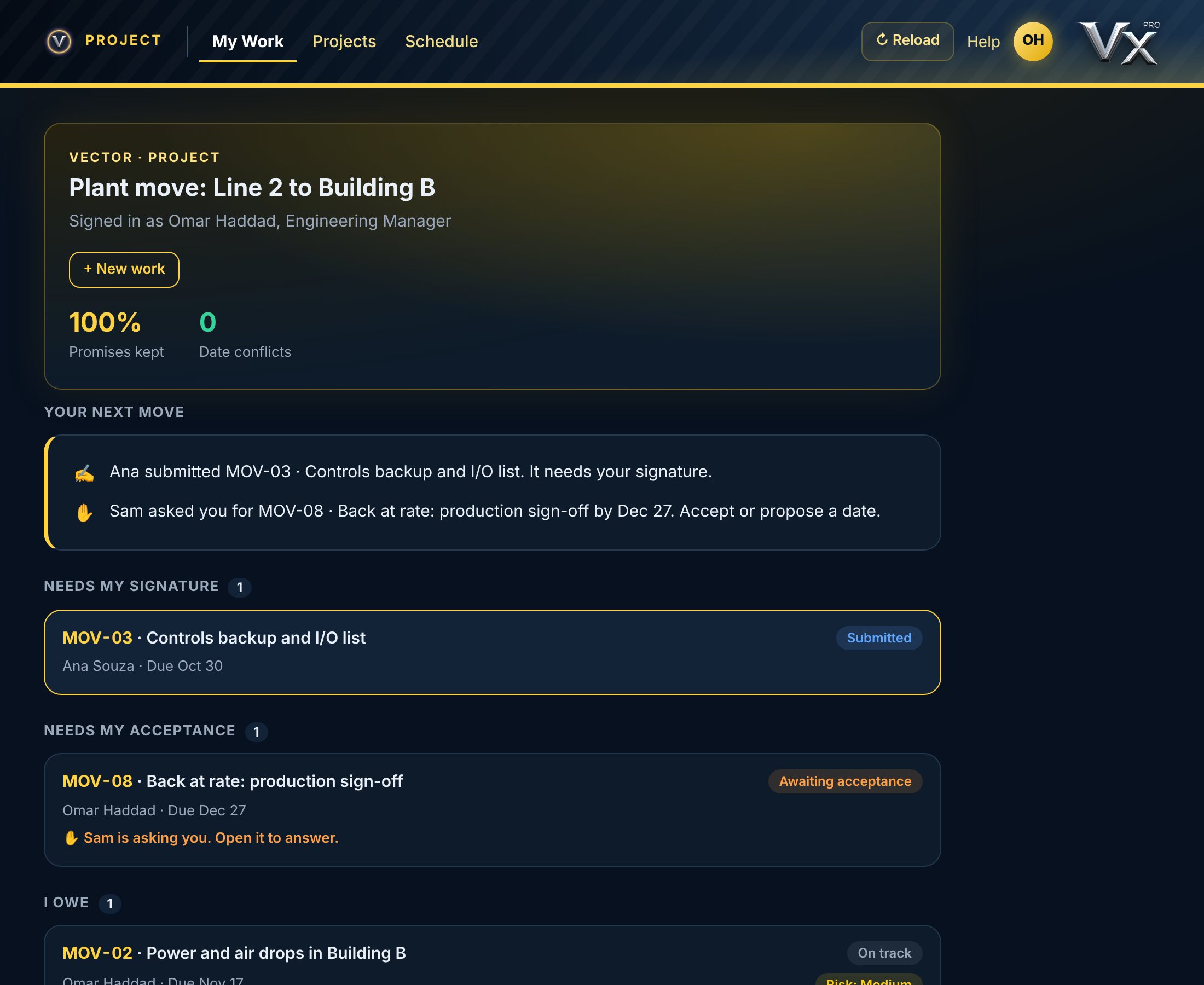
  • My WorkWhat's waiting on you
  • ProjectsLists the projects you can see; open one for its work by phase, its phases, its team and its history
  • ScheduleThe calculated timeline of one project
  • SettingsHolds your account, Help and Sign Out

Schedule opens on the project you last opened. Closed and killed projects are folded away at the bottom of Projects.

vectorxpro.com/project/app
Vector Project on the web: the menu along the top, and My Work with promises kept, date conflicts, Your next move and the lists

Three words to know

Date B is the date the owner committed to finish. Duration X is the owner's own working time, so their latest start is Date B minus X. Date A is when a piece of work is needed by the work that depends on it.

Work is numbered from the project's code, so anyone can find it: FIT-05 is the fifth piece of work on the project coded FIT.