Help Center/ Holding, Killing and Closing a Project
Holding, Killing and Closing a Project
Pause a project, stop one, or close it when it's done.
Who decides
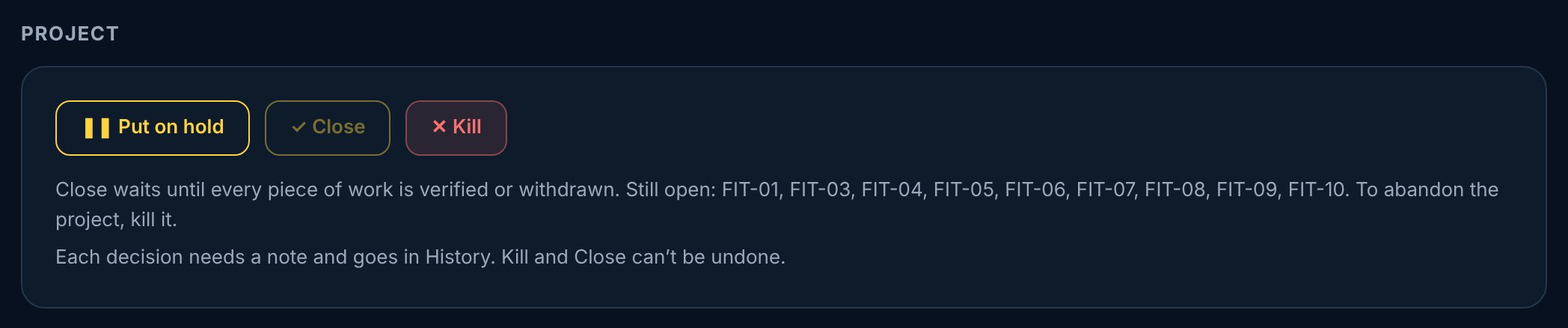
Project has no gates, so the lead decides, at any time, from the Project card on the project page. The lead and co-leads put a project on hold and resume it. Killing or closing a project needs the lead, anyone above the lead in the org chart, or a company admin. Leadership sees every project but doesn't decide. A team member doesn't see the Project card.
vectorxpro.com/project/app
Hold freezes the clock
1On the project page, tap Put on hold.
2Say why in the note. It goes in History with your name.
3When it's time, tap Resume.
While a project is on hold, nothing starts the clock or moves a date: no new work, nobody starts work, and nobody accepts, offers or moves a date. Questions, declines, files, submitting and signing still go through. On Resume, every open date moves by the days on hold, and those days count against nobody. They are not slips.
Kill a project
Kill is for a project that's being stopped, or was entered by mistake. Tap Kill and say why. Its open work is withdrawn, never erased, and the project becomes read-only. Its team still sees it, under Closed and killed. It can't be undone.
Close a project
Close is for a project that's done. It waits until every piece of work is verified or withdrawn; until then the Project card lists what's still open. Tap Close and add a line on how it finished. The project becomes read-only and its team still sees it. It can't be undone.
 Project