VectorXPro

Help Center / Who Validates for Me

Who Validates for Me

Handing signing Complete down to someone on your team.

Hand it down

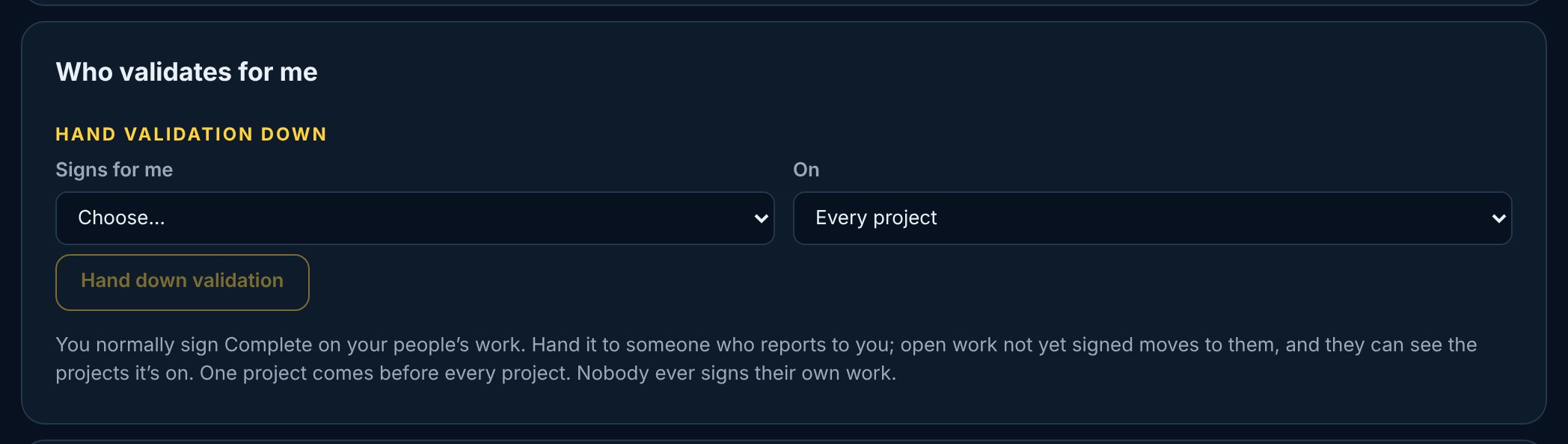
As a manager you sign Complete on your people’s work. In Settings → Who validates for me, pick someone who reports to you and has a Vector Project seat, for every project or one. Open work you validate that isn’t signed yet moves to them, and new work defaults to them.

  1. 1Open Settings → Who validates for me.
  2. 2Pick who signs for you, and on which project.
  3. 3Tap Hand down validation.
vectorxpro.com/project/app
Who validates for me: pick who signs for you, on every project or one, and Hand validation down

Take it back

Tap End next to the hand-down. The open work it moved comes back to you. A hand-down for one project comes before one for every project, and nobody is ever handed their own work to sign.

Seeing the project

Anyone named to sign work on a project can see that project, even if they aren’t on the team. The Projects list says “You sign work”.