Starting a project, who sees it, and who runs the team.
Start a project
1On Projects, tap +.
2Give it a name, a short code (FIT, MOV2) and an objective.
3Pick a phase template, or No template and type the phases, or leave it without phases. With a template you can still add phases after its own.
4Choose the lead and the target finish.
Anyone with a Vector Project seat can start a project. If you name someone else as lead, you stay on as a co-lead.
Who sees a project
Everyone on the team sees the whole project: handoffs cross teams. Managers see any project someone below them in the org chart is on. Leadership, switched on by a company admin, sees every project. A project you can see shows why: Lead, Member, Your team or Leadership.
Run the team
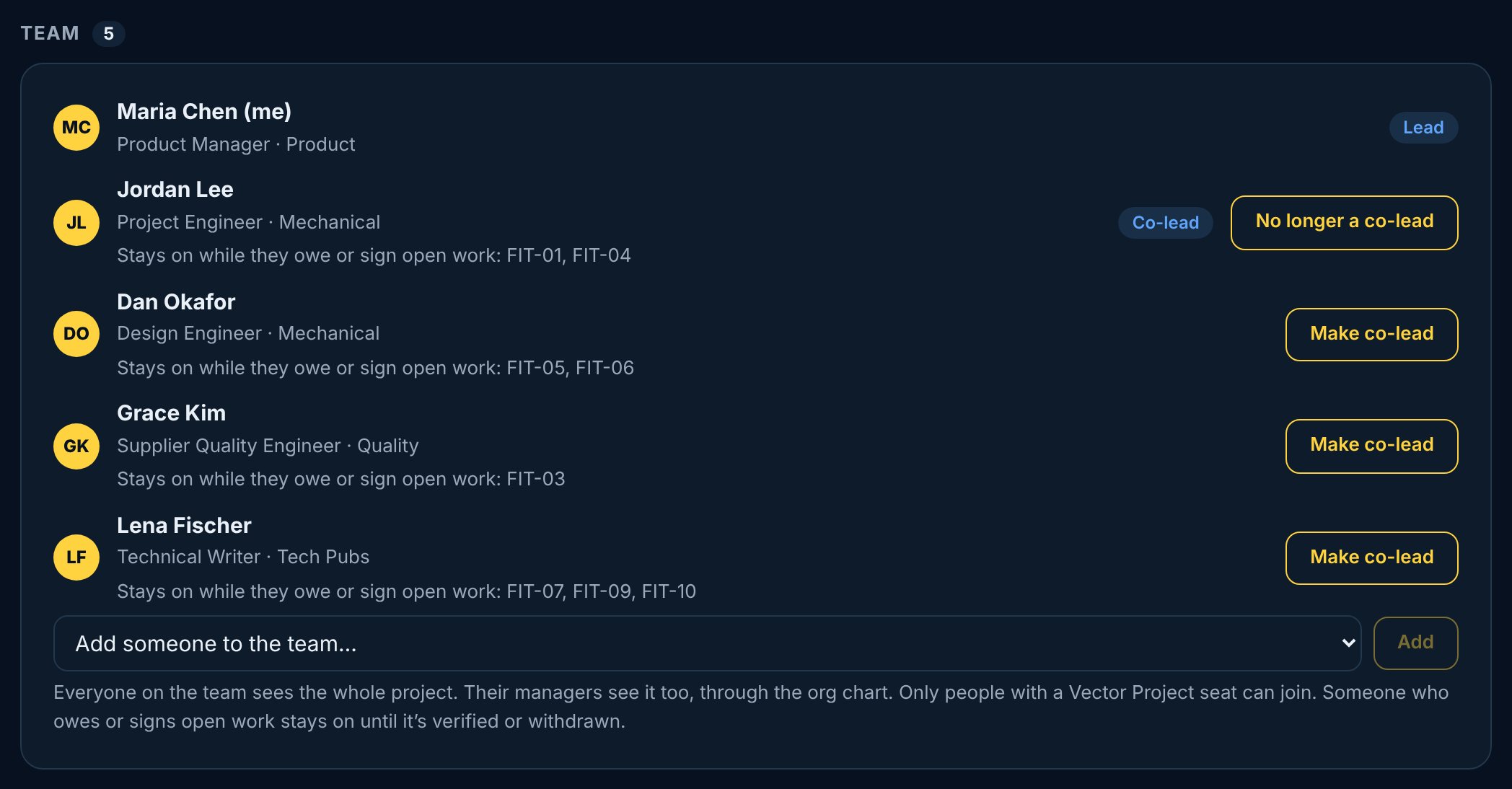
The lead, co-leads, their managers and company admins add people to the team, make co-leads, and take people off. Only people with a Vector Project seat can join. Someone who still owes or signs open work can't come off until it's handed on, and the lead can't come off the team.
 Project