Asking for work, answering a request, and what happens next.
Ask for work
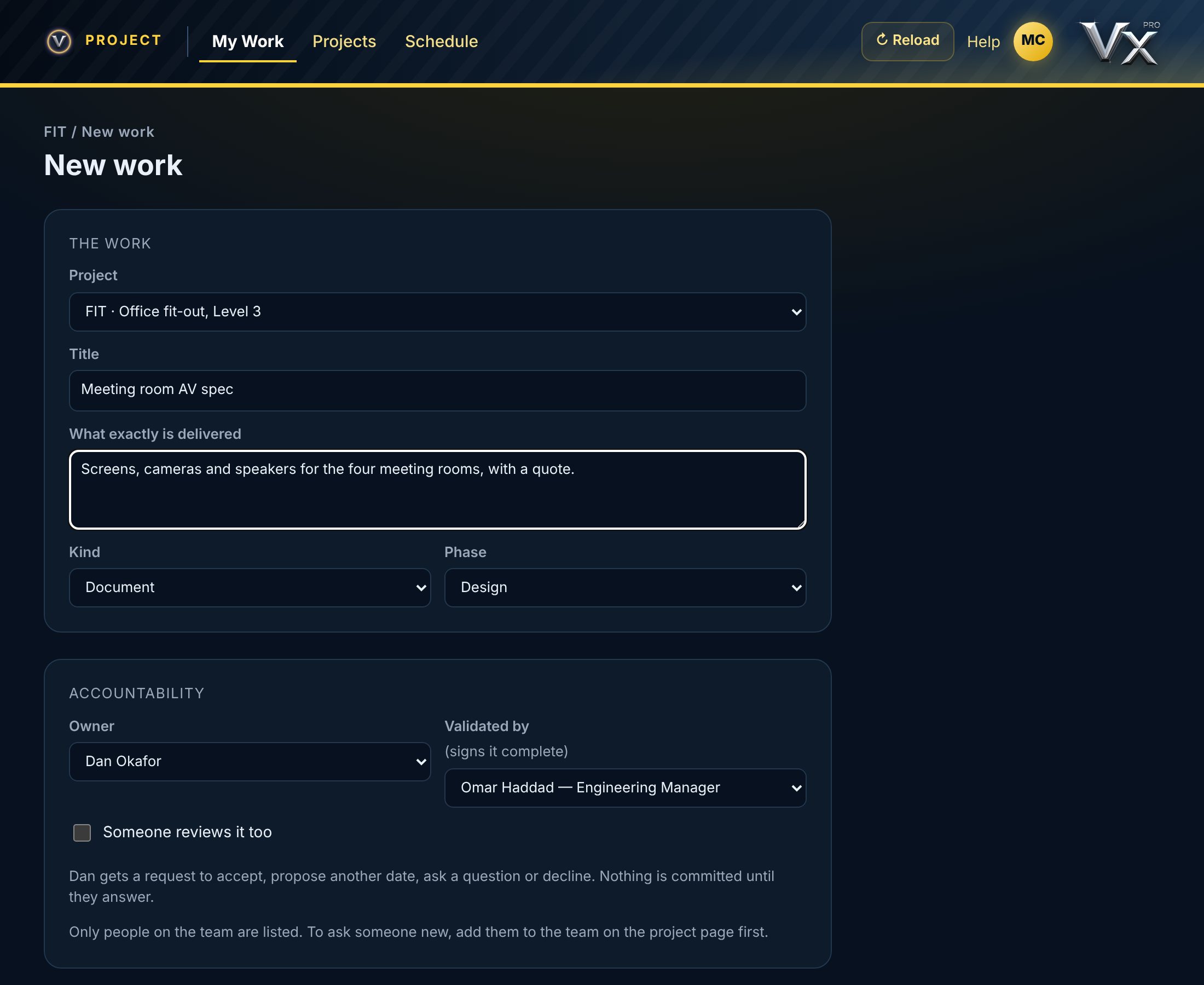
1Tap + on My Work, or New work on a project.
2Give it a title, what exactly is delivered, and its phase.
3Pick the owner. Only people on the project's team can be asked.
4Set the date it's due (Date B) and the definition of done.
5Send the request. Nothing is committed until the owner answers.
Work for yourself is committed as soon as you save it, with your own working time (Duration X).
vectorxpro.com/project/app
Answer a request
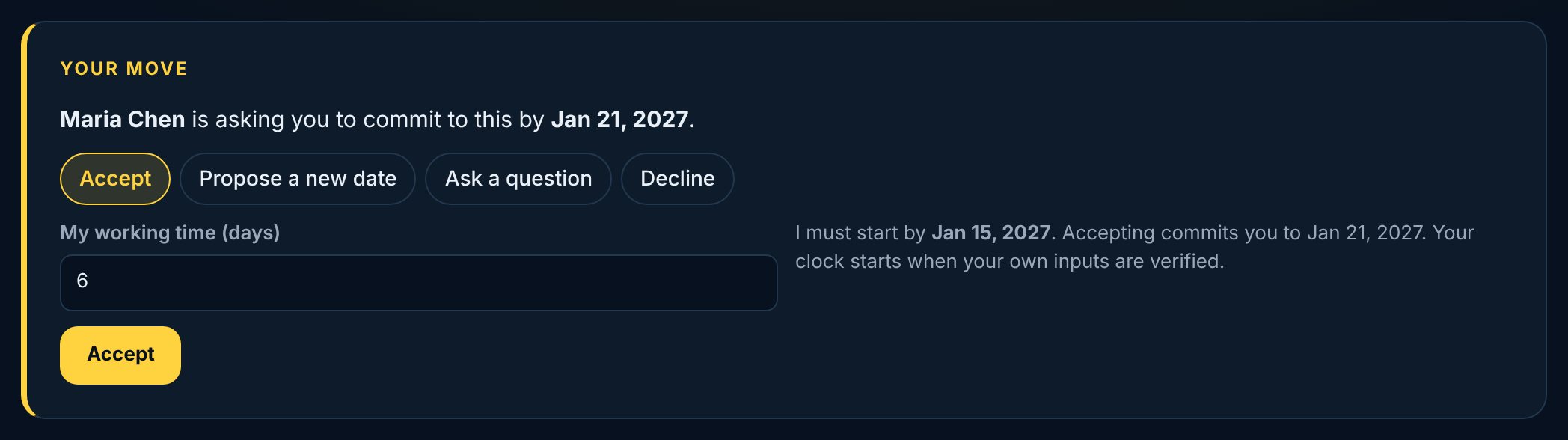
Open the request and tap Respond. Accept it with your working time, propose another date with a note, ask a question, or decline with a reason. Your answer goes back to the person who asked.
vectorxpro.com/project/app
When your request comes back
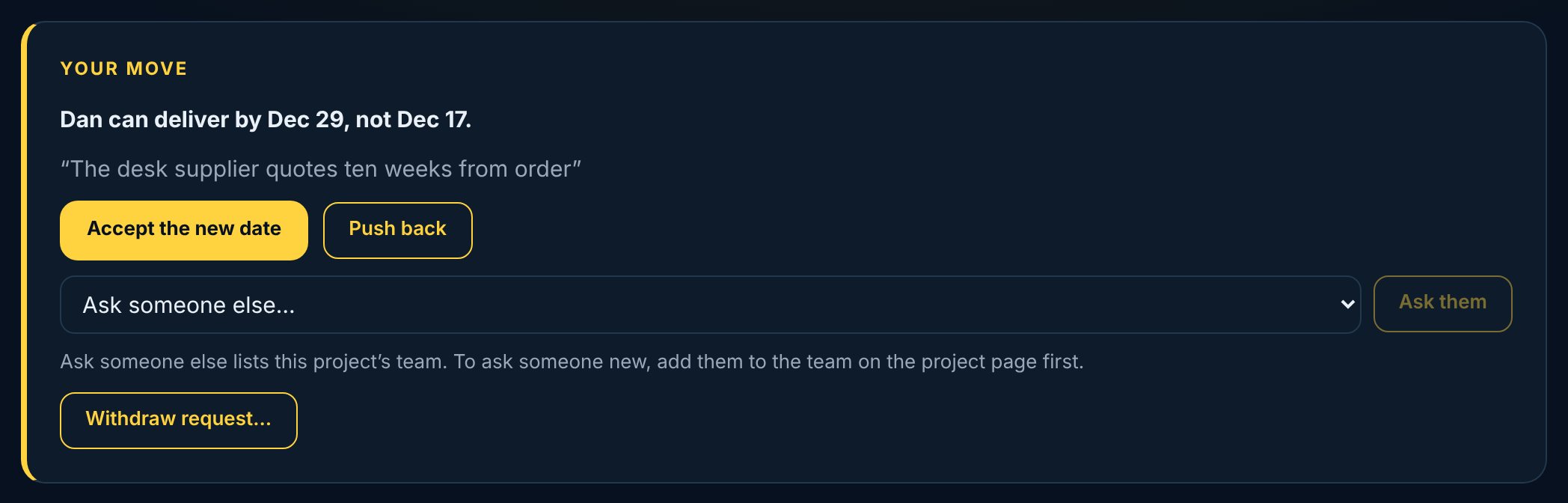
If the owner proposed a date, accept it or push back. If they asked a question, answer it and the request goes back to them. If they declined, ask someone else on the team, or withdraw the request. Ask someone else lists the project's team: add a new person on the project page first. You can withdraw a request any time before it's accepted; Vector asks you to confirm, and it stays on the record as Withdrawn.
vectorxpro.com/project/app
Who signs it complete
Every piece of work has a validator who signs it complete. By default it's the owner's manager: the first person up the org chart with a Vector Project seat. Nobody signs off their own work.
Want someone to check the work is right as well? Name a reviewer when you ask: they sign Reviewed too.
 Project