What deleting your Vector account does, what stays on the record, and how.
What it does
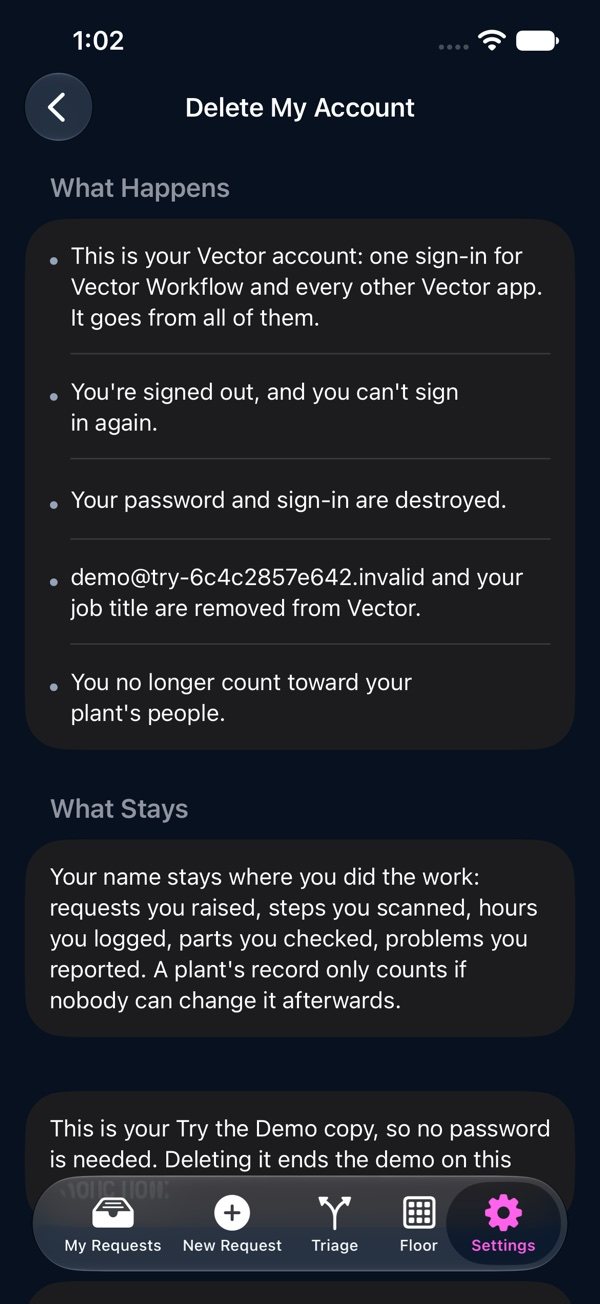
Your Vector account is one sign-in for Vector Workflow and every other Vector app, so deleting it removes it from all of them. Your email address and job title are removed, your sign-in is destroyed, and you no longer count toward your plant’s people.
What stays
Your name stays where you did the work: requests you raised, steps you scanned, hours you logged, parts you checked, problems you reported. A plant’s record only counts if nobody can change it afterwards.
Anything you were responsible for, such as a team you supervise or a request waiting on you, stays with the plant so your supervisor or admin can hand it to someone new.
Delete it
1Open Settings in the Vector Workflow app on your phone, or any Vector app, and tap “Delete My Account” at the bottom.
2Read what happens and what stays.
3Prove it’s you: type your password. If you sign in with your company, tap “No Password? Email Me a Code” and enter the 6-digit code from the email instead. In a Try the Demo copy, nothing is needed.
4Tap “Delete My Account”, then “Delete” to confirm. This can’t be undone.
No Vector app on your phone? Write to support@vectorxpro.com from the address you sign in with and we’ll delete it for you.
A plant’s last admin can’t delete their account until another admin is named, so the plant is never left without one.
 Workflow