
VectorXPro
← Back to Vector Workflow

Help Center / Time

Time

Shop hours from the scans, and logging everything else.

Log time

  1. 1Open My Requests › Time.
  2. 2Pick the day (up to 14 days back) and type the hours in quarter-hours, for example 1.5 or 0.75.
  3. 3Pick the work order or project code it was for, and add a note if you like.
  4. 4Tap “Log It”.

You can change or withdraw your own entries for 7 days.
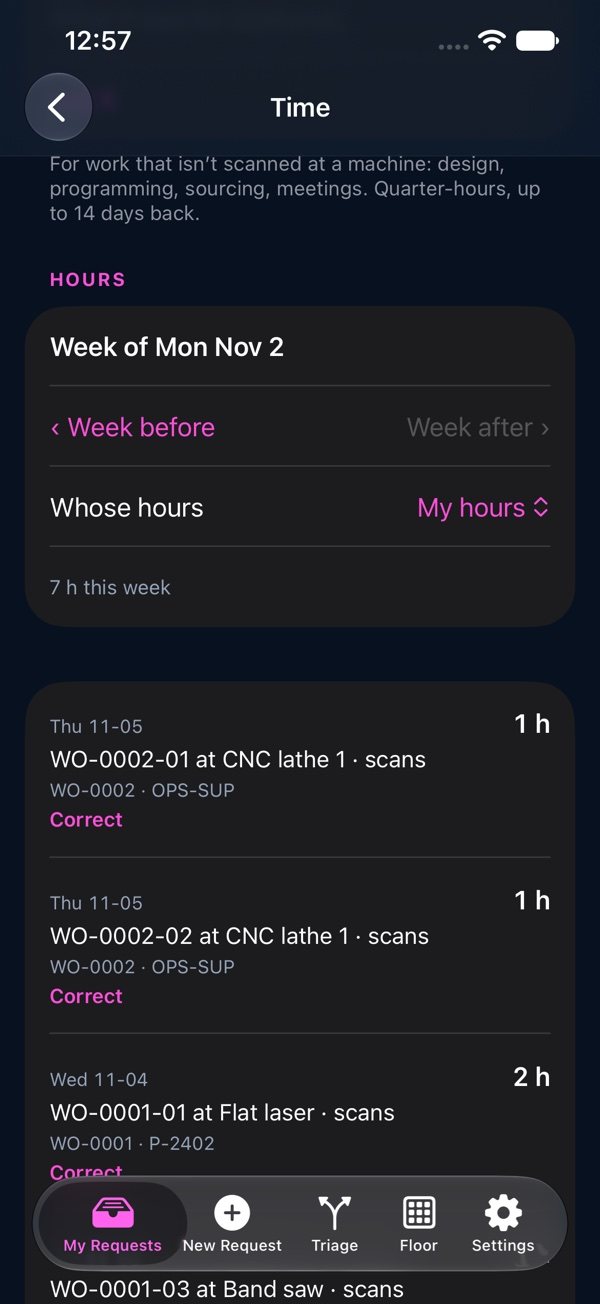
Time: the week's hours from scans and logged time

Shop hours

Shop hours come from the scans: from Start to Finish at each machine, and from start to done at a bay. A run longer than your plant's limit (12 hours unless changed) is marked “Check hours”, and the machine's team supervisor or a leader corrects it with a reason. You see your own hours; supervisors see the people under them; cost viewers see everyone's.