
VectorXPro
← Back to Vector Workflow

Help Center / Where's My Part

Where's My Part

Each part on your requests, where it is now and when it's expected.

Where's My Part

My Requests › Where's My Part shows each of your requests, each part on it, the step and place it's at now (running at a machine, at a vendor with its promise date, in the kit, being built at a bay) and when it's expected. The same shows on each request's page. It updates every minute.
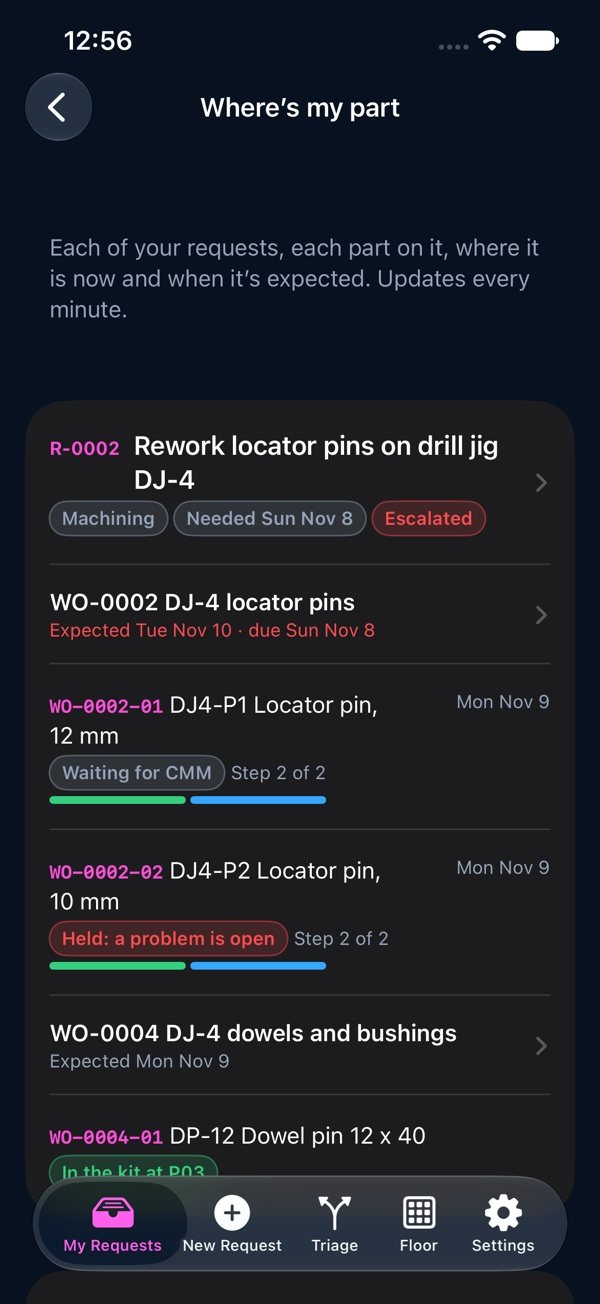
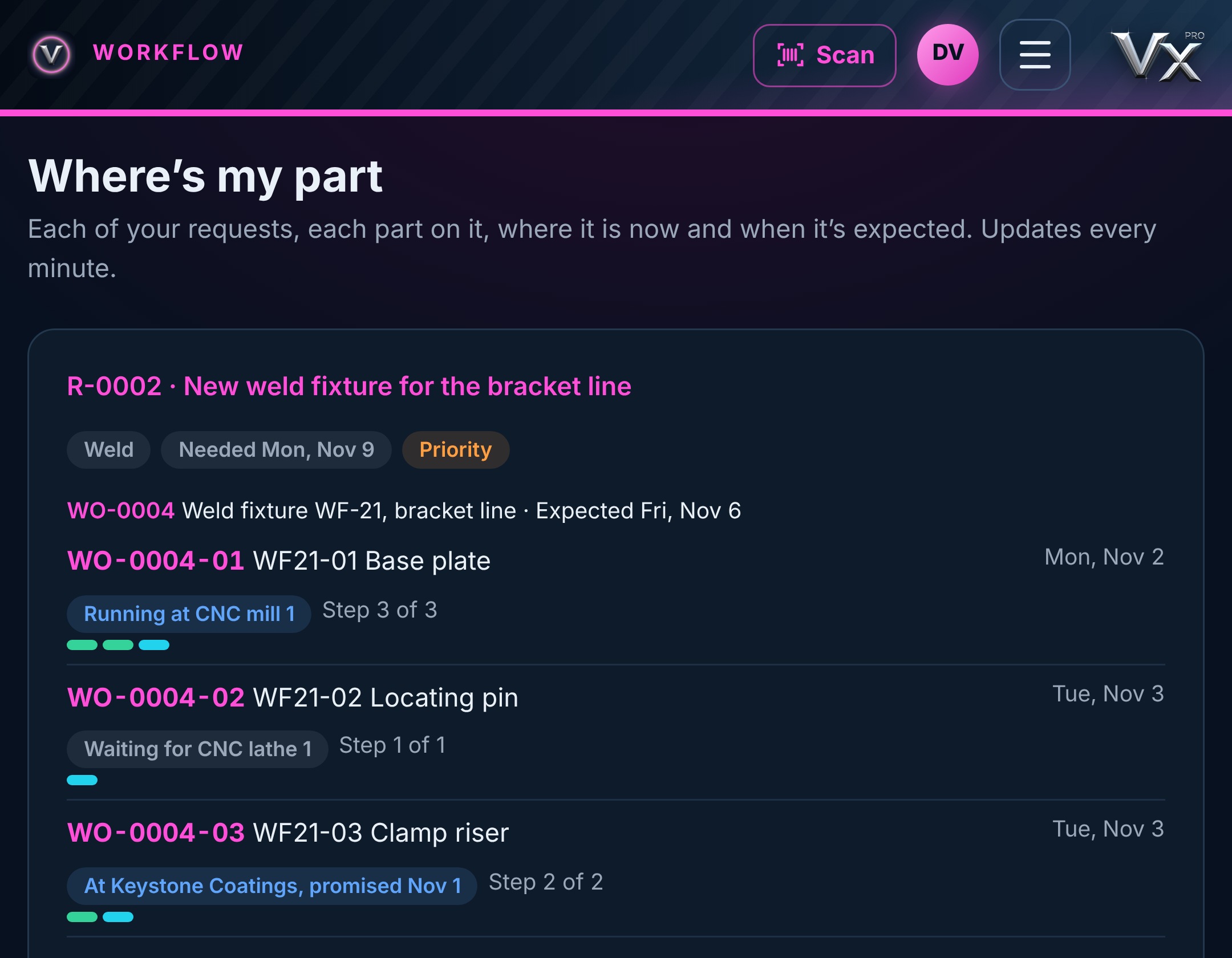
Where's my part: each part on your requests, the step it's at and when it's expected

Reading the dates

A red date means it is expected after the day it's due. Expected dates come from the estimated hours left on each part's steps, at your plant's hours per working day, waiting for any vendor's promise date.

“Held: a problem is open” means a problem was reported on that part. It moves again once the problem is closed.

vectorxpro.com/workflow/app
Where's my part on the web