
VectorXPro
← Back to Vector Workflow

Help Center / Work Orders and Routes

Work Orders and Routes

The jobs a team opens on a request, their parts and each part's route.

On the web

The team a request is with opens work orders on it at vectorxpro.com/workflow/app. They paste the parts list from Excel, say where each part comes from (stock, buy, make, a sister plant) and give each made part its route: machines, moves between buildings and outside vendors, with estimated hours. It's released to the shop when every made part has a route.
On your phone

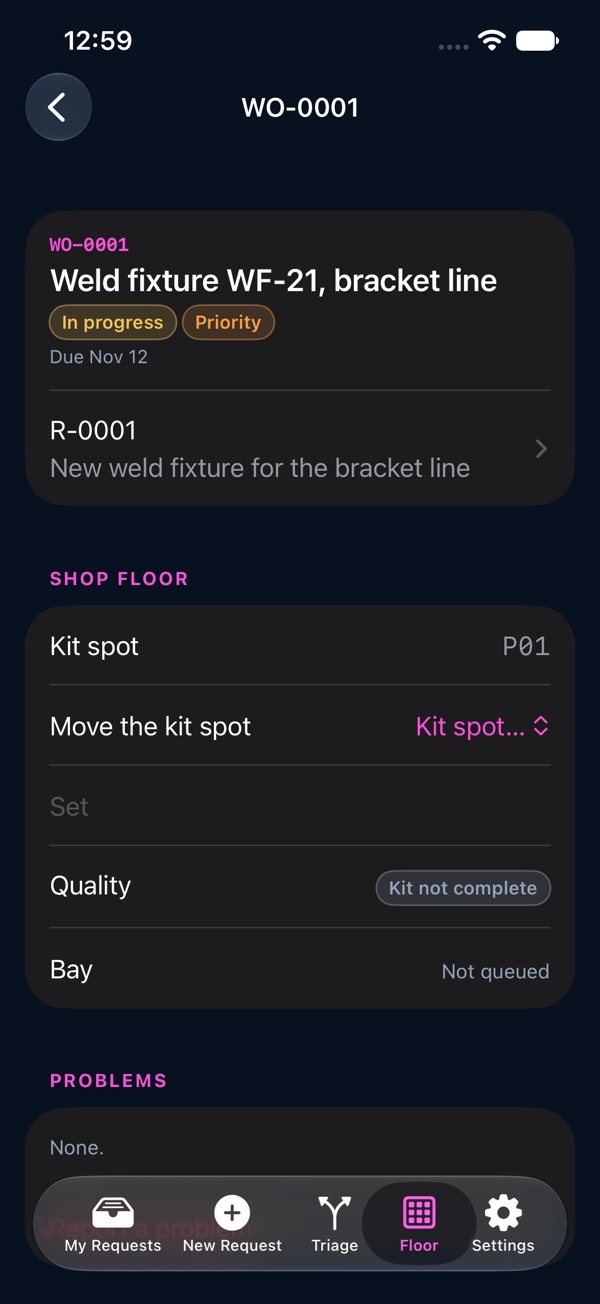
Open a work order from a request's Where's My Part, from Scan or from a queue. Its page shows the kit spot (Set or Move it), the quality check, the bay (Send to the bay, Take it off the queue), its problems with “Report a problem”, its validation, its project, its assemblies (“What's missing”), and each part's route with its Drawing, “Send to CMM” and “Skip step”. Drawings open read only; they're added on the web.

A work order on the phone: kit spot, quality, bay and problems