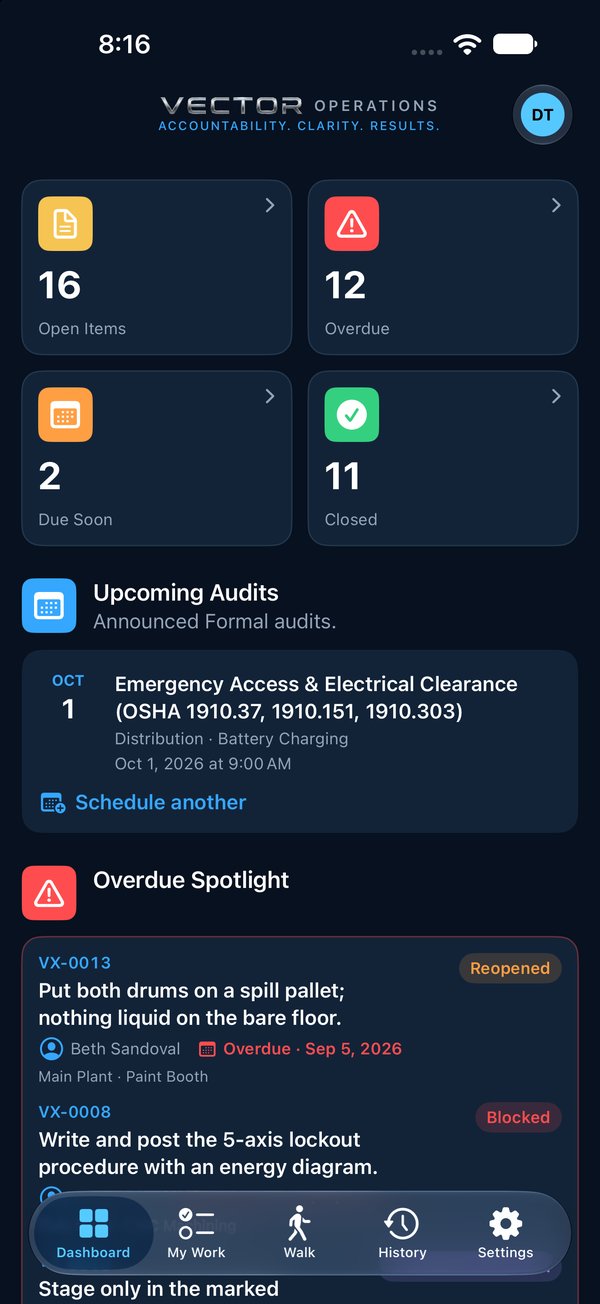
The Dashboard counts open, overdue, due soon and closed items. Tap any of those four tiles to open My Work showing just those items. Below them, anything overdue is up front, then your newest open work and recent activity across the organization. Announced audits coming up show under Upcoming Audits. Quick Actions start an audit, raise an item, list items waiting to be verified, open your audit history, or open this Help Center. Pull down to refresh.
123
1Tap a count to open My Work showing just those items.
2Upcoming Audits: announced Formal audits.
3Overdue Spotlight: anything overdue, up front.
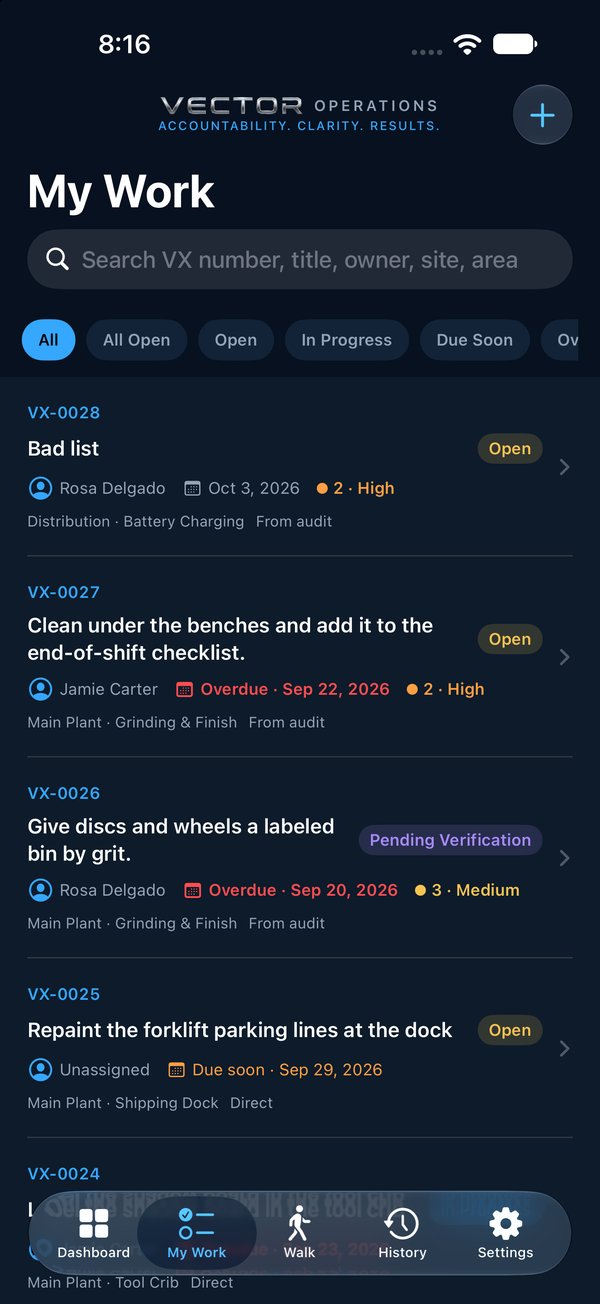
My Work
My Work lists the items you own. Use the filters along the top to narrow them, and search by title or by item number, such as VX-0012. All Open is everything not yet closed or canceled; Open is only what nobody has started.
123
1Search by title or item number, such as VX-0024.
2Filters: All, All Open, Open, In Progress, Due Soon, Overdue…
3+ raises an item.
What the dates mean
Due soonDue within the next few days
OverdueThe due date has passed and it isn't closed

 Operations Pro
 123
123