
 Operations Pro
The idea
Vector is an accountability app. Something needs attention, someone owns fixing it, they prove it was fixed, and someone checks it. Every step is recorded, and nothing on the record can be quietly changed afterwards.
Help Center / Getting Started
What Vector does and how the app is laid out.
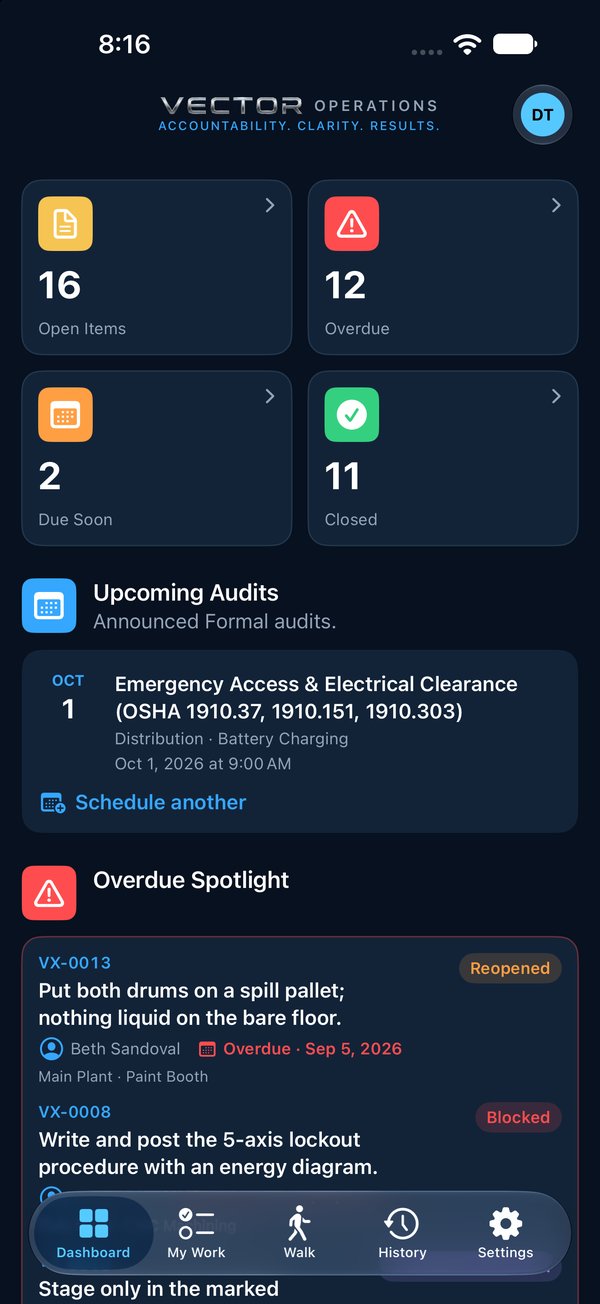
Vector is an accountability app. Something needs attention, someone owns fixing it, they prove it was fixed, and someone checks it. Every step is recorded, and nothing on the record can be quietly changed afterwards.
Action owners fix things rather than walk audits, so they have four tabs: no Walk.
An item can come from an audit walk, or straight from a person: a manager who needs something done sends it as a direct action. Both follow the same loop.
Items are numbered VX-0001, VX-0002 and so on. Quote the number and anyone can find it.