Operations Pro
What's in a pack
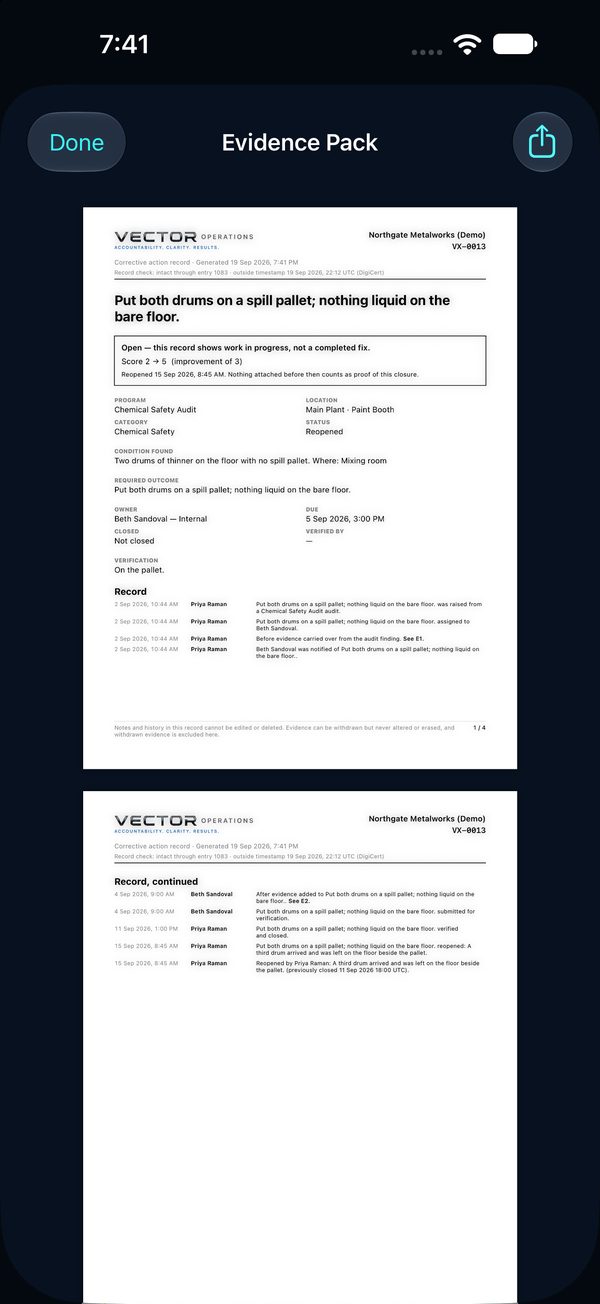
A pack shows the whole story of one item on a few pages: the condition, the owner, the action, the photographs before and after, who verified it and whether they were the owner, and the score change.
Help Center / Evidence Packs
One document for an item, or for a whole walk.
A pack shows the whole story of one item on a few pages: the condition, the owner, the action, the photographs before and after, who verified it and whether they were the owner, and the score change.
A spreadsheet can list corrective actions. A pack shows they were done, with photos and names, from a record no one can edit.
 1
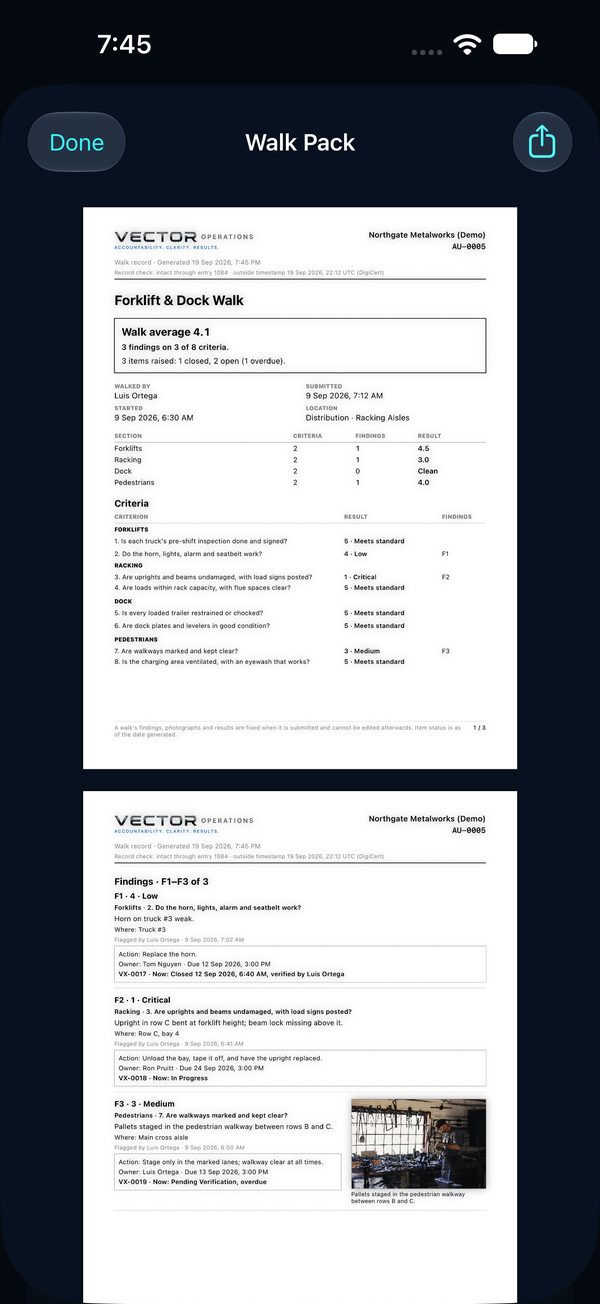
1A submitted walk has its own pack, headed by its number (AU-0012). Page 1 is the scorecard: the walk average, each section's result, and how many items were raised and closed. Next comes What was audited: what the program covers and what good looks like for every criterion, as they stood when the walk started. Then every criterion's result, and every finding with its photos beside it and where its item stands on the day you make the pack.
Make a new pack whenever you need one: the findings never change, but the items' status is always today's.